
Magento 2 (Magento Open Source 2, Adobe Commerce) – add manufacturer
Choosing Manufacturers in Magento 2 (Magento Open Source 2, Adobe Commerce) and assigning them to corresponding products is a business task that deserves notice. Manufacturer is a person, an enterprise or entity that produces goods you are selling over the Internet. Most likely, you will want to inform your clients who produced this or that garment of clothes and, most likely, your customers would like to know who developed, for example, cutlery they are going to buy.
As it is known, in Magento 2 (Magento Open Source 2, Adobe Commerce) attribute sets collect attributes, used to describe products and their properties. When creating this or that product, you are choosing which attribute set it will be based on and, respectively, what characteristics will be inherent to this item.
Creating Manufacturer and Assigning It to Products via Admin
In order to add 'manufacturer' attribute via Admin you have to accomplish the operations, enumerated below:
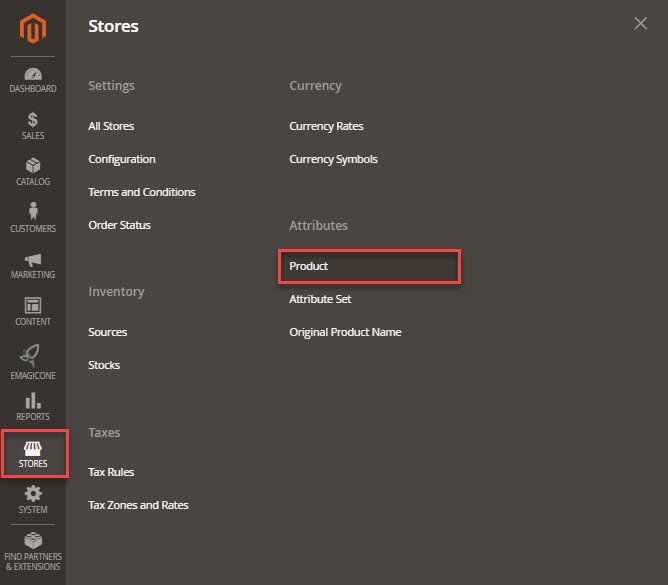
- Browse Stores->Attributes->Products in Magento 2 (Magento Open Source 2, Adobe Commerce) back-end
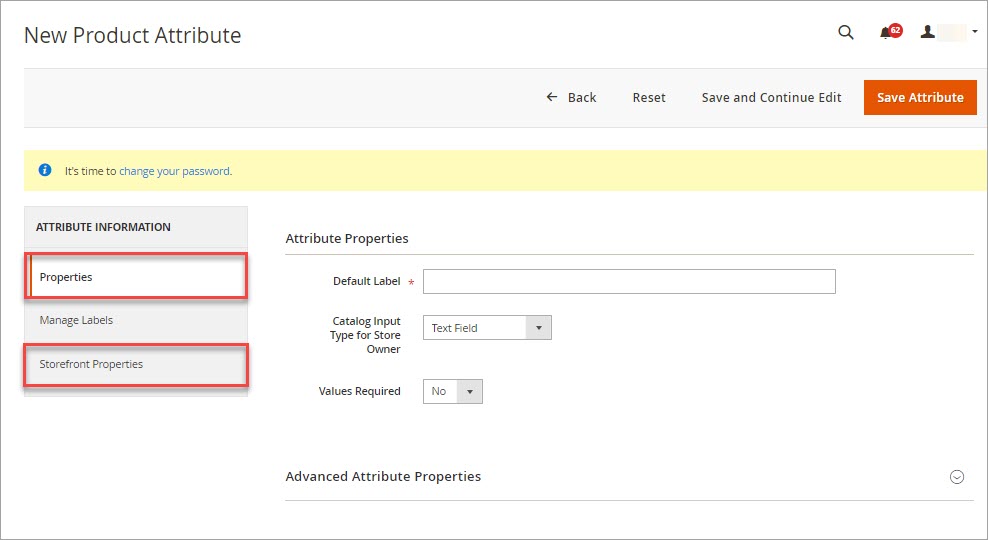
- Click on Add New Attribute option in the upper right corner of the page and designate attribute properties
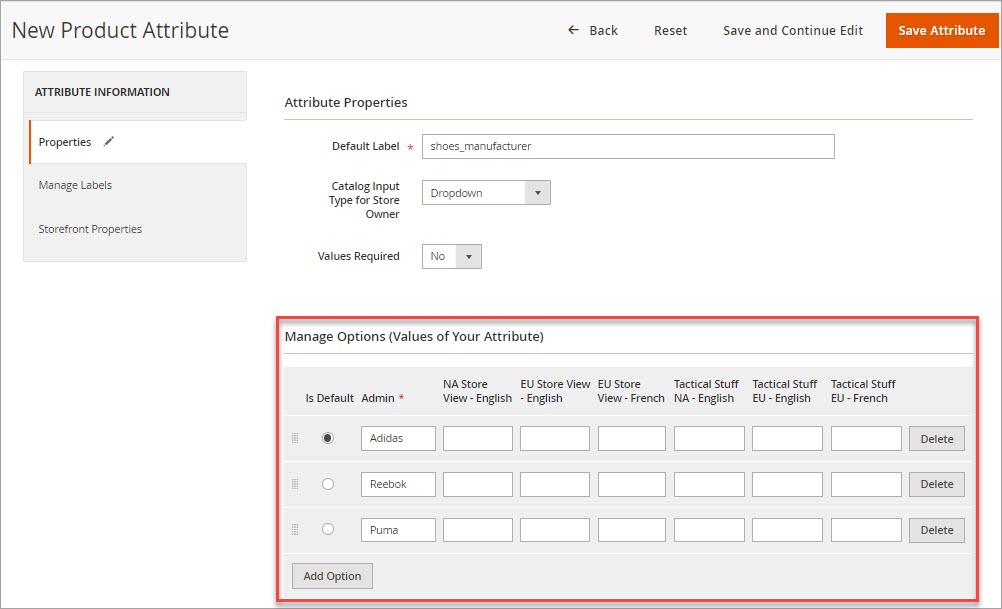
- Add attribute options in adjacent tab
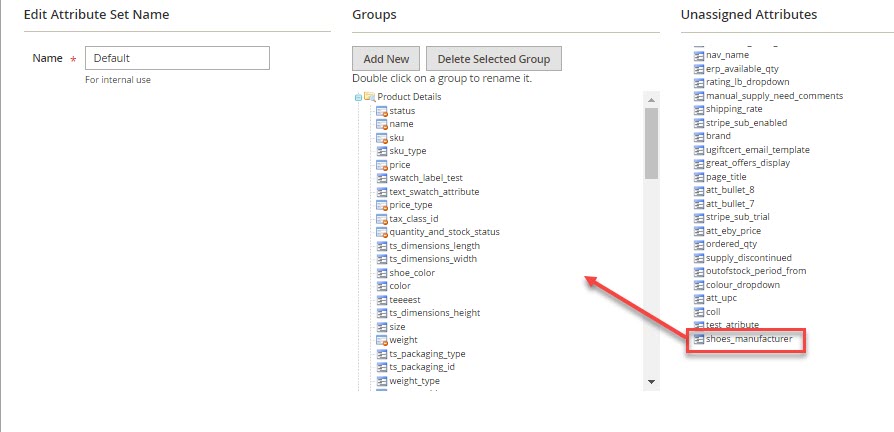
- Open Stores->Attributes->Attribute set and assign just created attribute to necessary attribute set or create the one if it does not exist
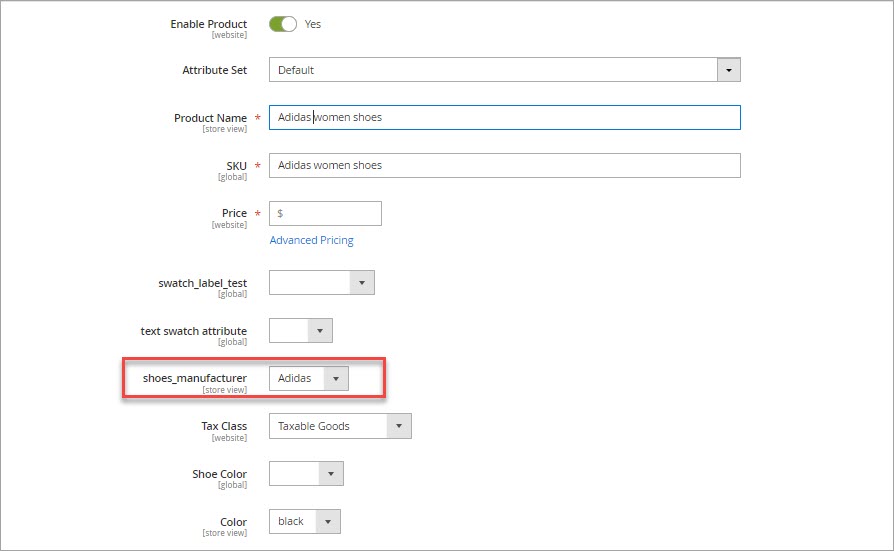
- Assign desired manufacturer to a product - find it on the list, enable its editing and select proper manufacturer
Topics You Might Be Interested In
Create Manufacturer Attribute in Store Manager
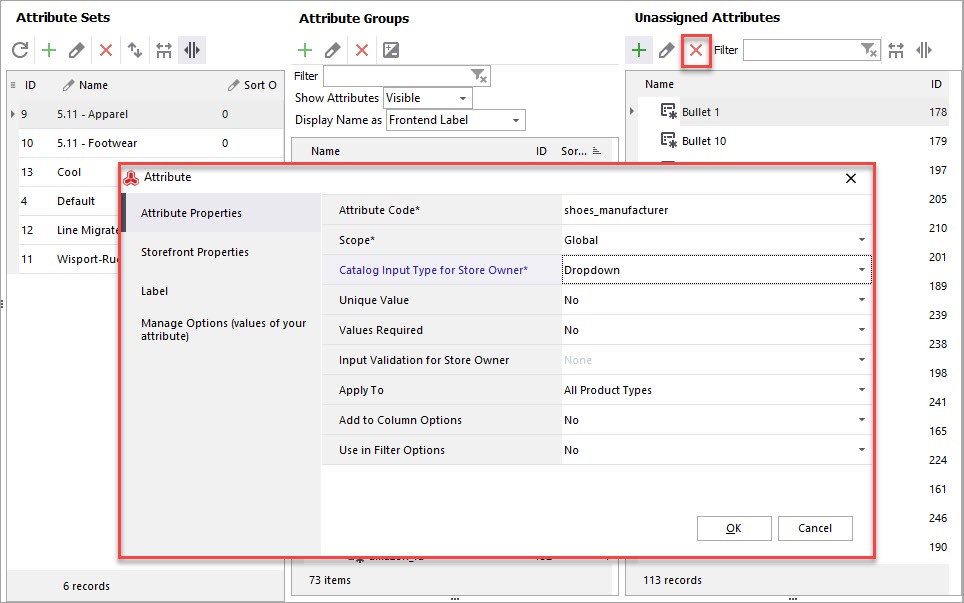
First of all, add Magento 2 (Magento Open Source 2, Adobe Commerce) manufacturer attribute in Store Manager Attributes section, accessible under tab Store. When creating attribute you must specify its properties (scope, catalog input type for store owners, attribute code, etc), frontend properties, label analogously to Admin. In most cases you have a set of predefined manufacturers and when creating or editing products, you can select one and assign it to the product. Correspondingly, dropdown input type suits the best. After you choose dropdown, you will get Options tab in Edit Attribute Data dialog box, where manufacturers should be added.
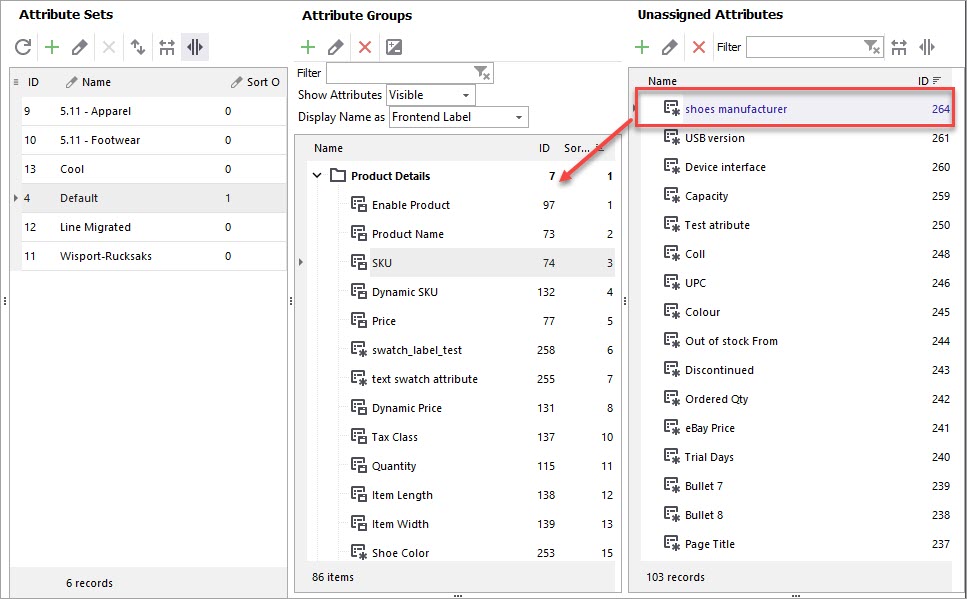
The attribute being created, add it to certain attribute set - select the one in Attribute Sets and drag manufacturer from Unassigned Attributes section to necessary Attribute Group
Assign Manufacturer to Magento Products
Once you have added 'manufacturer' attribute to attribute set, you can attach producer to the merchandise missing it. Of course, you can go product after product and add manufacturer to each in this way.
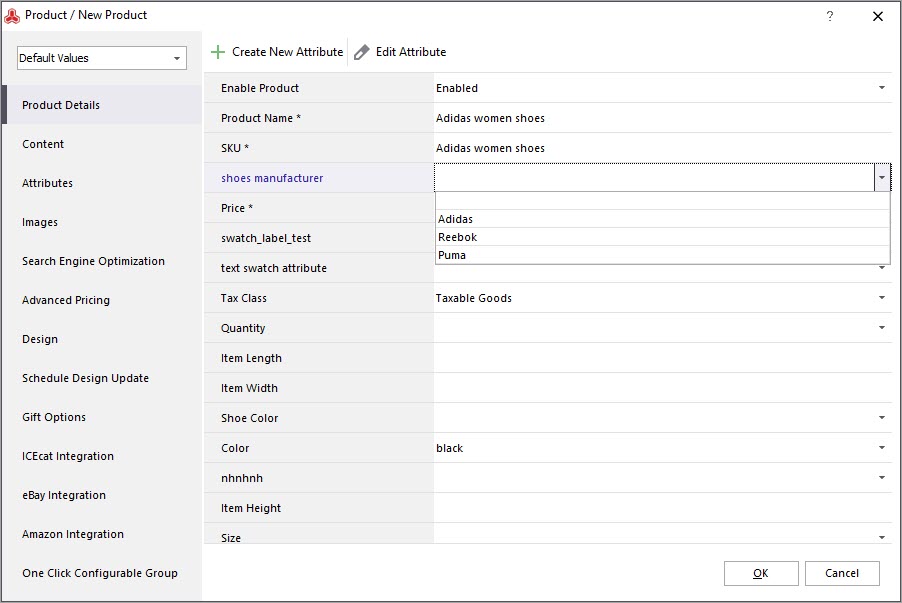
Store Manager for Magento makes it easy to add Magento manufacturer to numerous products at once, performing data appending of products by means of import wizard. The file you import from should contain column responsible for product manufacturer. There should be specified manufacturer for necessary products. You do not need to manually add each manufacturer record, only have them in the file. Although, manufacturer attribute should be created in Store Manager and linked to definite attribute set.
Arrange product manufacturers efficiently and accurately with Store Manager for Magento; it is characterized by approachable manufacturer management logic and lets you quickly associate merchandise with appropriate producer.
Try out new approach to Magento manufacturer management Try Right Now
Related Articles:
Magento Order Management with POS
The list of benefits provided by Magento integration with POS system and instructions on how to use the POS. Read More...
Print Magento Receipts on Thermal Printer
Find out how to configure your thermal printer, bulk print receipts, modify receipt template. Read More...
Magento Order Status Flow
Find out how to easily manage Magento status overflow by changing order status and adding custom order statuses. Read More...
Manage Magento Stocktake Using Barcode Scanner
Check the benefits of setting up barcode scanner for performing stocktake conveniently. Read More...
COMMENTS