
How to create Magento 2 bundle products
Bundle product in Magento 2 is one of the complex product types including group products and configurables. When buying a bundle product, a customer is given a possibility to make up the package by himself/herself by selecting items from the suggested variants.
A bundle product is made up from a few simple products, that can be shipped either together or separately. Each of the goods can be assigned a dynamic SKU suffix for the convenience.
How to Create Bundle Products in Magento 2?
- From the admin toolbar go to 'Catalog' => 'Products'.
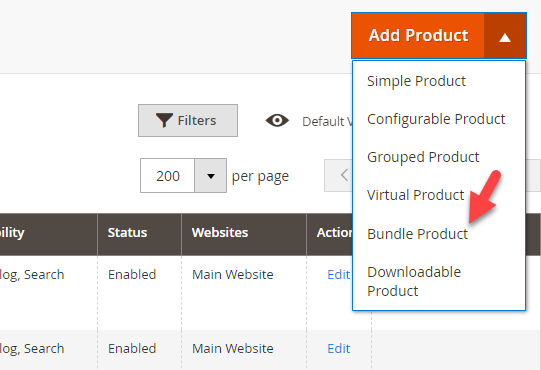
- Open the 'Add product' drop-down and select bundle product type.
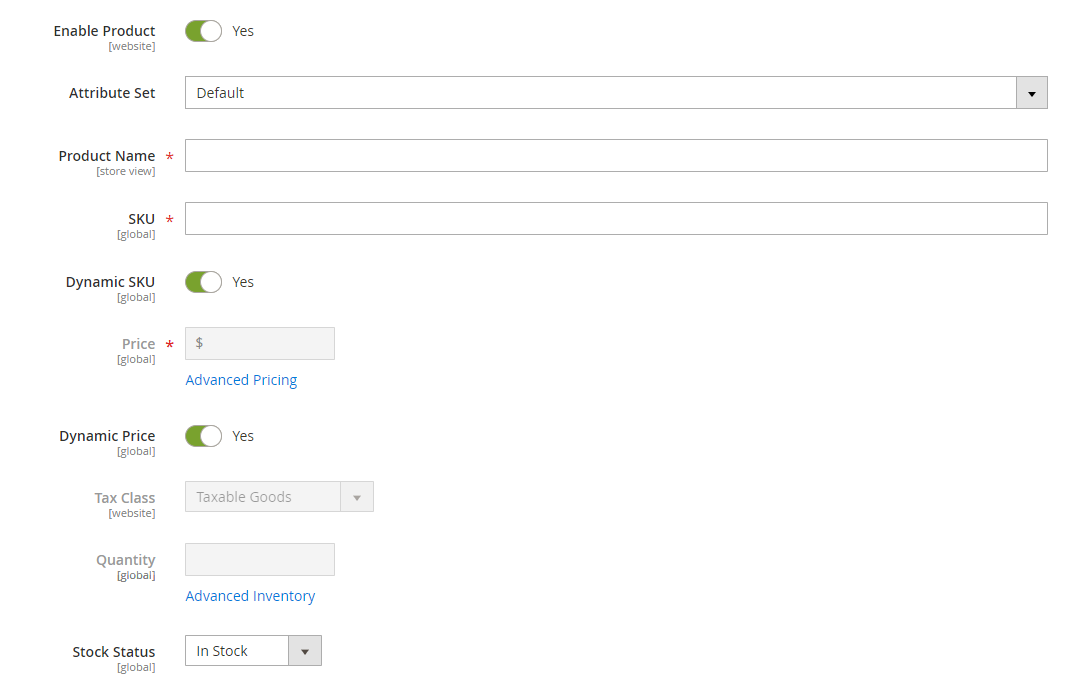
- Set 'Enable product' to 'Yes' and fill in the required fields including Product name, SKU and price.
- The Dynamic SKU option adds the simple product SKU to the SKU of the bundle.
- After enabling the Dynamic Price option, the bundle product price is calculated as the total price of the items included. If you disable it, you can set a fixed price for the bundle and apply some taxes.
- The Dynamic Weight option works like the Dynamic Price one: it changes according to the items selected by a customer. You can disable it and set a fixed weight for the bundle product.
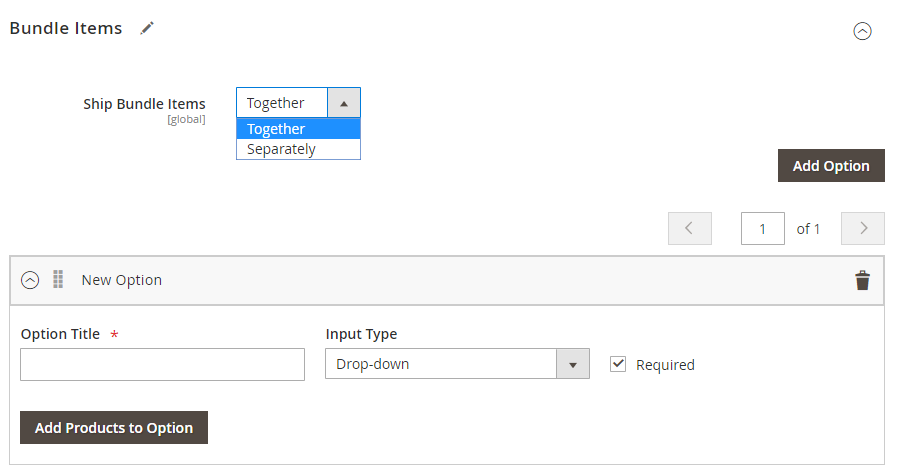
- Expand 'Bundle Items' settings and set whether the bundle product components should be shipped together or separately. Tap 'Add option' in order to add a group with the variants of products that can be selected by a shopper. Specify its title and select the input type.
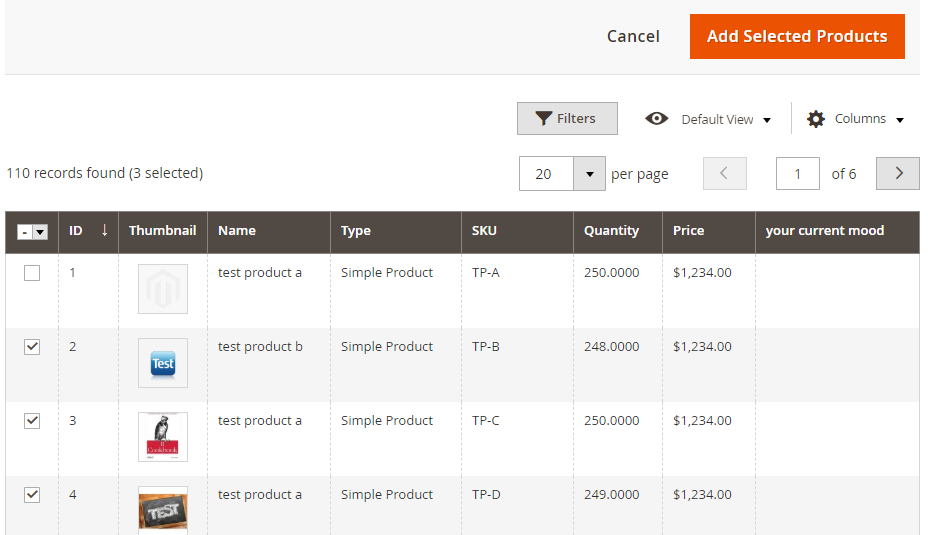
- Press 'Add products to option' and select the necessary items. You can apply filters to find a product faster.
- Check the found goods and press 'Add selected products'. You can add as many items as you need.
- When you are done, open the 'Save' drop-down and select one of the options.
You need to mark one of the products as the default one. That means, that when buying this product a customer will be offered to choose additional goods, which you have added to the bundle.
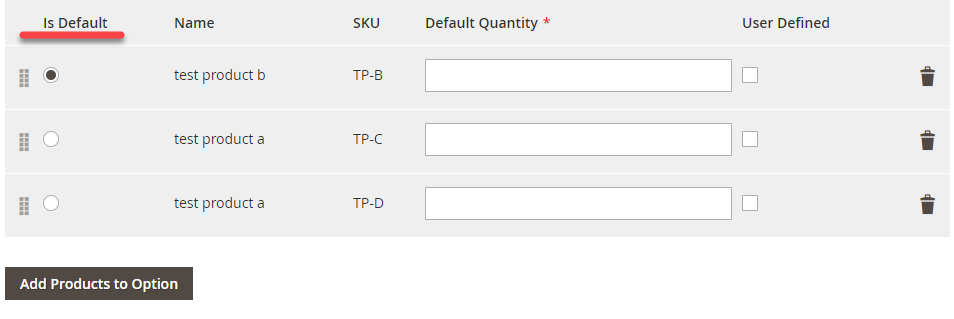
Indicate the default quantity of each of the items added or leave the field blank and check the 'User defined' box (in this case, the shopper will be able to specify the product quantity).
Creating Bundle Product via Store Manager
- Open 'Categories & Products' section and press 'Add product' button.
- Select the attribute set and bundle product type and press OK.
- Indicate product name, SKU, price and visibility and fill in other fields if necessary.
- Open the 'Bundle Items' tab and select the way bundle product has to be shipped (together or separately).
- Press 'OK' to save the changes.
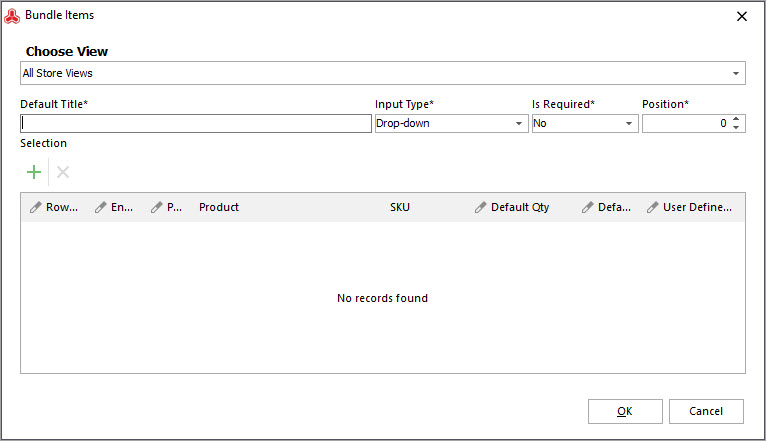
- Open the product by double-clicking on it or use the lower Grid and open the 'Bundle Items' tab in the edit form of the product.Tap '+' button to add options to the bundle.
- Specify the option default title and select the input type. If you want the option to be required, select Yes in the corresponding drop-down.
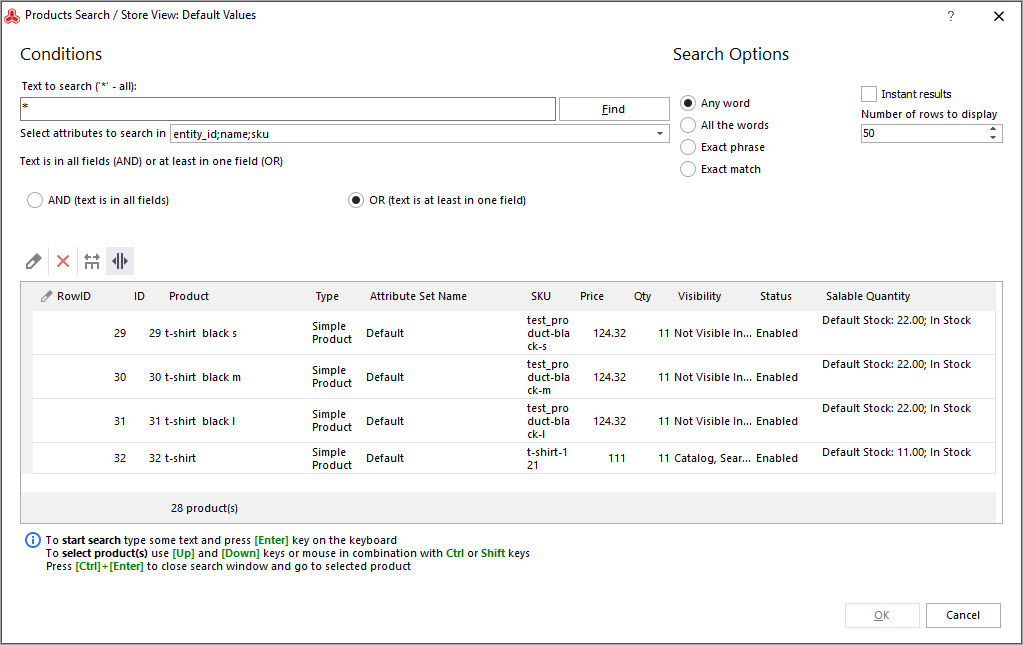
- Press '+' to add items to the option. You can easily find goods using the product search form with multiple filters.
- When the items are added, tap OK.
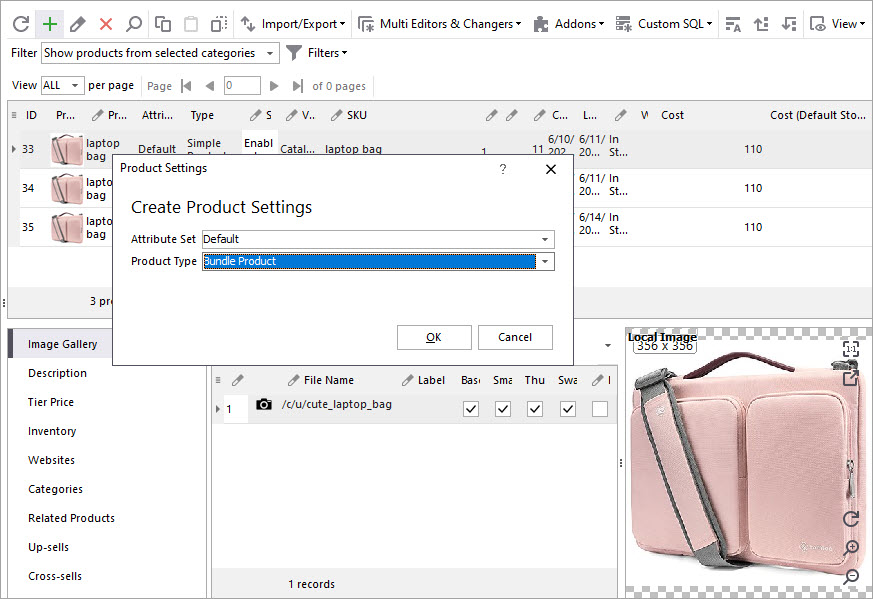
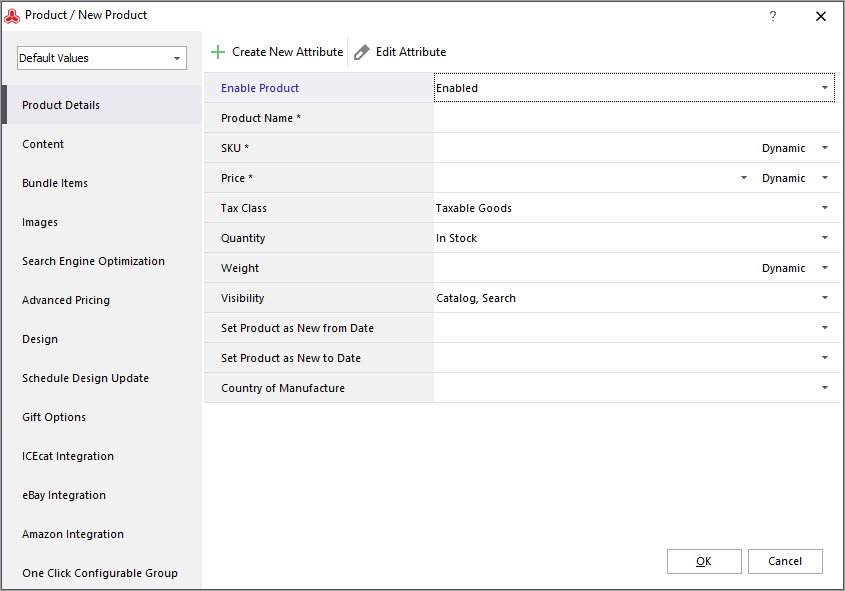
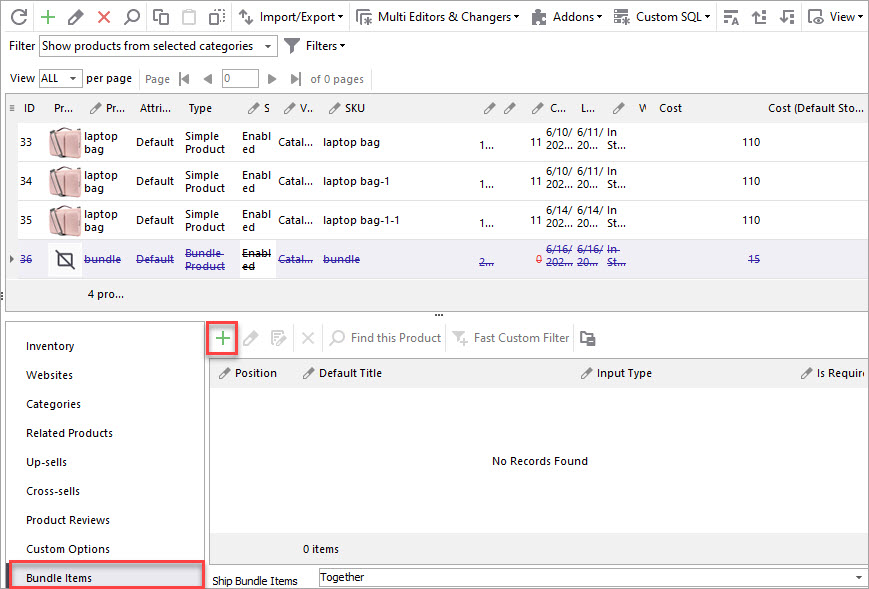
Create and manage Magento 2 bundle products using Store Mnagaer for 14 days for free - Try now
Related Articles:
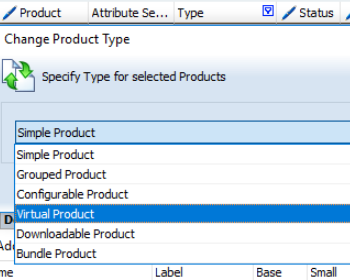
Magento 2: Editing Product Type
Check what possibilities of product type change are available in Store Manager. Read More...
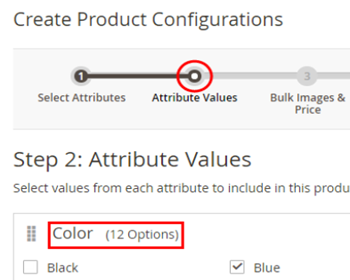
Magento 2 Configurable Product Creating
Learn how to create Magento 2 configurable attributes and assign simple products to them. Read More...
How to Create Grouped Product in Magento 2
Check the explanation of Magento 2 Grouped Product and learn how to create it. Read More...
Magento 2 Stock Control
Find out how to manage your Magento stock levels in bulk or for each product and automate product import and export taskі. Read More...
COMMENTS