
Magento 2 (Magento Open Source 2, Adobe Commerce) – copy product, paste product, clone product
Creating your Magento 2 (Magento Open Source 2, Adobe Commerce) catalog, you come to the point when you may get tired from inputting the same product information in case you add products manually. Product duplicating can increase productivity of the process. After creating duplicate version of the item, you can remove unnecessary details and add new ones. This method is great if you have several products with similar attributes, like manufacturer, color or weight etc. It also reduces the chances of getting typos, because the biggest portion of information is added automatically. This way you can get correct data for the item you are copying.
In Store Manager for Magento you can copy, paste and clone needed goods. The buttons that are responsible for the mentioned actions are available either in the main menu or in the context menu that appears after right-clicking at selected product.
What’s most important is that copying the goods is possible for multiple of the items at once, rather than one after another.

Magento 2 (Magento Open Source 2, Adobe Commerce) copy product allows you to have the replicas of selected products which you can place to any location needed at your online store. For this “Paste” button should be used.

Clone product procedure is actually like two-in-one combination of copy-paste buttons. Using this action you are able to put to the same category duplicated goods with new IDs and with postfix " - clone" in product's name.

You may ask how clone and copy actions are different? Copying items you can place them to any category or subcategory you need. Cloning the goods using appropriate action will put the products to the same category where original products are assigned.
Tips and Warnings
- Make sure there are no errors on the item you are copying, since when you multiply it you can edit wrong details, but it will add you more work.
- Be careful performing Magento clone product procedure and edit product after copying to avoid duplicates.
- In case you need the product to be listed in different categories, instead of Magento copy product process, fall back upon “Assign categories” option. This way your inventory will be under control and your clients will be able to find the goods in different categories.
- Play attention that copying or cloning products, new item IDs are assigned to them automatically by Magento and to SKU are added symbol(s) to make it unique (like SKU_1).
In case you need to create products in bulk, consider importing them using Import Wizard of Store Manager. Here is detailed tutorial on the process -
www.mag-manager.com/product-information/magento-product-management/how-to-import-products-in-magento-2/Download trial version of Store Manager for Magento and use fully functional program for two weeks Get It Now
Related Articles:
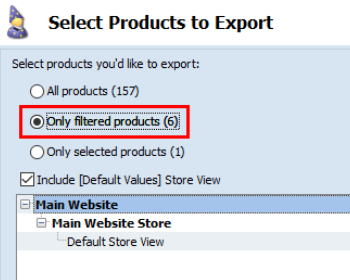
Export Magento Products to .csv Easily
Find out how to flawlessly export products with such details as prices, inventory, images, category associations, attributes etc to a CSV file via Export wizard in a few steps. Read More...
Magento Multi Editor Tool
Video tutorial on Multi Editor tool. The purposes and possibilities of Product Multi Editor and Inventory Multi Editor. Read More...
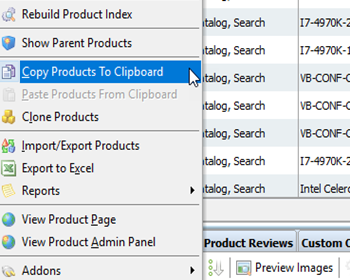
Clone Magento Custom Options to Assign Them to Multiple Products
Guides on how to assign already configured custom options to other products massively by means of copy/paste or import. Read More...
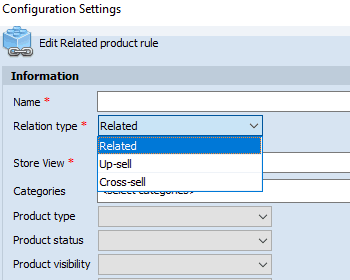
Magento 2 Generator of Related, Up-Sell and Cross-Sell Products
Types of Magento 2 product relations and their configuration via Store Manager. Read More...
COMMENTS