
Magento – export product attribute sets
Magento attribute sets are collections of product attributes gathered together and applied to certain groups of products. In default Magento installation you will see 1 attribute set. Though, selling goods of different kinds, you might need to use other characteristics to describe the items. For example, you will definitely have to create other attributes of size for shoes and for clothing. This is the reason why multiple attribute sets are used within one store installation.
This article is devoted to Attribute sets export, so lets define when you might come to need of it and what are the objectives.
Why to export Magento attribute sets?
Imagine that you need to copy attribute set from original Magento installation to another. Manually re-creating attributes structure within attribute sets, especially if you adjusted it with lots of attributes, will not be an option. Thus, exporting sets and attributes from one installation and importing it to another, is pretty smart way-out.
Another reason to export sets is to have fine example of the file to import it back, doing changes. This way you can not only modify existing attribute sets, but also create new ones on the basis of file sample.
How to copy attribute set in Magento? (Manual way)
Sooner or later, you will discover that this functionality is extremely useful and at the same time will be puzzled that it is not included in Magento ‘out-of-the-box’.
There is no simple, automated mechanism for copying attribute/attribute-sets between installations in Magento. So if you need to copy attribute sets, you need to:
- log in to your Magento back-end (administration panel)
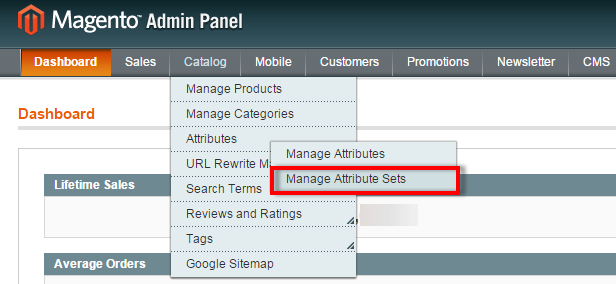
- open Catalog -> Attributes -> Manage attribute sets
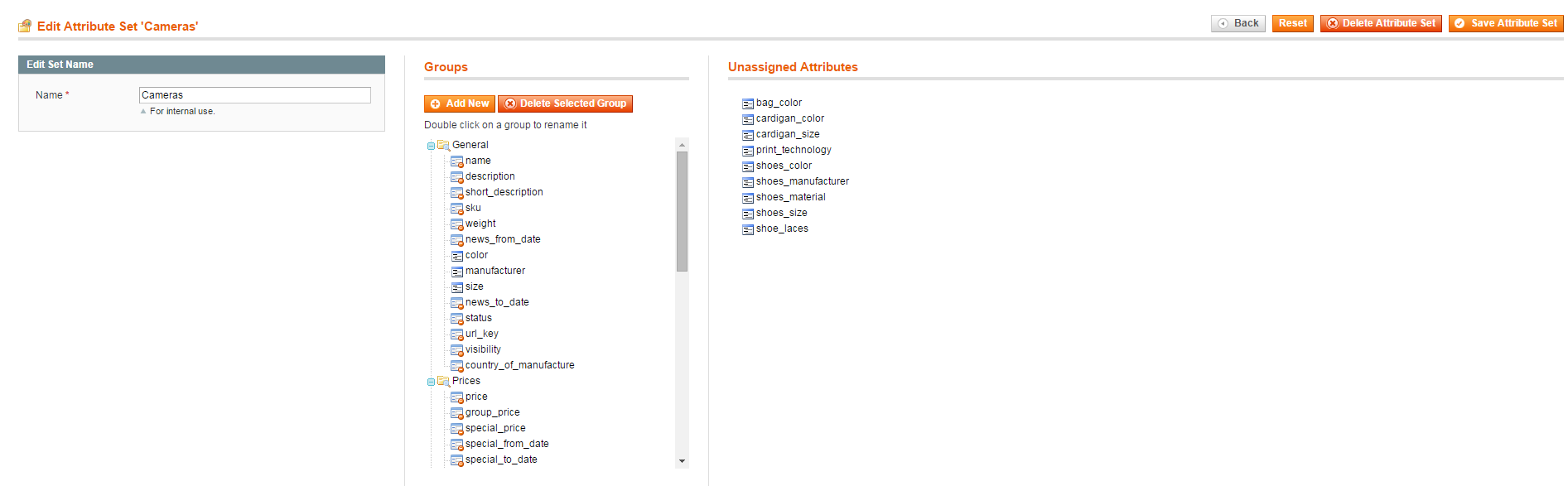
- click to create new attribute set and select on the basis of which existing set to create it
- after that create the attributes (the same as you have in other Magento installation) or the ones you would like to use for your products
- Repeat the procedure till you've got the satisfying number of sets and attributes in them.
Export attribute set with all associated attribute values to CSV
Since default Magento does not offer the possibility to export attributes, attribute sets with groups and the corresponding attribute-to-set associations, you can widen its possibilities using Store Manager for Magento application. It includes effortless way to accomplish the task using built-in the application Import/Export Attribute Sets Wizard.
Try Store Manager for Magento to export/import attribute setsDownload FREE
Steps of Attribute Sets Export:
1) Run Store Manager for Magento app. If you don't have it installed, download it above and click a few time 'Next' like you do when installing any desktop program.
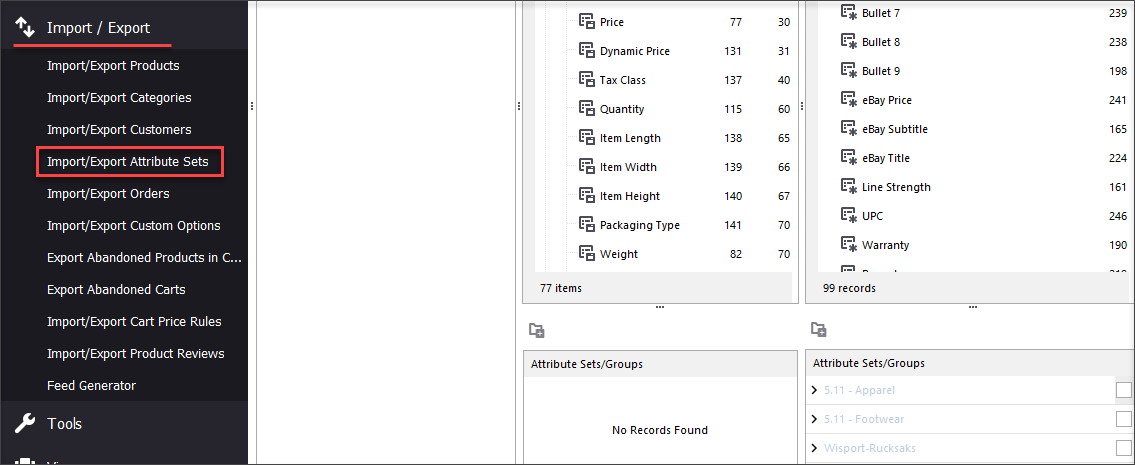
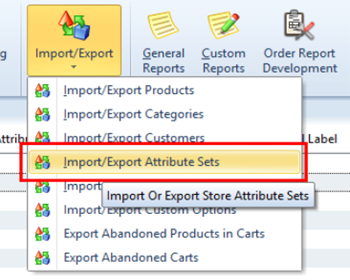
2) Call out Import/Export Attribute Sets Wizard either from Left-side menu ->Import/Export -> Import/Export Attribute Sets
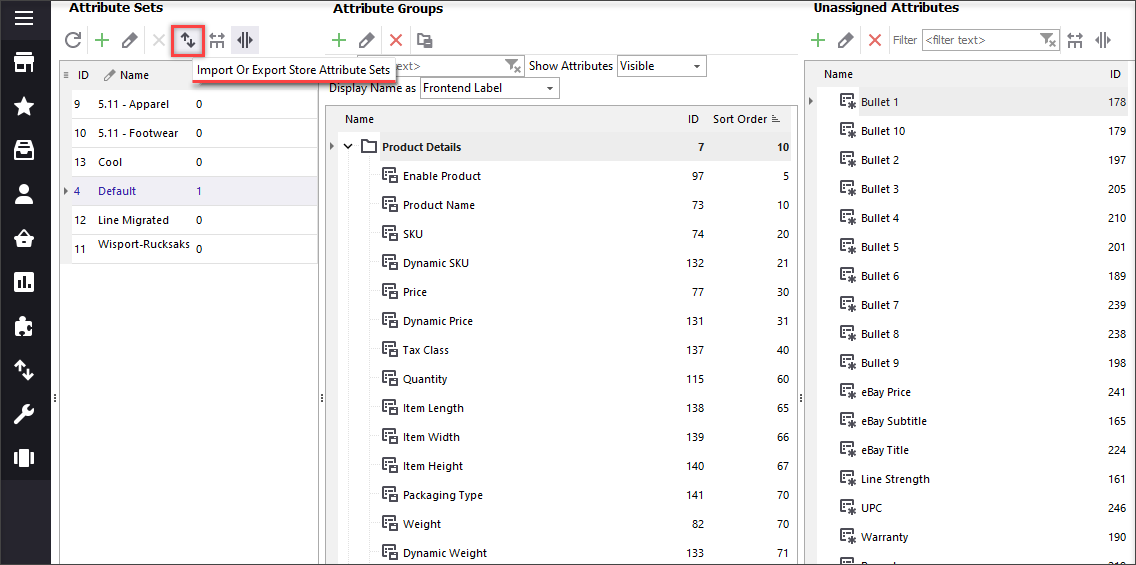
OR open Store -> Attributes -> Import/Export
3) Specify where to save the file with information on your computer. Use 'Browse' button to change the location.
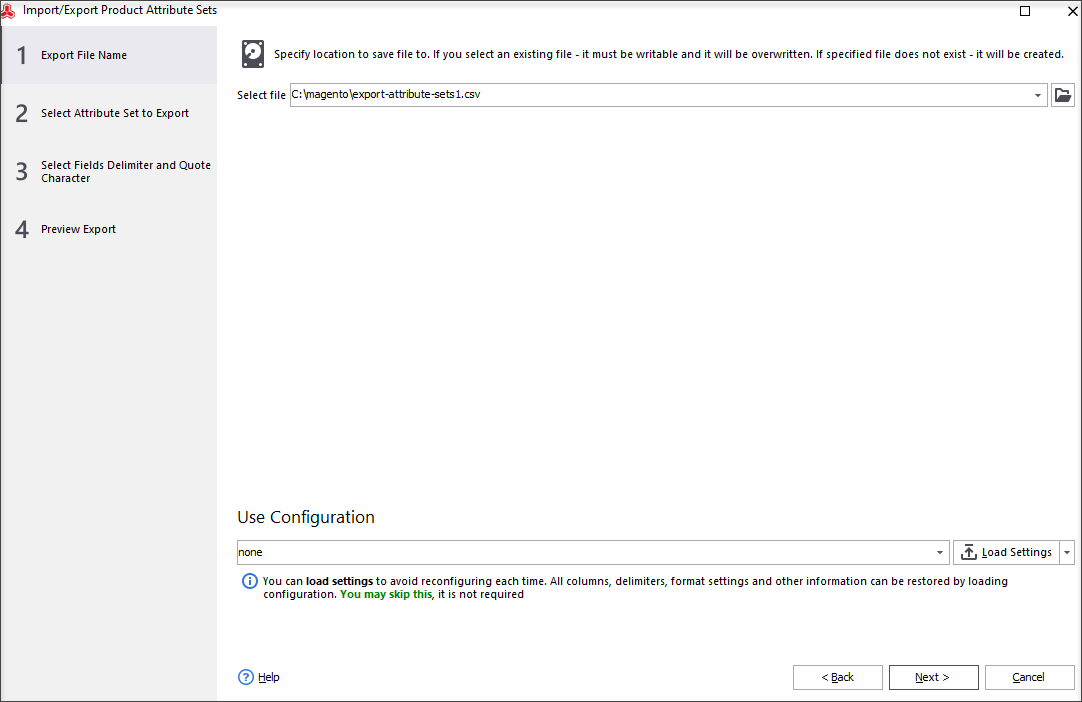
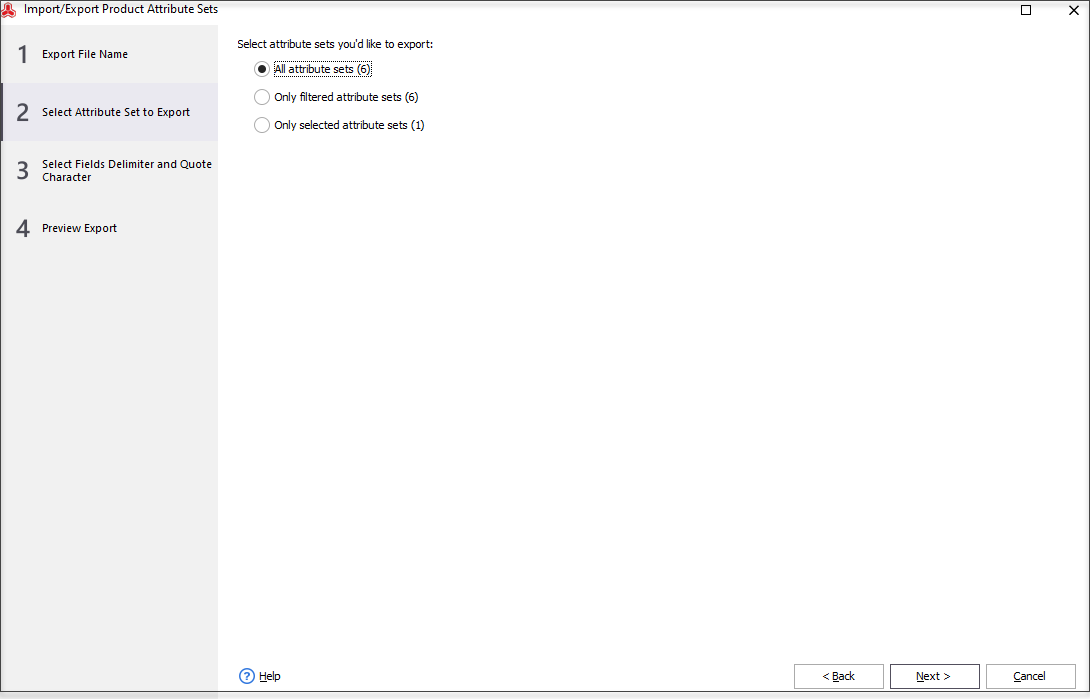
4) Next step allows you to bring to the file information on all attribute sets you have, only filtered or selected attribute kits.
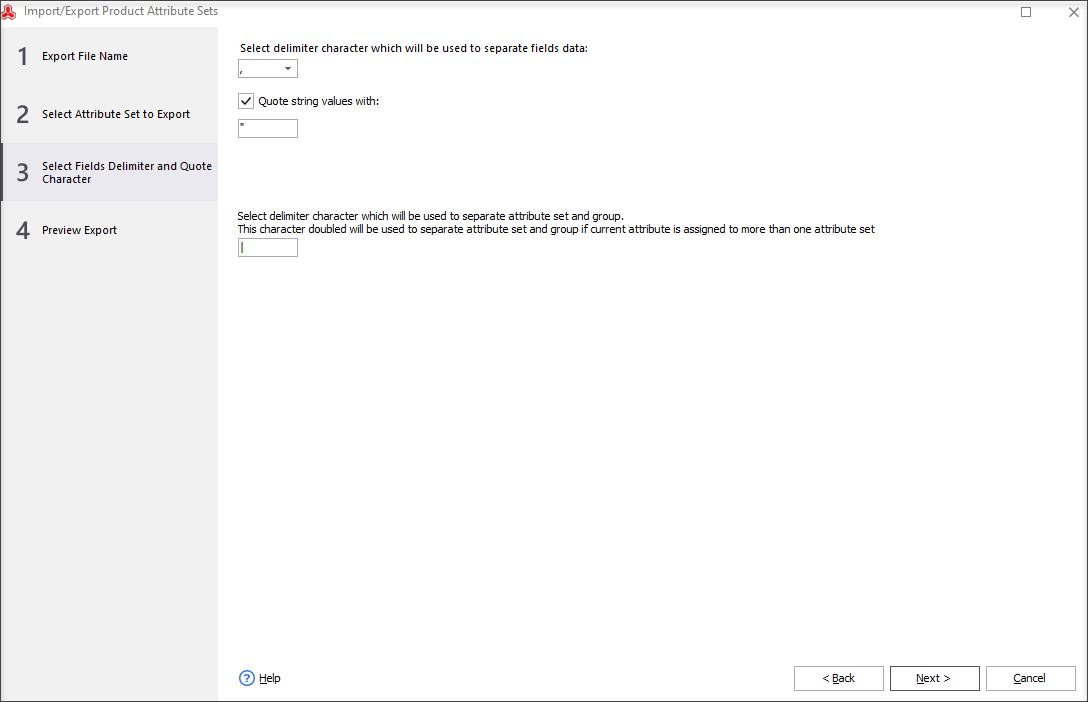
5) In order to for the data to be placed correctly when you open spreadsheet after export, indicate delimiter values and remember to use identical for file parsing.
6) Finally, you can preview once again all the settings made to data format. Also here you can choose what to do after export among 3 variants offered: do no further actions, open directory containing file or open result file.
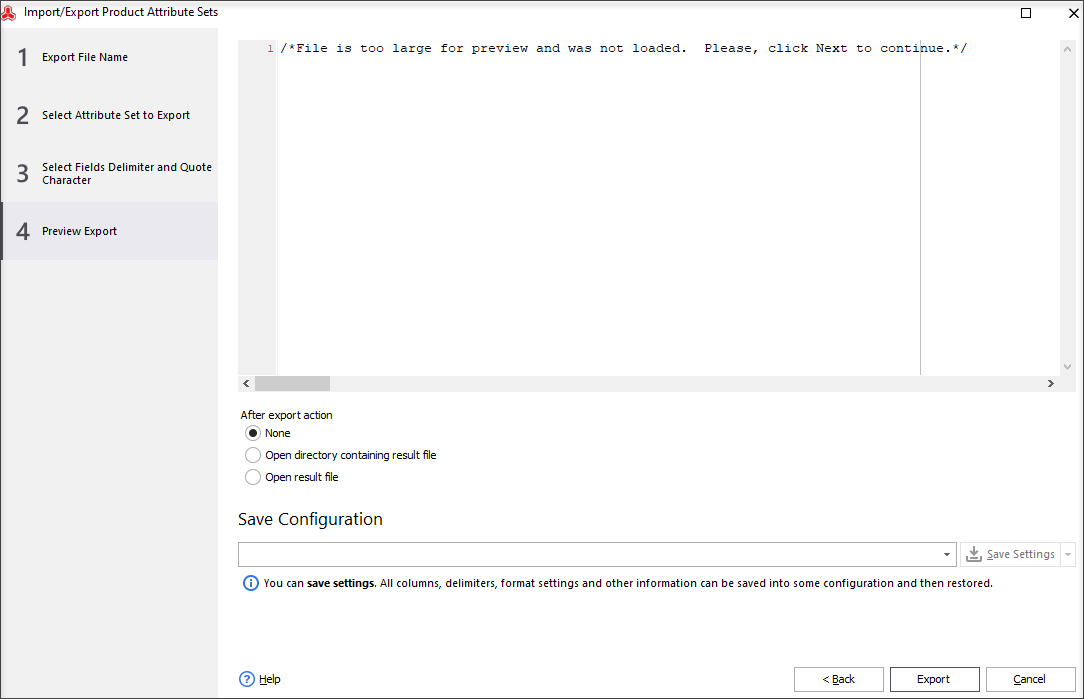
After all the settings are done, you can hit ‘Export’ button and after that you can see the data on Magento attribute sets and attributes loaded to the file.
If the information on Magento attributes is not correctly represented, check once again for delimiters or use OpenOffice with UTF-8 encoding to open the file.
Received file example
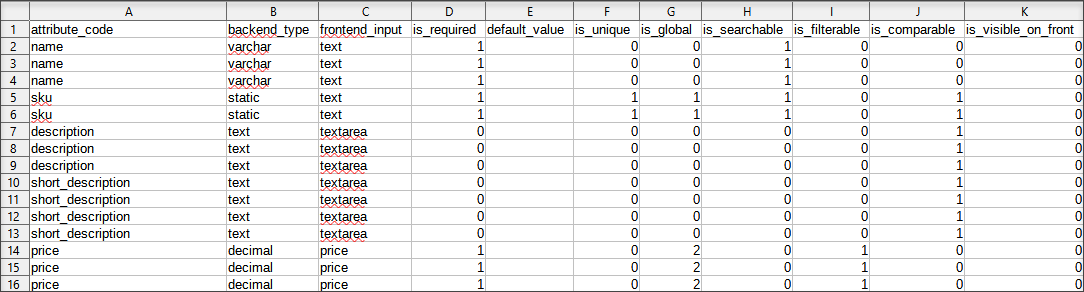
There is no need to surf the Internet looking for some special codes or try to find developer and spend additional money. With Store Manager for Magento you can do more than you could imagine before.
Export attribute sets with FREE Store Manager for Magento Export Now
Related Articles:
Magento – Import Product Attribute Sets
Get step-by-step instructions on creating Magento 2 attributes and adding configurable products. Read More...
Magento 2 Configurable Product Creating
Learn how to create Magento 2 configurable attributes and assign simple products to them; check the generator of configurable products components. Read More...
Bulk Update Attribute Values in Magento 2
Get detailed guides on massive assigning/updating attributes via import or Multi Editor tool. Read More...
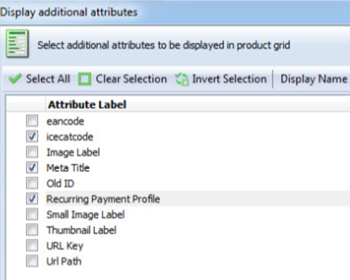
Add Additional Attributes to Magento Product Grid
Find out how to customize Magento product grid and include a column with additional attributes. Read More...
Hello, Lloyd!
Thank you for your question.
Yes, an attribute set is a collection of attributes that are common and group similar products. Attributes can be grouped into sets, so similar products can be created with the same attributes. For example, shoes can be grouped under one attribute set with common attributes for color, size, size etc., while cheese can be grouped under a different attribute set with common attributes for region, % of fat, etc.
I am using this extension on regular base and it works very good. The dev. team provides the best level of support, responds promptly and with all the required details and assistance.
Is each product assigned to a single attribute set? Could you explain with examples?