
How to import Magento 2 customers
There is a couple of reasons why you may need to import Magento 2 customers. For example, you are starting a new Magento 2 store or want to update your clients' database etc.
The disallowance of Magento admin to accomplish import using other file formats than .csv may create additional cumbersome work. Store Manager application can help you out of this inconvenience.
The huge advantage of performing Magento 2 customers import via Store Manager is that you can upload the file of various formats including .csv, .xls/.xslx, .ods, .xml and .txt and the program will process it in a flawless way.
How to Import Magento 2 Customers
Store Manager allows effortless performing of Magento 2 customers import requiring a few clicks.
First of all, make sure to include all necessary customer data fields into the import file. Use the following algorithm to upload Magento 2 customers data in a smooth way.
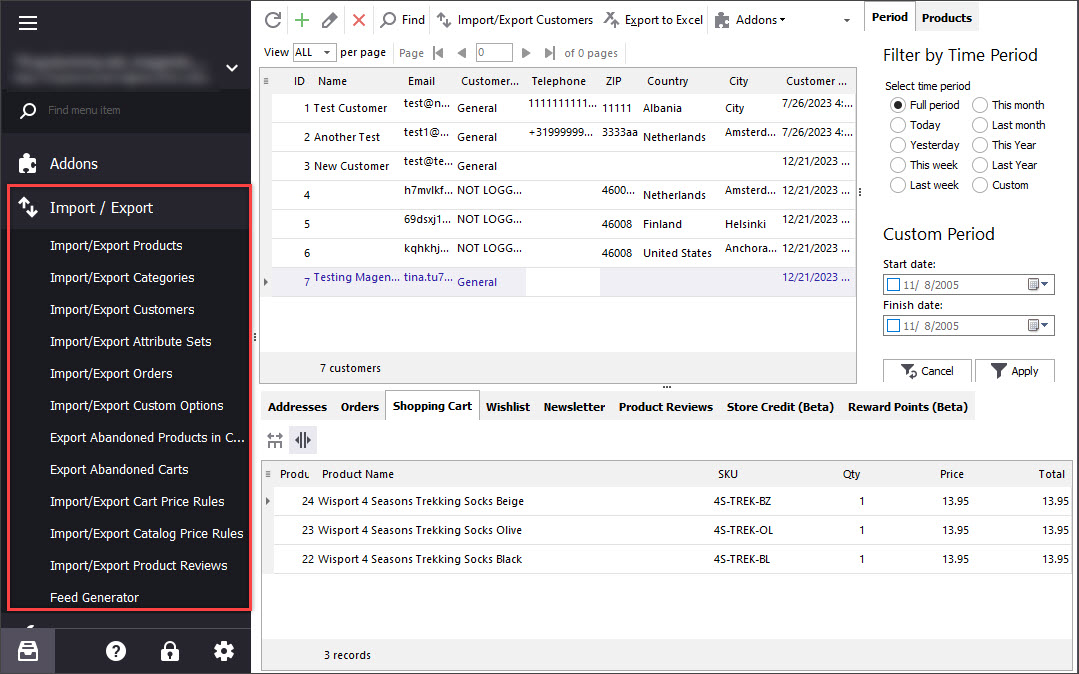
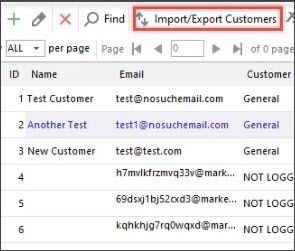
- From 'Store' tab launch Import/Export wizard by selecting 'Import customers' option from the drop-down.
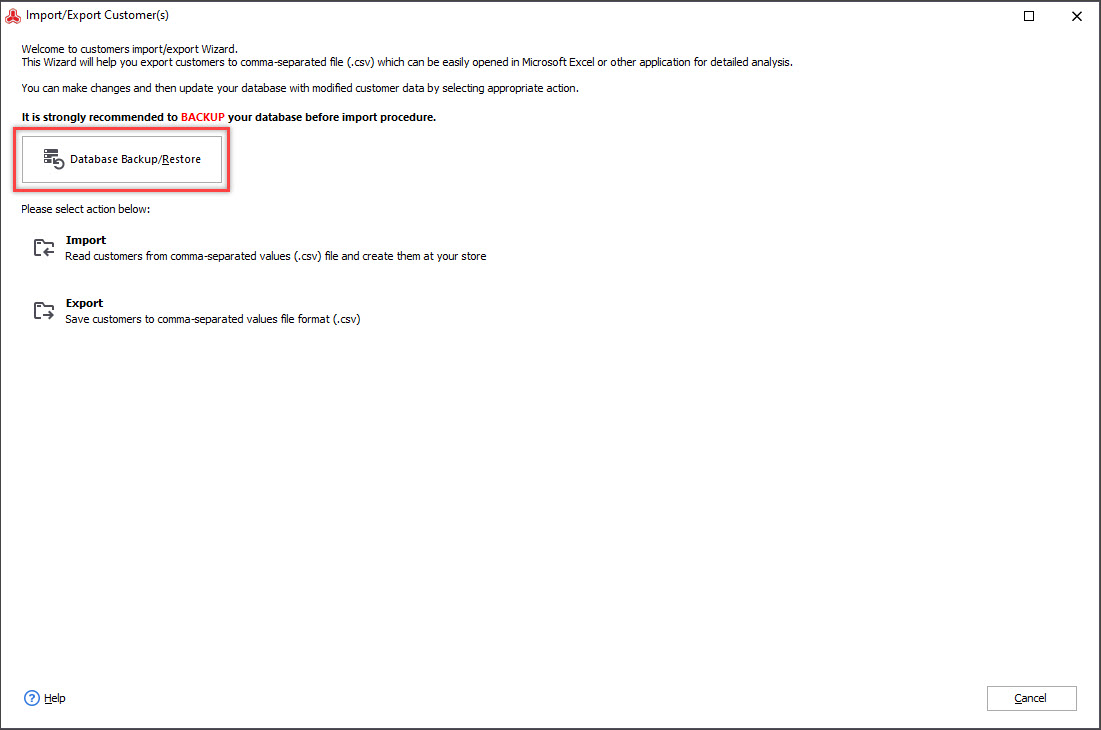
- It is strongly recommended to backup your database before performing such procedures. You can start the backup right from the wizard by pressing Database Backup/Restore button.
- Select import action.
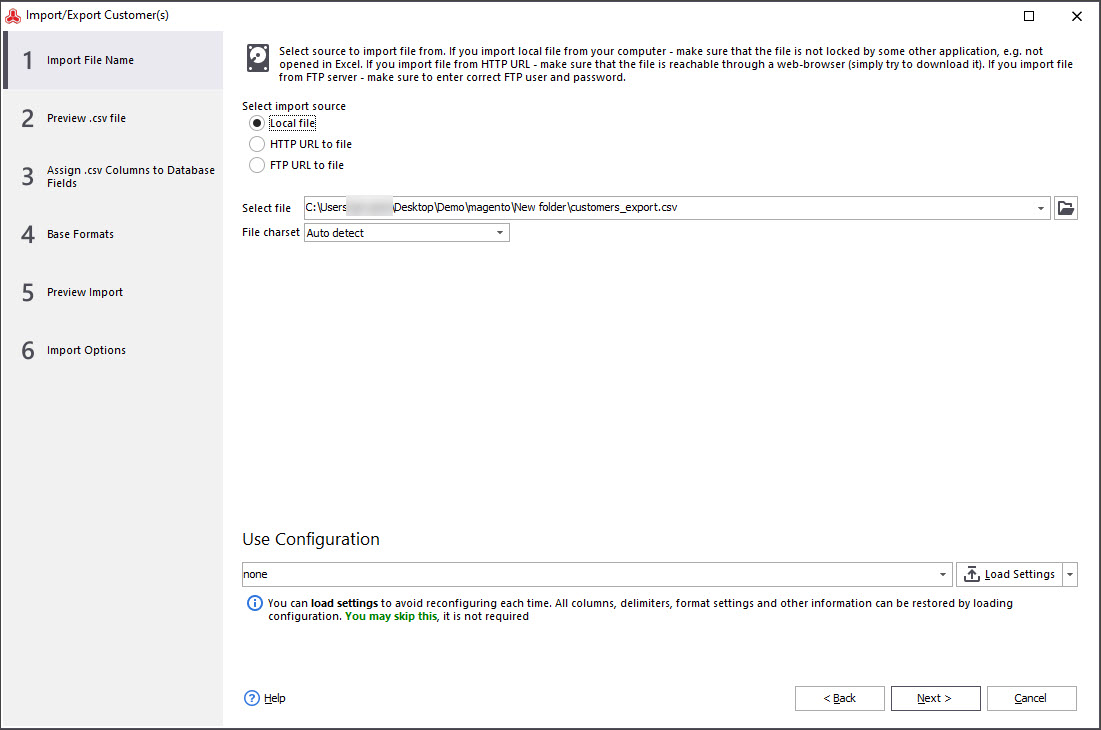
- Select the file to be uploaded.
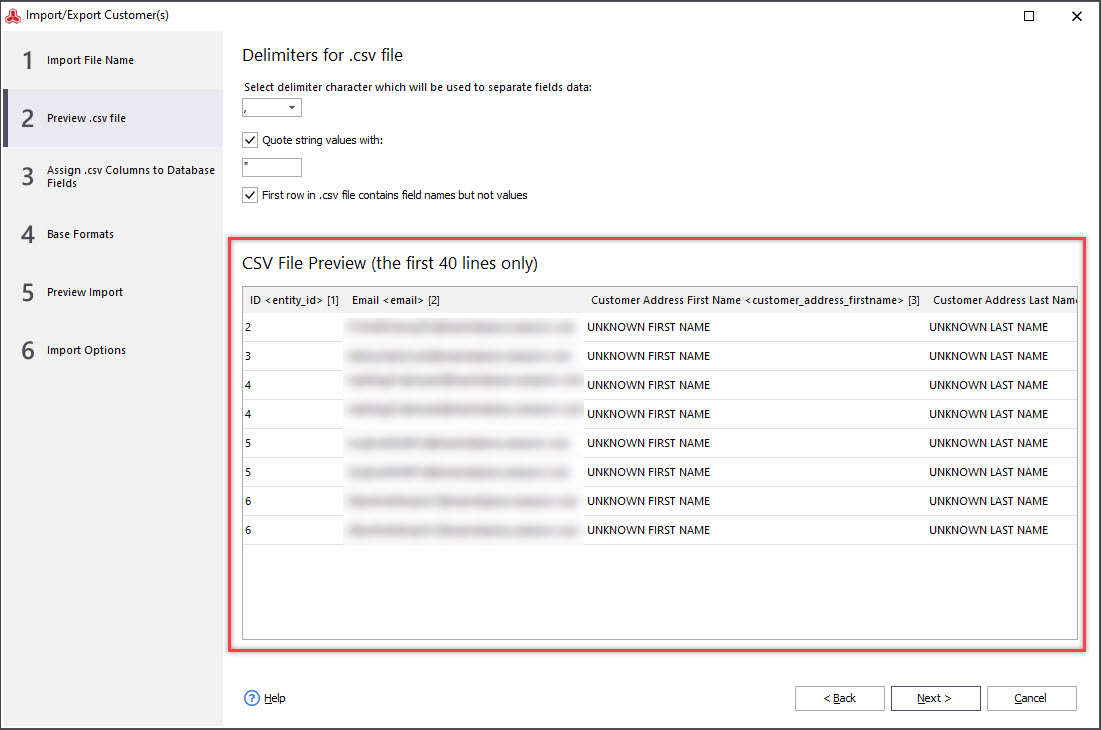
- Preview the import file.
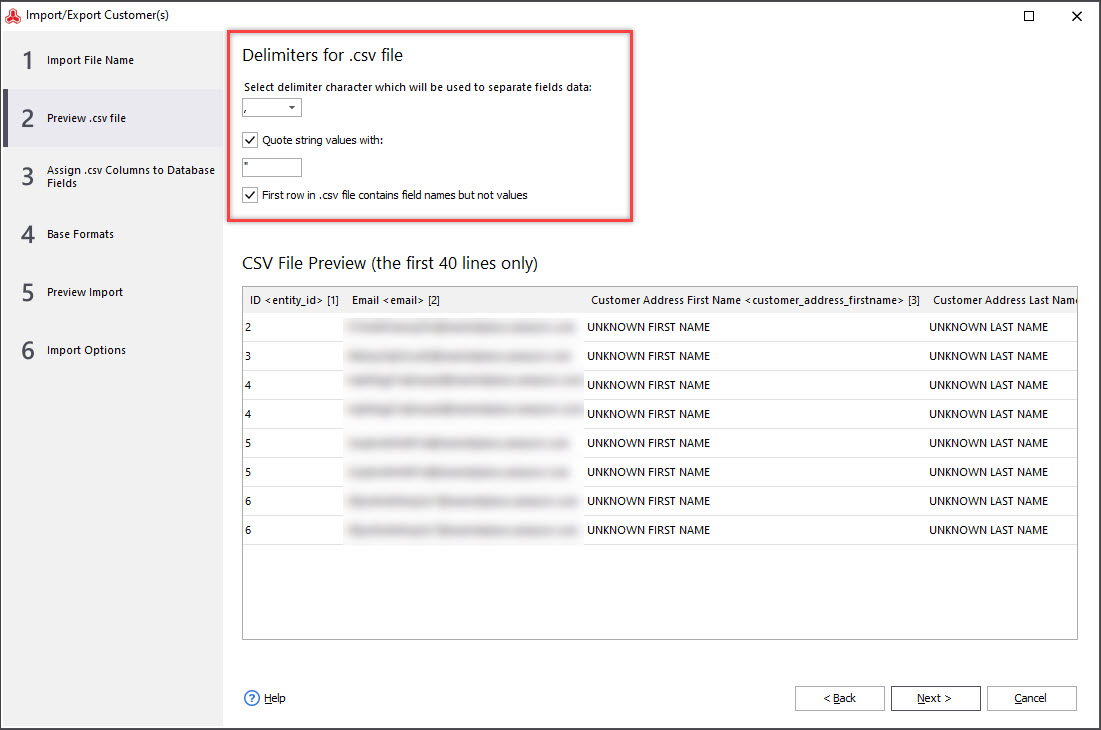
- Choose the delimiters to separate the fields data. Check 'Quote fields with' and 'First row in .csv file contains names but not values', if necessary.
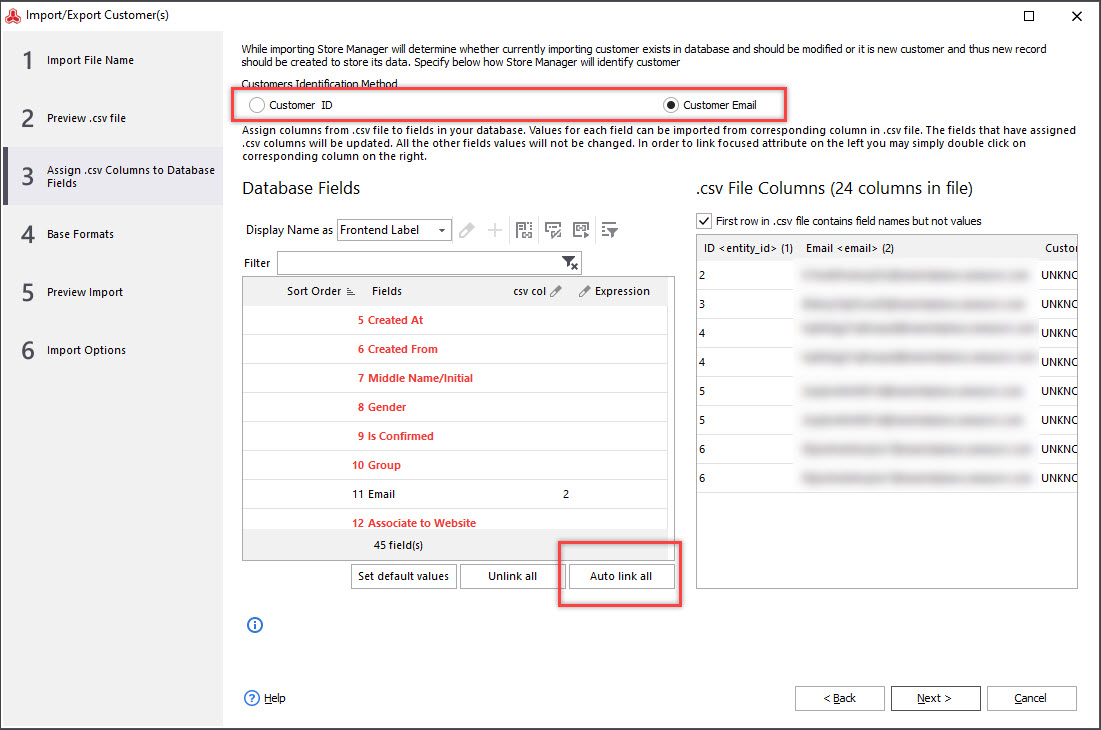
- Select the customer identification method (Customer ID or Customer Email) and assign fields from your .csv file to the ones from your database. To avoid manual mapping, press 'Autolink all'.
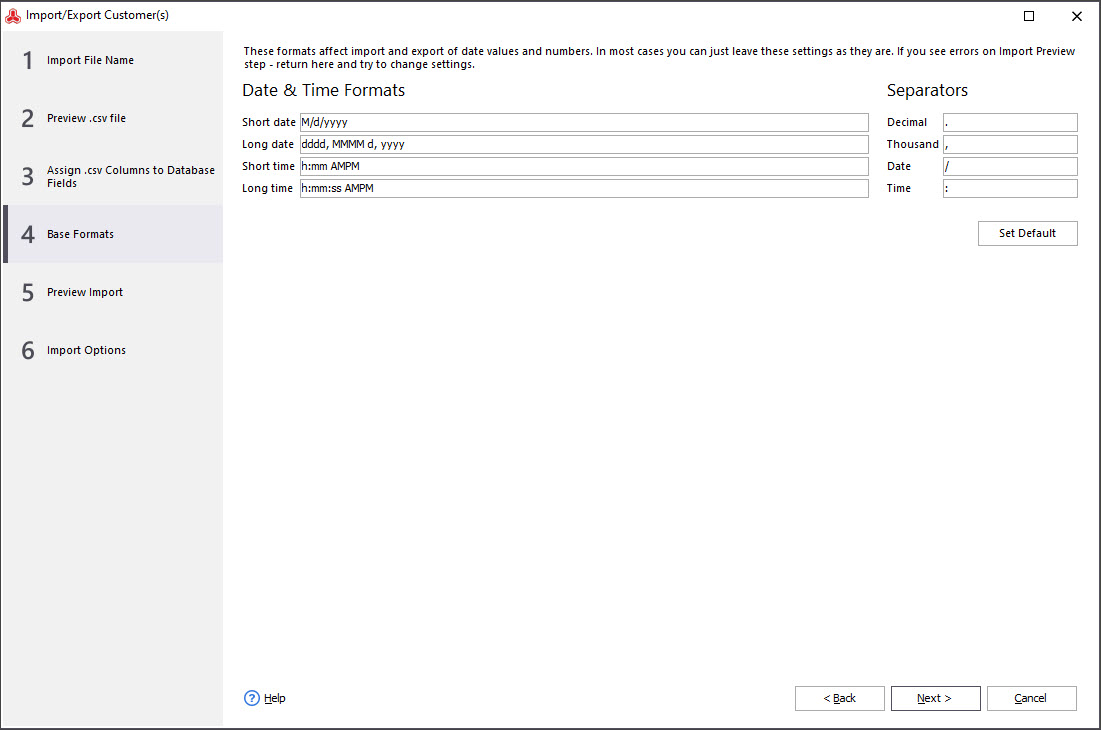
- Check Date & Time formats. You can leave them as they are, though if you find some errors on the Preview step, get back here and modify the settings.
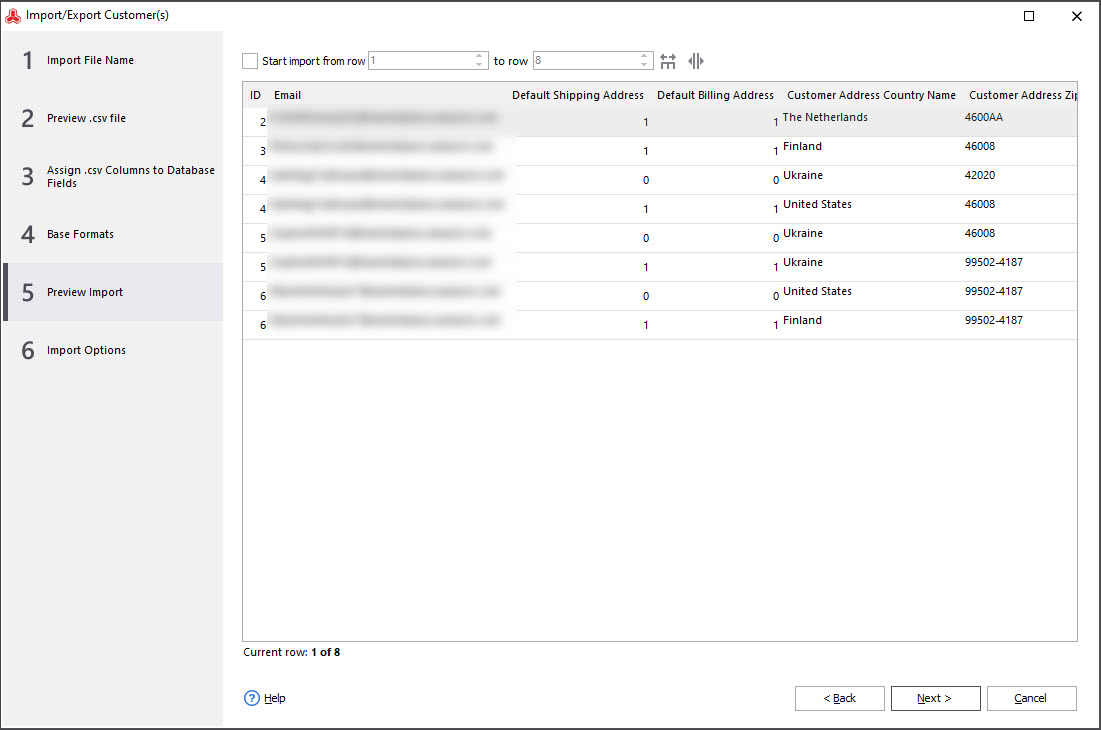
- Preview configured import file and if you detect no errors, press 'Next'.
- Select the import method. In case you want to make the process quicker, check 'Cache import data' box. You can also save the configuration to use it next times by clicking 'Save settings' button. In order to activate the button, input the configuration name into the field.
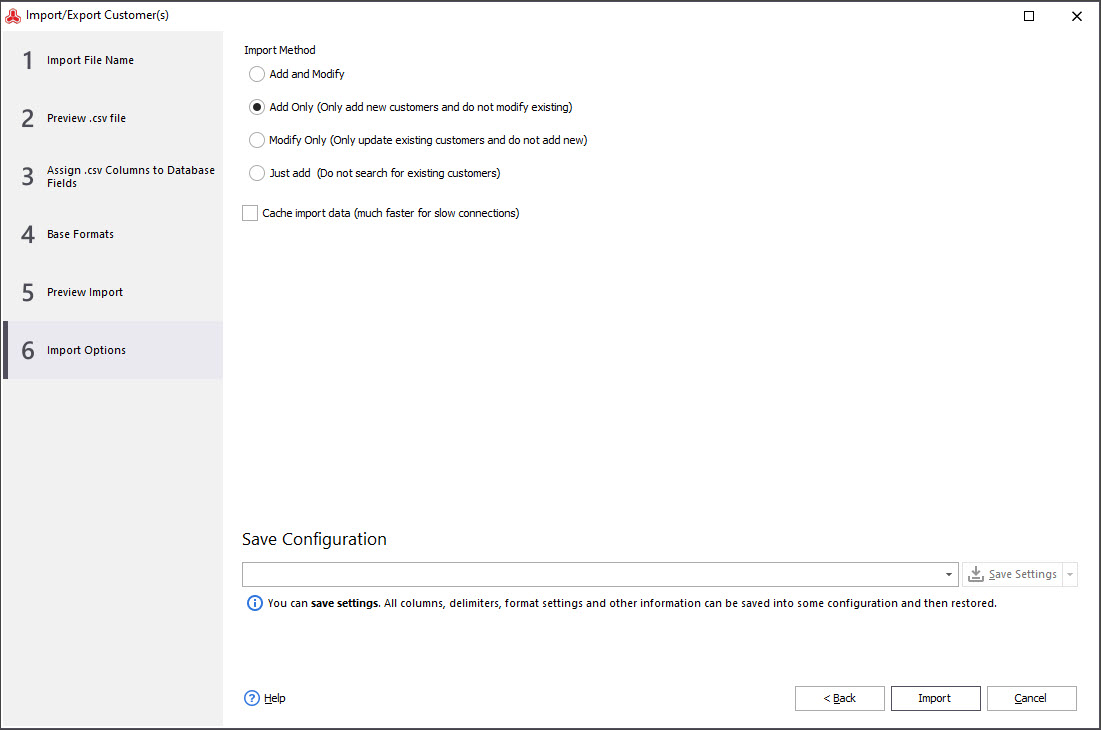
How to Import Magento 2 Customers on Admin Part?
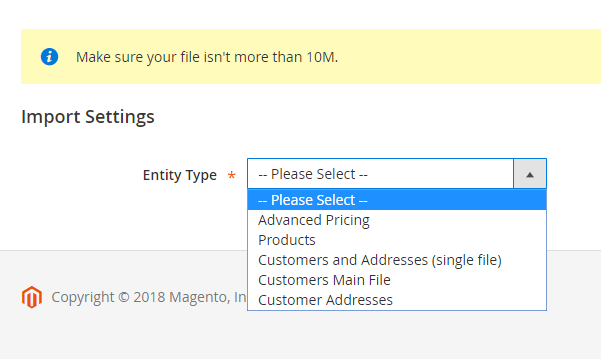
- From Magento dashboard go to System=> Import.
- From the 'Entity Type' drop-down select the type of customers data you want to upload.
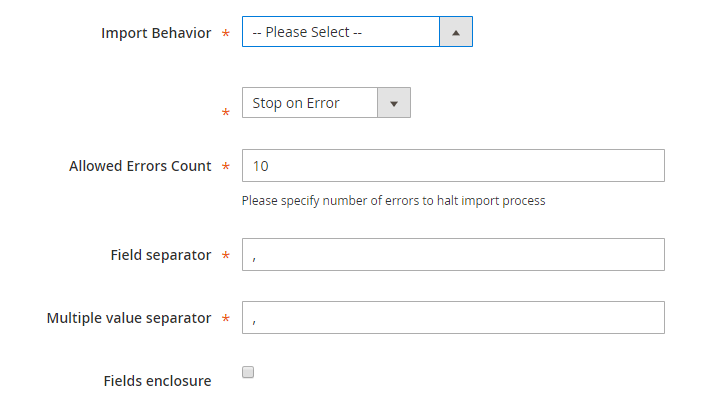
- You can either add/update data or delete the existing entities and replace them by the uploaded ones. Select the necessary action form the drop-down.
- Specify the maximum number of errors allowed in the import file.
- Select the file to upload.
- In order to launch the import, press 'Check data' button in the right upper corner.

Import Magento 2 customers from any format for 14 days free - Try now
Related Articles:
Magento 2 Customer Data Management
Magento 2 customer management tutorial (addresses, orders, shopping cart, product reviews, reward points, store credit etc). Read More...
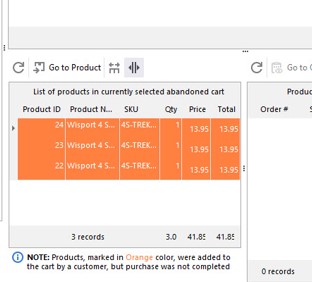
Magento 2 Abandoned Cart Recovery
Guides on how to get the list of customers with abandoned carts and send them a followup email. Read More...
Magento 2 Reward Points (Adobe Commerce (Magento Enterprise)
Use these guides to enable and set up Magento 2 reward points. Configure reward points requirement by customers.Read More...
Magento 2 Reports. Sales Report
Check the list of Magento report types and the sales report tutorial. Read More...
COMMENTS