
Magento multi editor
 |
Multi Editor addon designed to automate and improve mass operations over multiple products at once. Read more »» Store Manager for Magento is required | Included in main application |
Store Manager for Magento application has built-in Multi Editor instrument, developed with the aim to turn Magento product update into seamless and accurate procedure. It’s preferable way to manage Magento stock, perform Magento bulk price update, change Magento product quantity and proceed with other Magento product and inventory management tasks.
What is more prominent about Store Manager Multi Editor?
It allows to handle numerous Magento items in bulk. You can bring necessary alterations to abundance of products - change status, Magento product quantity, info on manufacturers, etc in several clicks only. It’s rather convenient, as scope of monotonous store content management tasks can be completed in short time.
Multi Editor functionality falls under strict division - it’s being divided into two parts:
- Products Multi Editor
- Inventory Multi Editor
These options can be easily found either on products toolbar or in product context menu.
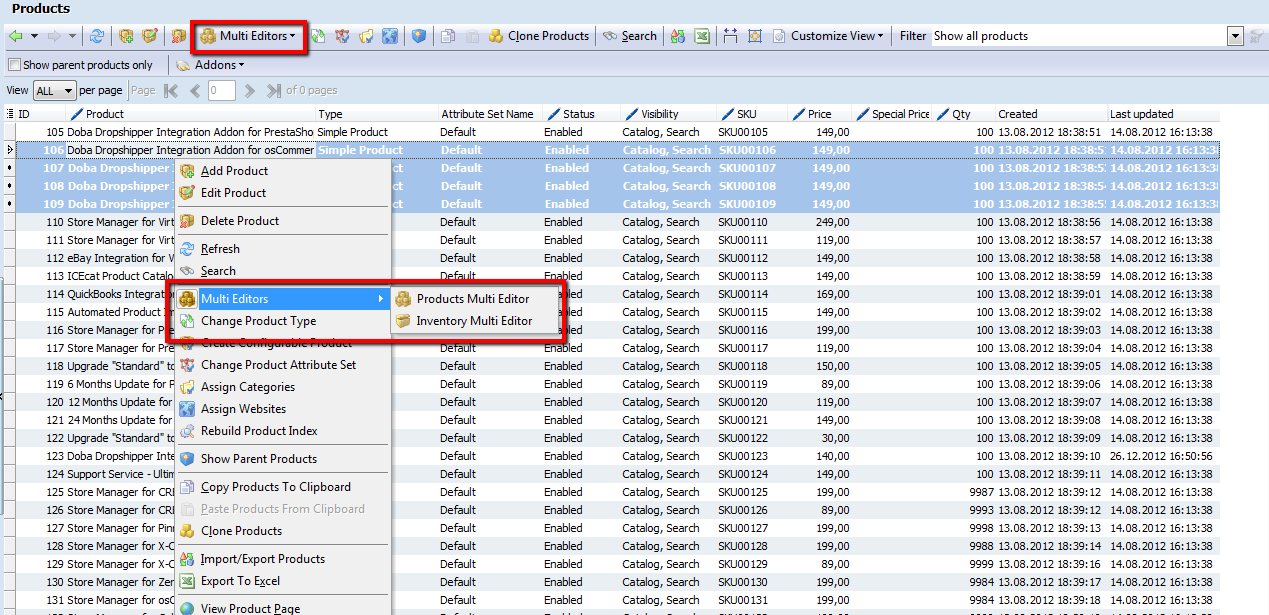
Before starting Magento product update via Multi Editor accomplishing make sure you have chosen products, which belong to the same attribute set (T-shirts, Shoes). It’s possible to accomplish database backup and do data recovery in case something went wrong in the process of Magento data update.
What is the mechanism of Magento store information updating via Multi Editor tool?
Having chosen necessary Magento items and launching Inventory or Products Multi Editor, choose the store view, go to the appropriate tab and select attribute, you need to update. In the example below we choose “Price” field, as we need to carry out Magento bulk price update.
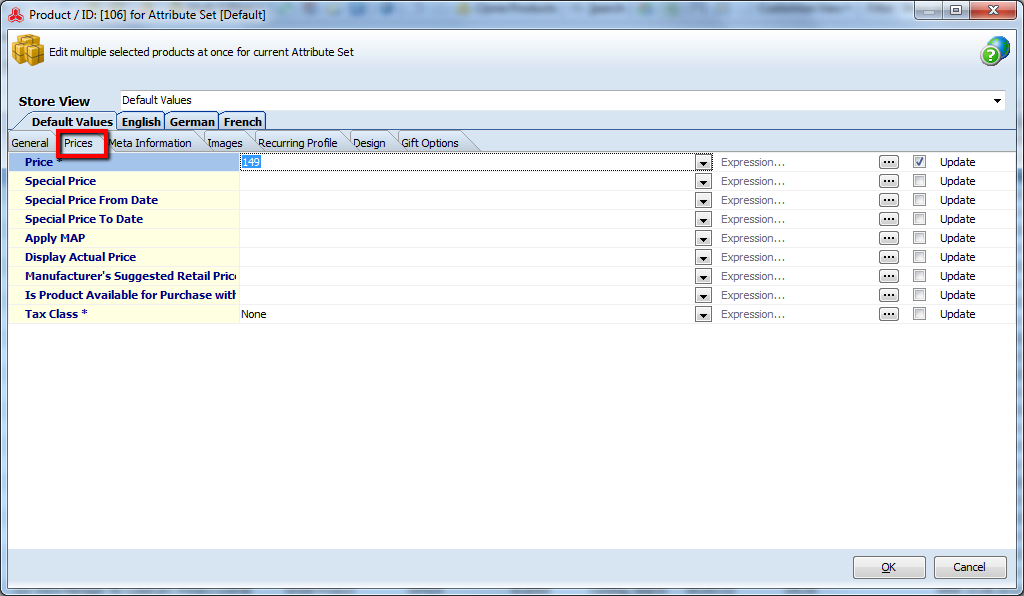
You can manually enter required value in the field to accomplish Magento bulk price update or use Expression to modify Magento price by certain rule. Press the button placed close to the field you are updating, to call “Expression Editor” window.
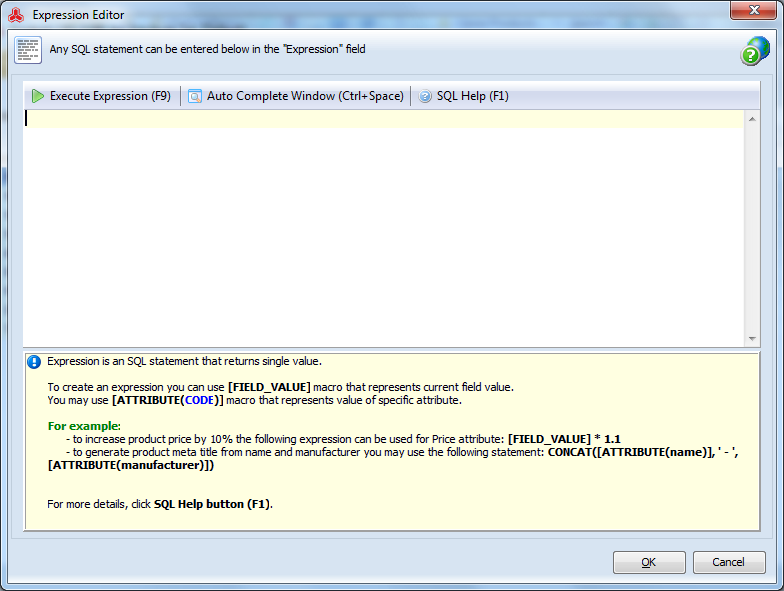
Expression can be defined as certain command to accomplish set of operations what will return a value. Thus, in the window appeared you have to indicate an expression by means of which you will efficiently change price for selected products. In case described Magento price will be increased by 15%.
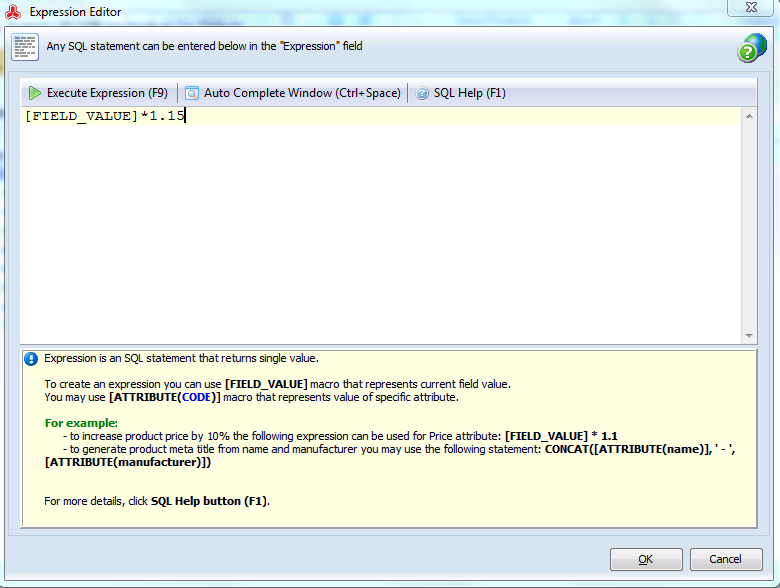
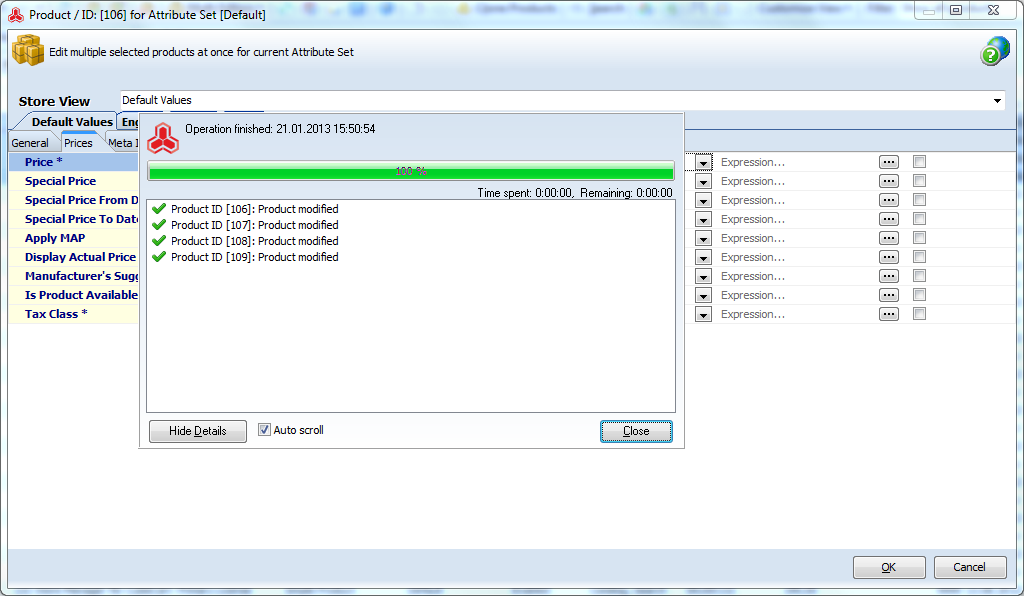
Tick the box in front of the field you are going to update and press “Ok” to complete the procedure.
Advantages of Magento Multi Editor
It can be stated that Multi Editor tool is approachable in usage and endows Magento users with advantages, namely:
- on-the-fly Magento inventory management
- possibility to set special prices for Magento items and experiment with prices
- decreasing time, spent on common store catalog management tasks - Magento product quantity tracking, stock management, Magento bulk price update, etc
- possibility to use Expressions to update store data
- accurate and faultless Magento product update
Don’t waste an opportunity to make the process of Magento data updating more flexible.
Entrust routine tasks to a workable Magento Multi Editor instrumentTry Free!
 |
Multi Editor addon designed to automate and improve mass operations over multiple products at once. Read more »» Store Manager for Magento is required | Included in main application |