
How to create Magento 2 reports
- Magento 2 latency matrix report
- Magento 2 one-time buyers report
- Magento 2 recency, frequency, monetary report
Reports containing data on separate issues and activities of your store can reflect your business performance in the best way. Regular reporting on your best-sellers, customers behavior, product view frequency etc. can considerably assist you in creating a perfect selling strategy.
Store Manager for Magento provides its users with a bunch of report samples preventing them from missing or neglecting any important factor. Depending on Store Manager’s edition you can create Magento 2 reports on different aspects of your store. Let's check what report possibilities can be reached by each edition.
If you are exploiting Standard or PRO edition of Store Manager for Magento you can create such reports:
- Best Viewed Products - contains product name, its quantity and number of views;
- Best Sellers (by product name/ by manufacturer) - contains product code and name, quantity sold, total sum, SPD, availability;
- Orders Total - contains customer name, customer group, total in items and total in money.
All of these reports are generated based on selected store view and specified time period.
Adobe Commerce (Magento Enterprise) Edition widens the scope for analysis and besides the above listed reports offers the following templates:
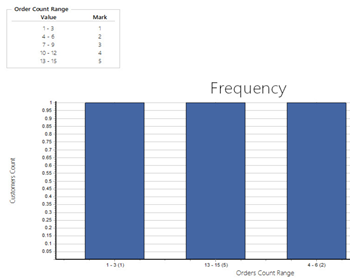
- Frequency - contains the list of customers with their order count, total giving and frequency of made purchases; the received data is automatically converted into a diagram displaying the proportion of customers count and orders count.
- Monetary - is analogical to Frequency report and displays the proportion of customers count to revenue received.
- One-Time Buyers - contains a pipe graph showing the % of your one-time buyers to your returning clients.
- Recency- contains the list of customers with their last order dates and recency of made purchases, which are also displayed in a diagram.
- Frequency, Recency, Monetary - this report makes up a combination of the corresponding three reports and can become of great help when determining your most loyal customers.
- Latency Matrix - reflects the average behavior of your customers basing on the time period that took them between making the orders.
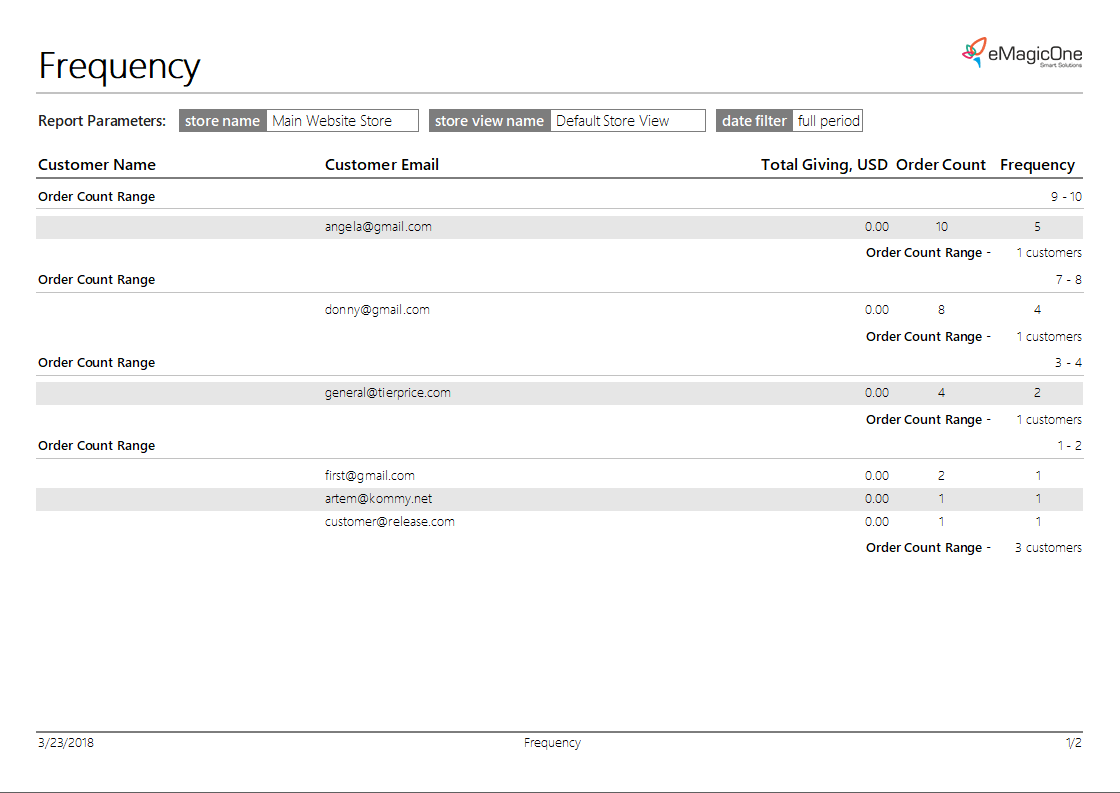
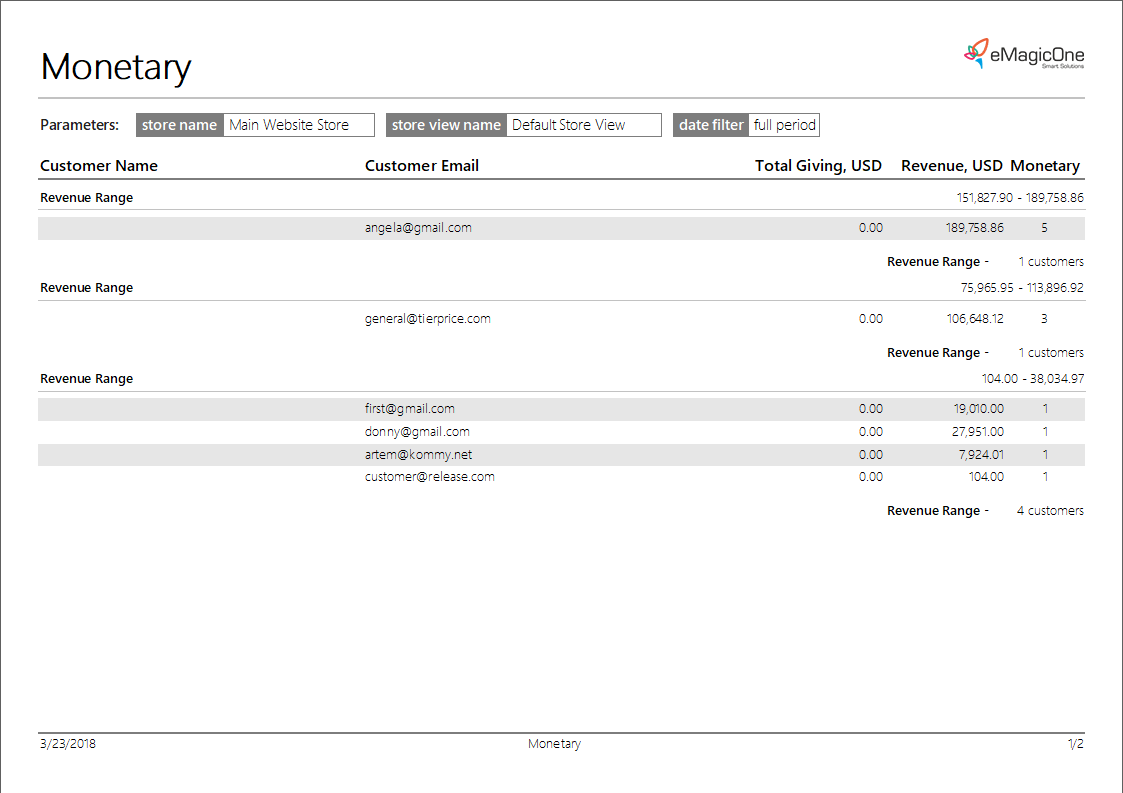
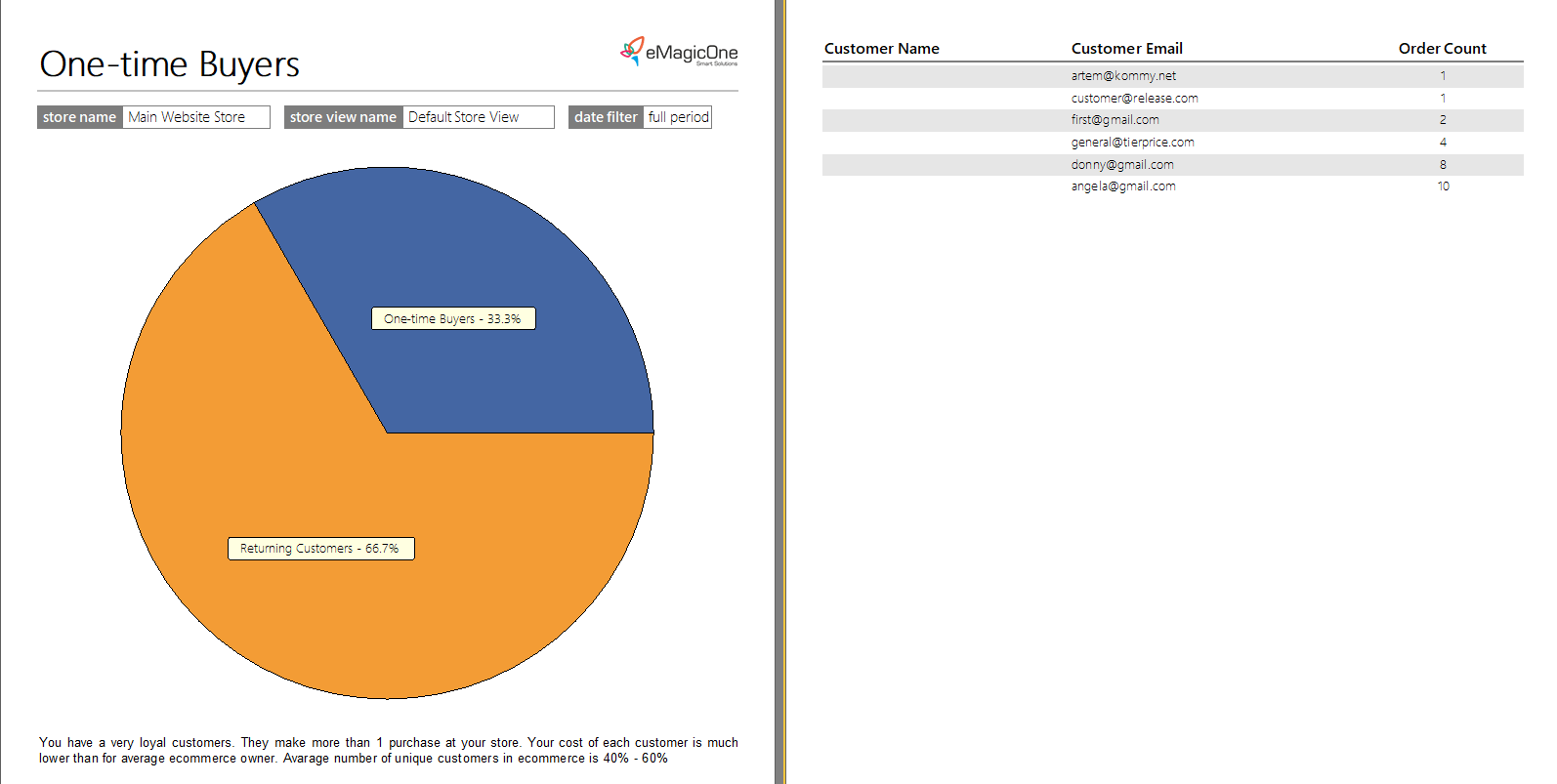
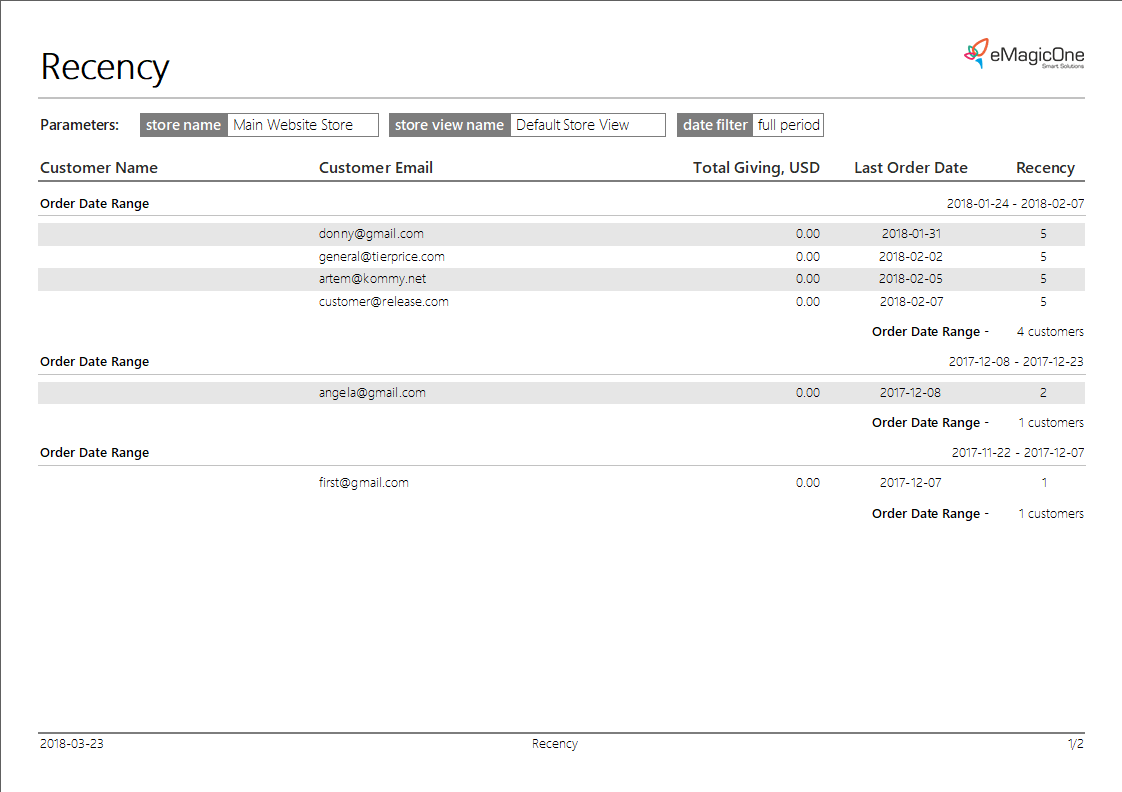
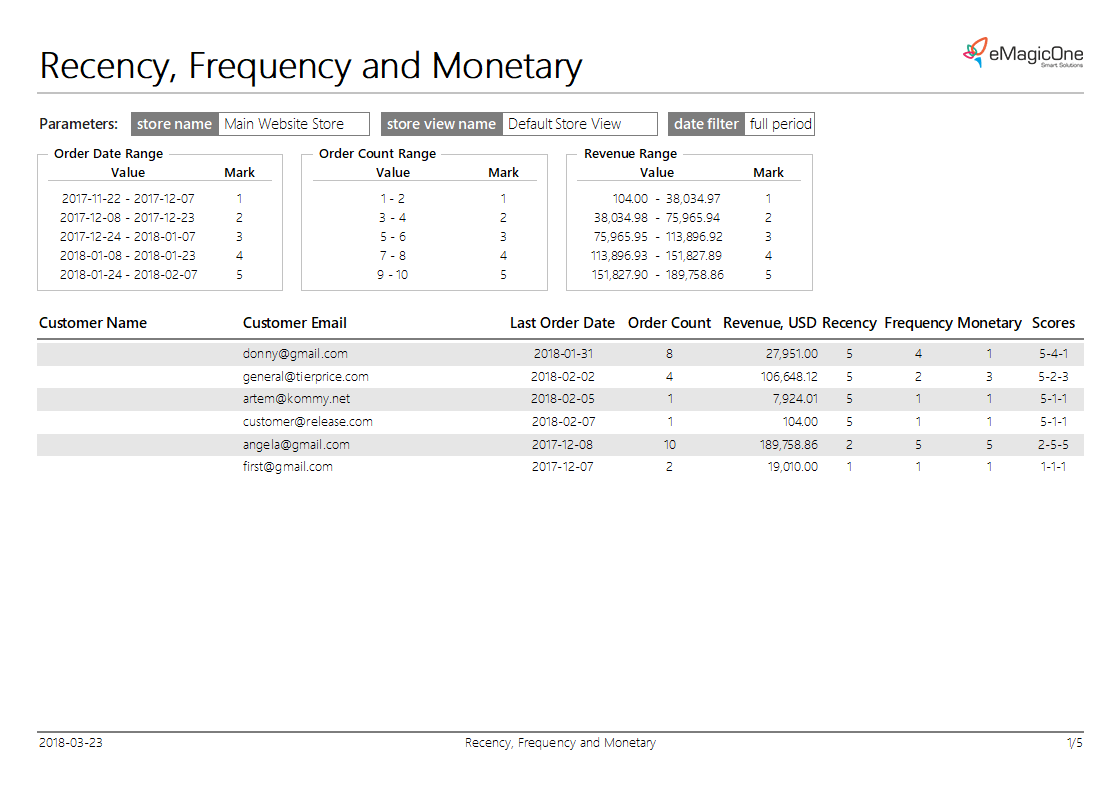
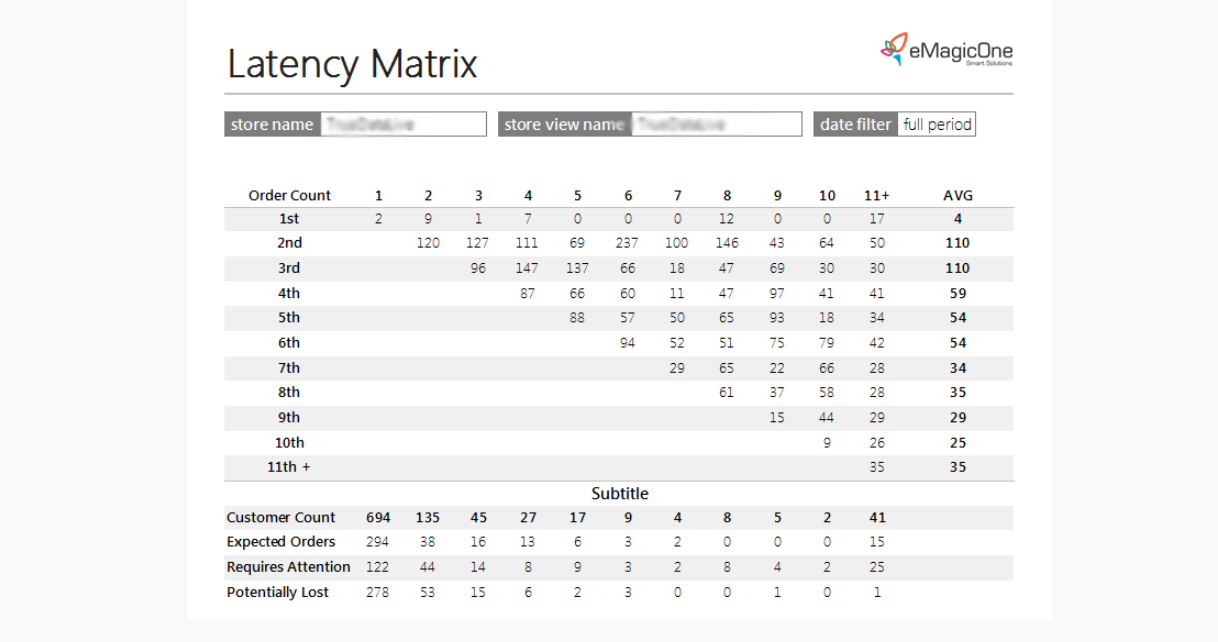
The variety of reports offered by different editions of Store Manager for Magento correspondingly depends on the store size and the necessity of making this or that report. Each of the templates can be modified and adjusted to your purposes after pressing 'Edit page' button on the toolbar.
Basing on these Magento 2 reports you can constantly correct your marketing strategy in the right way according to the received data. Having a clear picture of your customers behavior it will be much easier to regulate your pricing and discounts and adjust the whole management process to your store’s performance.
In case you want to create a custom report with your own content, select 'Custom Reports' section. Store Manager for Magento can provide you with a wide arsenal of instruments for generating a comprehensible Magento 2 custom report. Find detailed instructions for generating Magento Custom reports in this article - Magento - Custom Reports.
Generate Magento 2 reports using ready-made templates Try Now!
Related Articles:
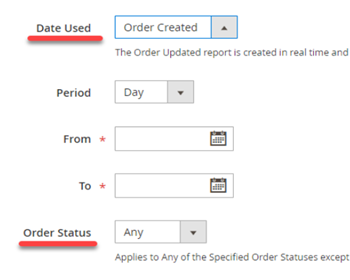
Magento 2 Reports. Sales Report
Check the list of Magento report types and the sales report tutorial. Read More...
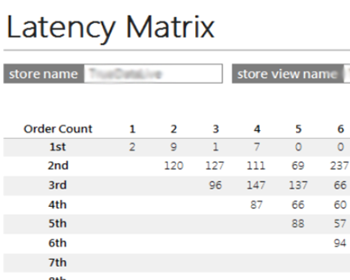
Magento 2 Latency Matrix Report
Determine Magento 2 order statistics and analyse customer behavior with Latency Matrix Report. Read More...
Magento 2 Customer Segmentation Report
Perform Magento 2 customer segmentation based on orders with Recency, Frequency and Monetary Report. Read More...
Create Magento 2 Custom Reports
Magento 2 custom reports tutorial: build SQL-queries, select report relation (products, customers, orders), design it at your sole discretion. Read More...
COMMENTS