
How to create simple product in Magento 2
What is Magento 2 Simple Product?
Simple product type is the most popular in Magento 2. It can be sold either as a standalone product or make the basis for configurable, grouped and bundle products.
Magento 2 simple product is sold individually and doesn't have variations differing in size or color etc.
How to Create Magento 2 Simple Product?
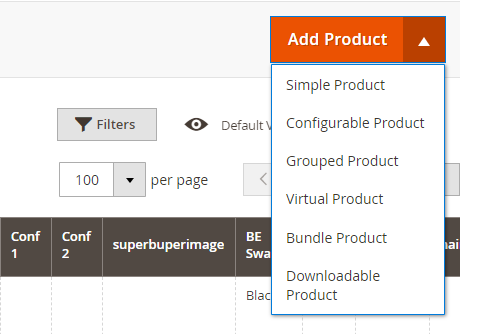
- From Magento 2 dashboard go to Catalog => Products and from the 'Add product' drop-down placed in the right upper corner select Simple product.
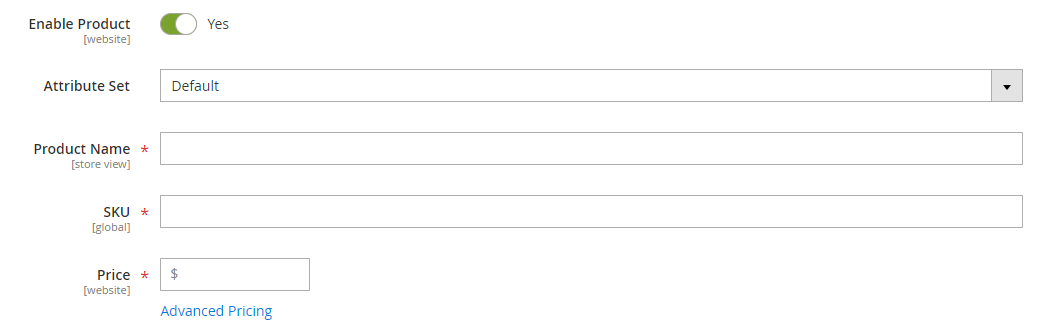
- Set 'Enable Product' setting to 'Yes' and select a suitable attribute set.
- Be sure to fill in the required fields with asterisks such as Name, SKU and Price.
- Proceed further by specifying simple product details: tax class, quantity, stock status, weight (if necessary), category, visibility, manufacturer.
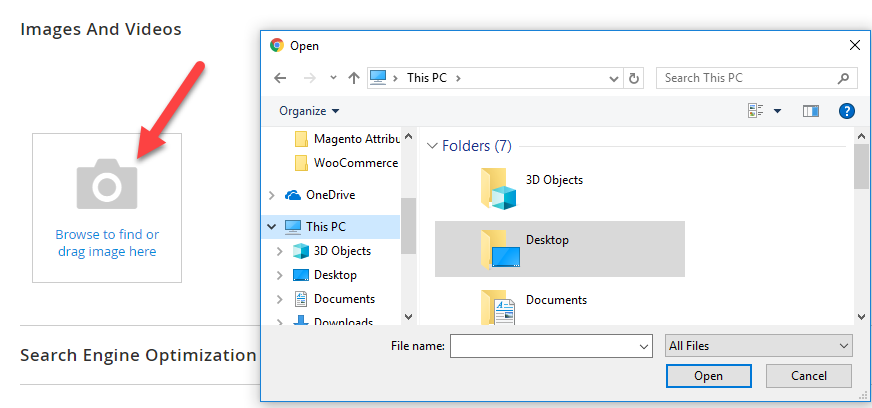
- In order to upload a simple product image, expand the 'Image and Videos' settings and press the 'Browse' button or simply drag the picture and drop it on the camera tile.
- In the right upper corner open 'Save' drop-down and select one of the options to add the product to the store.
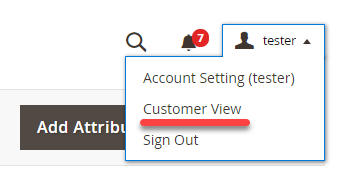
- You can check how the product looks like on the front-end by selecting 'Customer view' from the account drop-down.
Note, that if the product stock status is set as out of stock, or its quantity is 0, or it is configured as invisible in catalog and search, then it will not be displayed on the storefront. Make sure to check all of these fields to let your customers see the newly created goods.
How to Create Simple Product in Magento 2 via Store Manager?
Store Manager allows handling Magento 2 products in an easy and flexible way due to the wide specter of its management possibilities. You can check it by creating a simple product in a few clicks:
- Open 'Store' tab and select 'Catagories&Products' section.
- If you want to add a product to a specific category, select 'Show products from selected category' filter option and click on the necessary category from the list on the left.
- Press 'Add product' button and select 'Simple product type' in the 'Products settings' window.
- Select the storeview and fill the product details including such obligatory fields as 'Name', 'SKU' and 'Price'. Do not forget to specify product quantity and visibility.
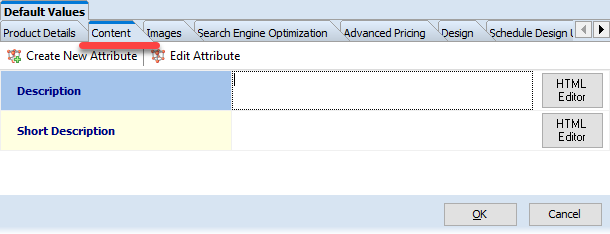
- Use the 'Content' tab to provide product description.
- In order to upload a product image, open Images tab and press the browse button. You can upload it from the local hard drive or simply drop it on the 'Drop Image Here' sign.
- Having filled all necessary product data, press OK.
- Make sure to press Ctrl+P (post data to web) to get the item displayed on the front-end.
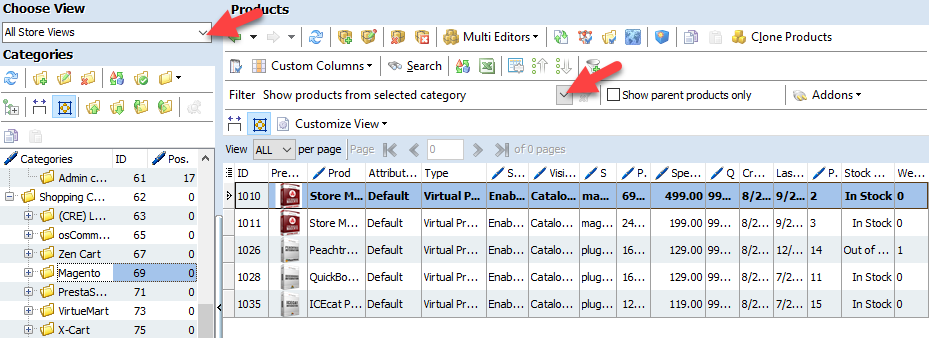
Products of simple type take the largest part of any store stock and are the easiest to manage due to single SKU and fixed price. That's why it is essential to know how to generate them.
Now when you have learned how to create Magento 2 simple product, you will easily manage to generate products of other types.
Handle Magento 2 Simple products in an advanced way for 14 days free - Try now
Related Articles:
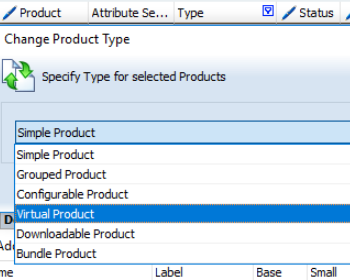
Magento 2: Editing Product Type
Check what possibilities of product type change are available in Store Manager. Read More...
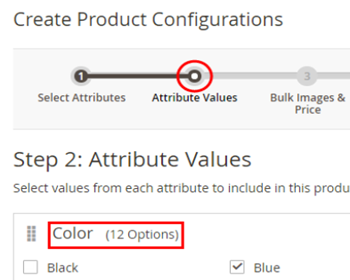
Magento 2 Configurable Product Creating
Learn how to create Magento 2 configurable attributes and assign simple products to them. Read More...
Magento 2 Custom Options
Find out how to quickly create custom options or modify current ones; check the way to easily import custom options. Read More...
Magento 2 Generator of Related, Up-Sell and Cross-Sell Products
Types of Magento 2 product relations and their configuration via Store Manager. Read More...
COMMENTS