
Magento Tier Price Multi Editor for Massive Edits
Magento Tier Price is a perfect way to boost your sales by offering customers quantity-based discounts. From now on it is possible to add, edit or remove Magento tier price rules massively using Magento Tier Price Multi Editor, built in Store Manager application. It was developed to simplify managing tier pricing for a big number of products with a lot of conditions. This tool provides you with all necessary instruments allowing to perform the procedure in a convenient way.
Magento Tier Price Multi Editor has two configuration modes: simple and advanced (advanced mode is available only in Adobe Commerce (Magento Enterprise) Edition). Let's figure out how to set tier prices for your Magento products with each of the above modes one by one.
Where to Find Tier Price Multi Editor?
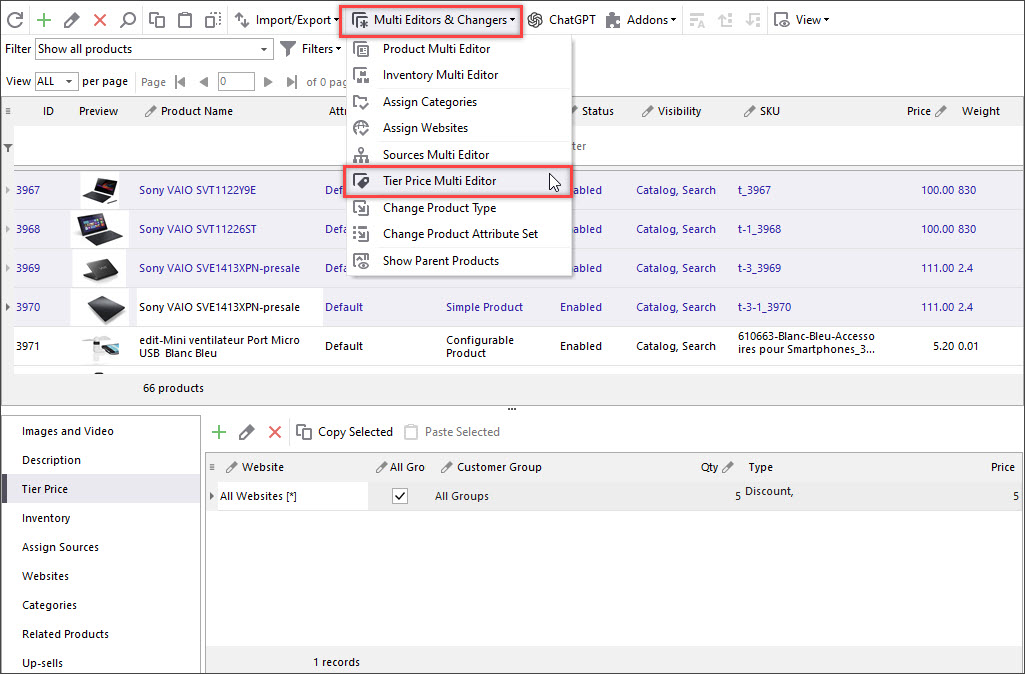
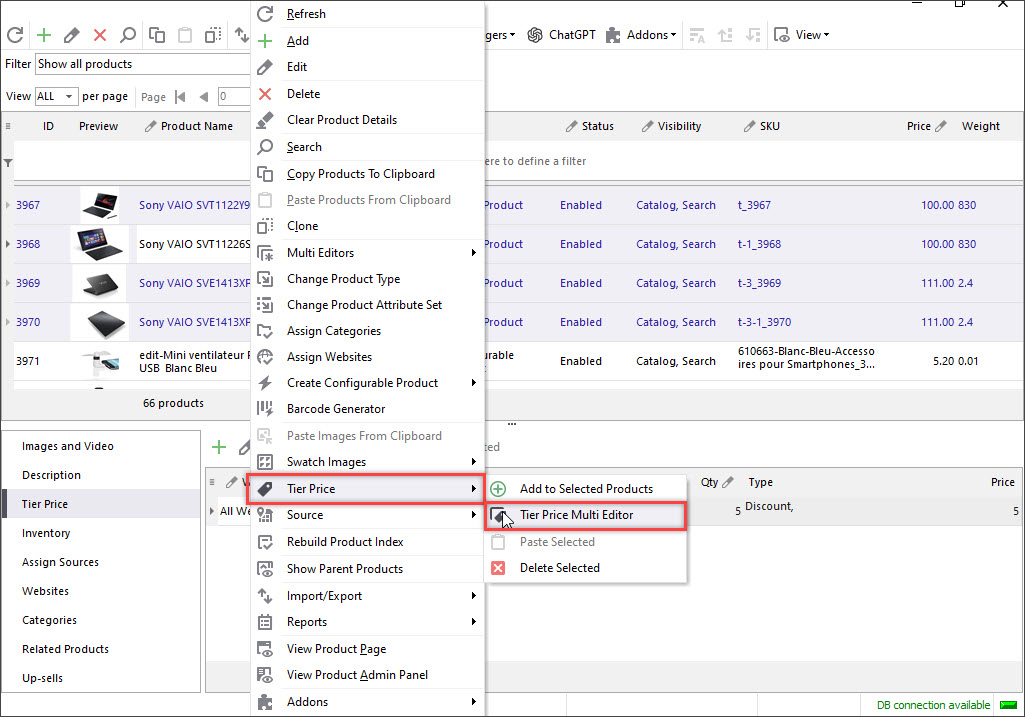
There are a few ways to open Magento Tier Price Multi Editor window in Store Manager for Magento application:
- launch it from the Products toolbar using the Multi Editors drop-down menu;
- on the products grid, select the items you need to edit and right-click on them. Select from the options Multi Editors>>Tier Price Multi Editor or Tier Price>>Tier Price Multi Editor.
Setting Magento Tier Prices in Simple Mode
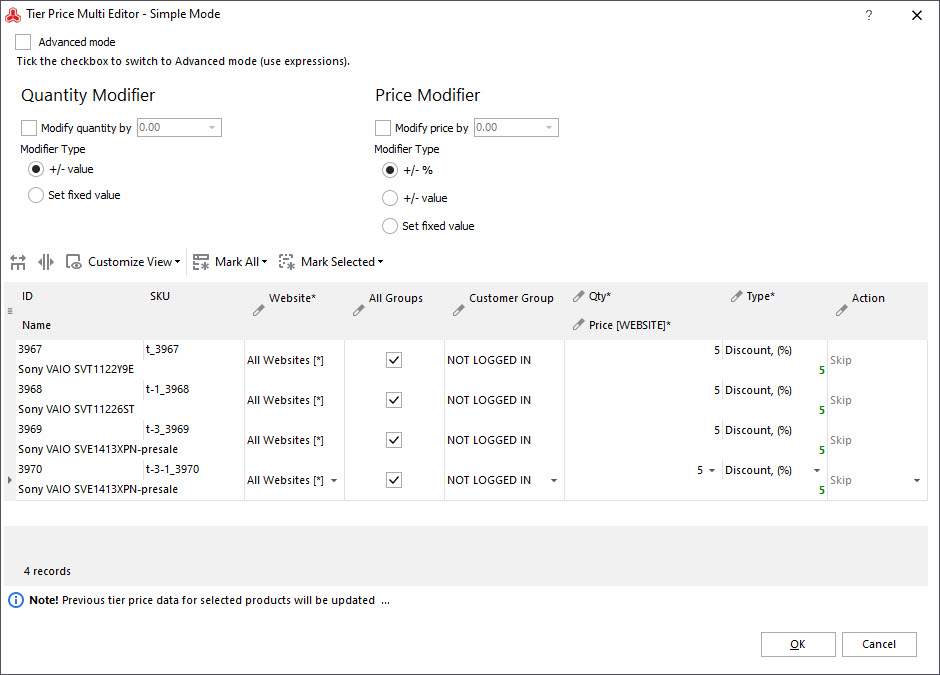
What actions can be performed in Simple Mode?
- Set relations between product quantity and product prices selecting a specific modifier type (+/- value, percentage or fixed value);
- Apply tier prices on selected websites;
- Enable/disable tier prices for particular customer groups.
How to use?
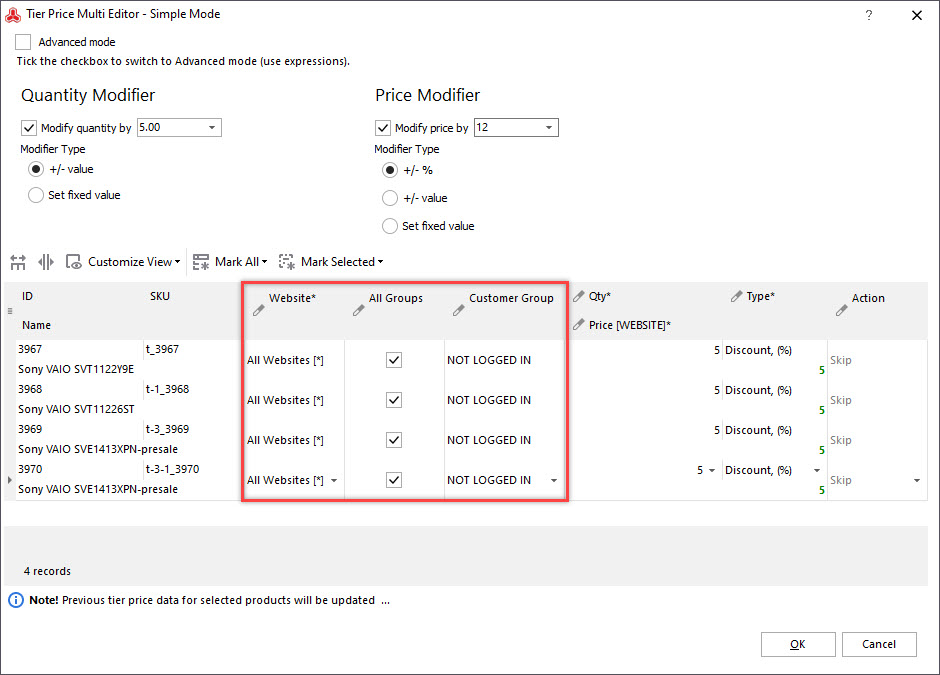
- Check the 'Modify quantity by'/'Modify price by' boxes to input products quantity and price values. Select the Modifier type: +/- value, percentage (for prices only) or fixed value.
- Use Websites drop-down to specify the website the changes must be applied to. Then check or uncheck the 'All groups' box and select 'Customers group' from the drop-down.
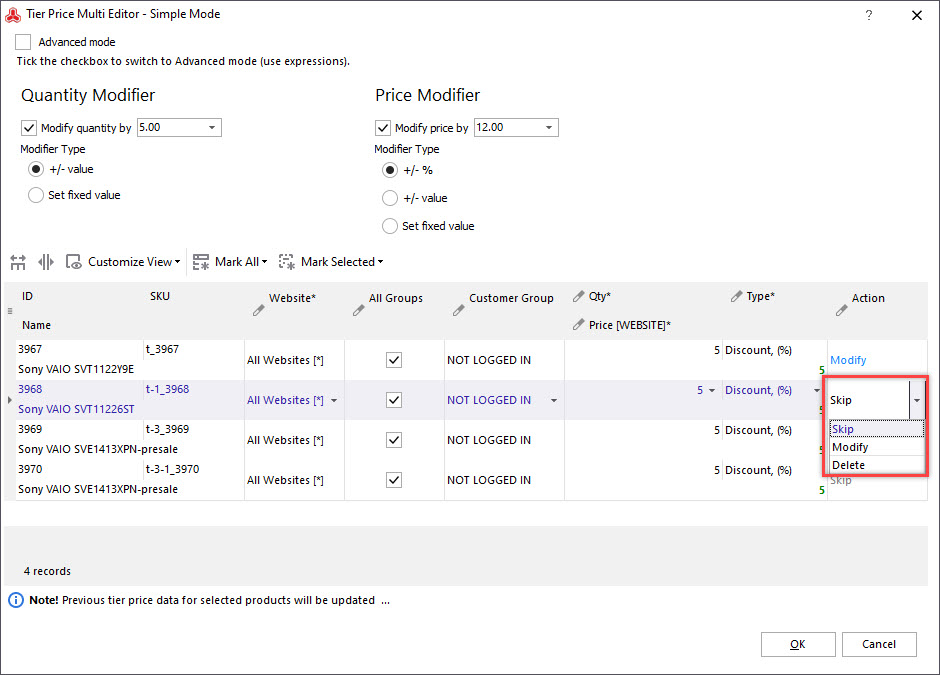
- Skip - do not apply the updates to the current column;
- Modify - edit tier price data of current column;
- Delete - remove tier price from the product.
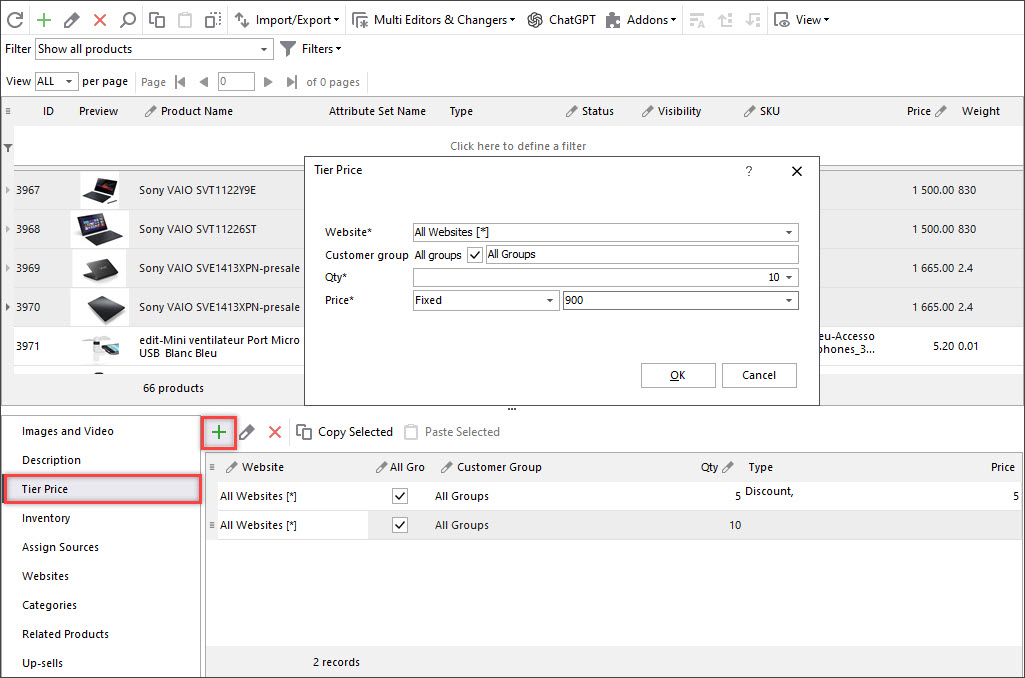
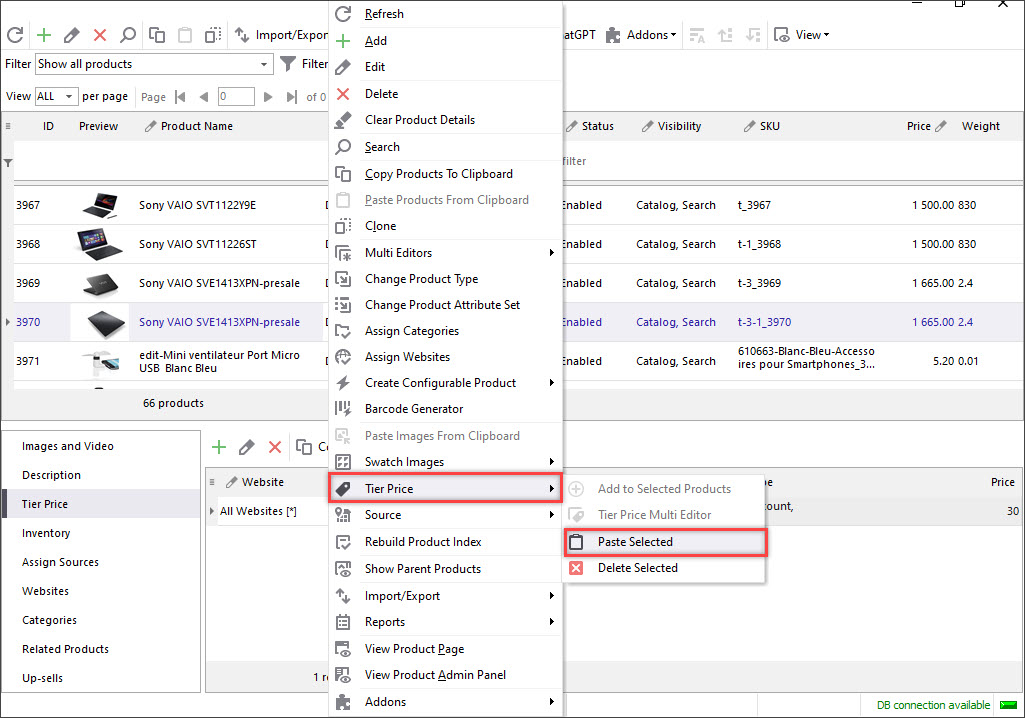
- Highlight necessary items in the products list and select Tier Price tab in the lower grid. Press 'Copy Selected' button and click on the product you want to paste the copied tier price to.
- From the context menu select Tier Price>>Paste Selected.
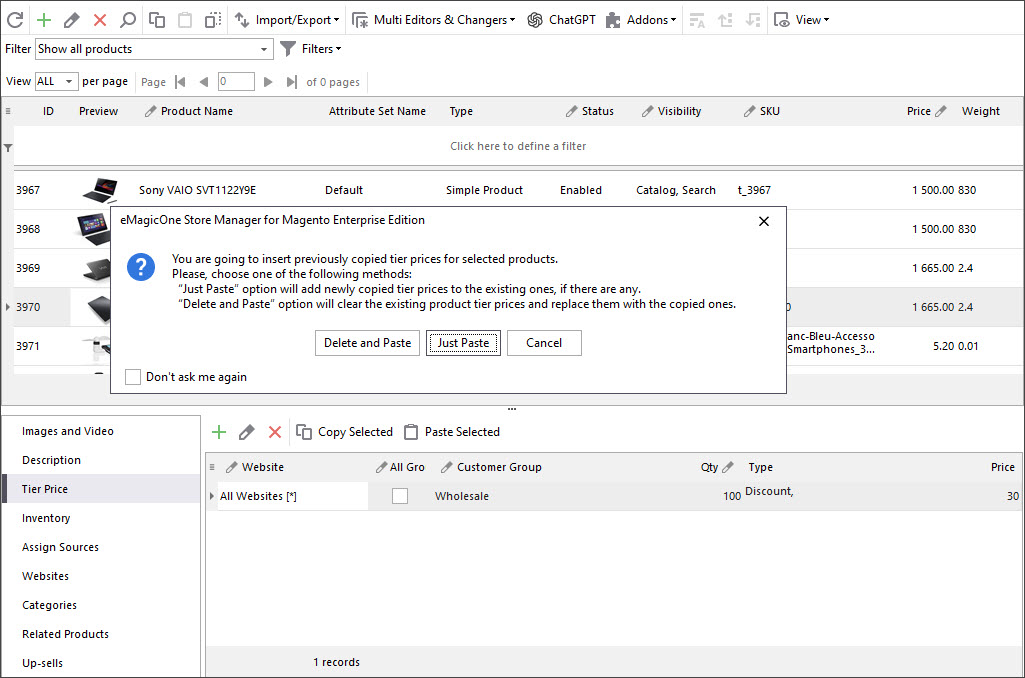
- There will show up a pop-up window asking you to select the exact action to be accomplished:
- Delete and Paste (clear the existing tier prices from the product and insert the copied ones);
- Just Paste (add the selected tier prices to the current ones, if there are any);
- Cancel.
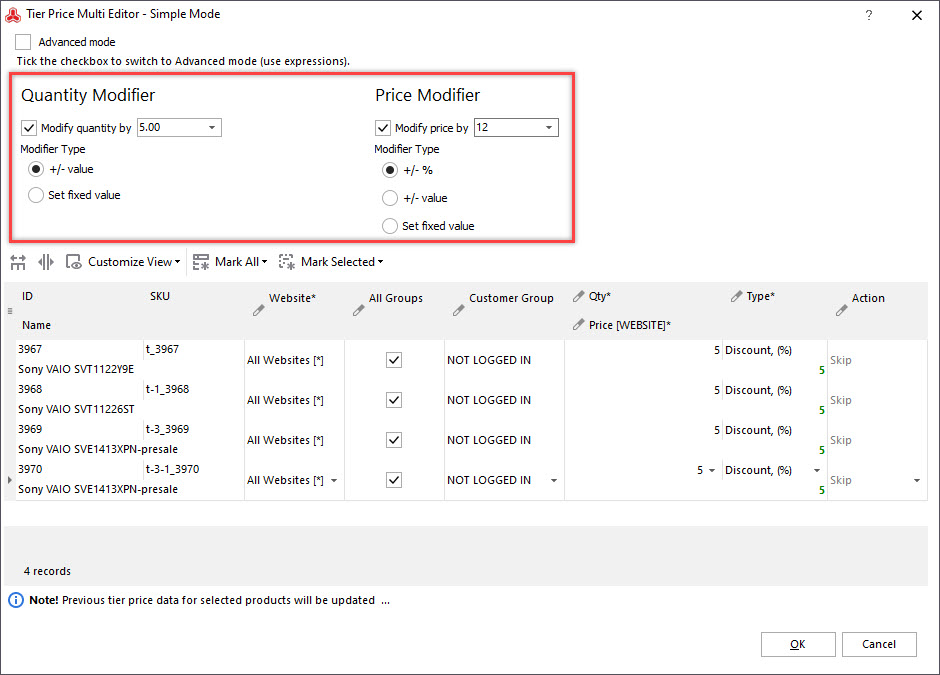
There are three 'Action' options you can select:
Example
Let's say, you sell laptops. Recently you created a discount for your wholesalers offering them to pay -$90 for each item, when buying at least 10 product items, or -$30 when buying at least 50 items.
For some reasons you decided to increase that -$10 discount to -$15 and -$30 to -$35. What should you do? First, highlight necessary products and launch Tier Price Multi Editor. After that input fixed value '10' into 'Modify quantity by' field and '-5' value into 'Modify price by' field.
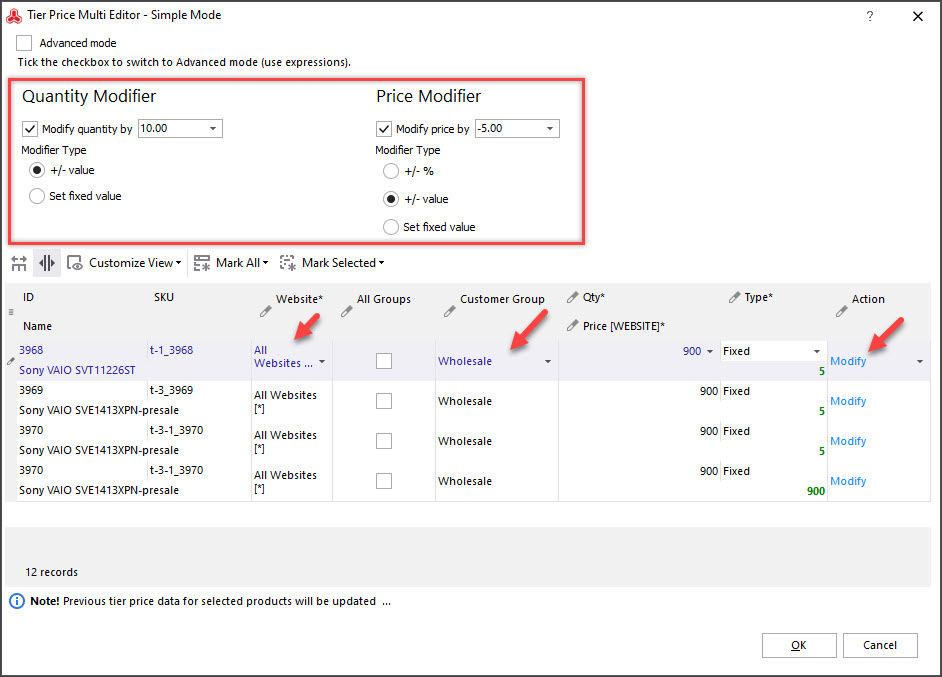
Select Wholesale customer group from the drop-down and the website to apply tier price rules to. Select Modify action from the drop-down for those -$10 tier price rules.
Perform the same operation with -$30 discount rules, setting Modify action for them. Now your tier price rules are changed.
Configuring Tier Price in Advanced Mode (available in Adobe Commerce (Magento Enterprise) Edition only)
What is Advanced mode used for?
Beside simple mode functions, in this mode you can use expression editor and customize tier price configuration by applying your own SQL commands.
How to use?
Start Tier Price Multi Editor using one of the mentioned ways and switch the mode to advanced in the left upper corner of the window.
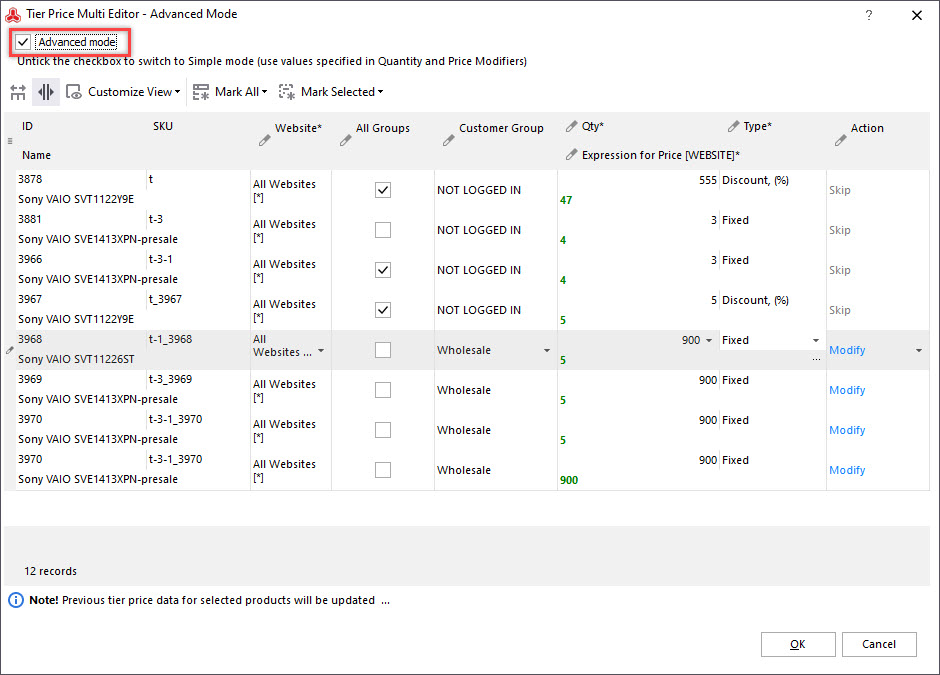
The editor window looks the same as in Simple mode and includes the same columns except of additional 'Expression for price*' function. In order to open expression editor, press the browse button.
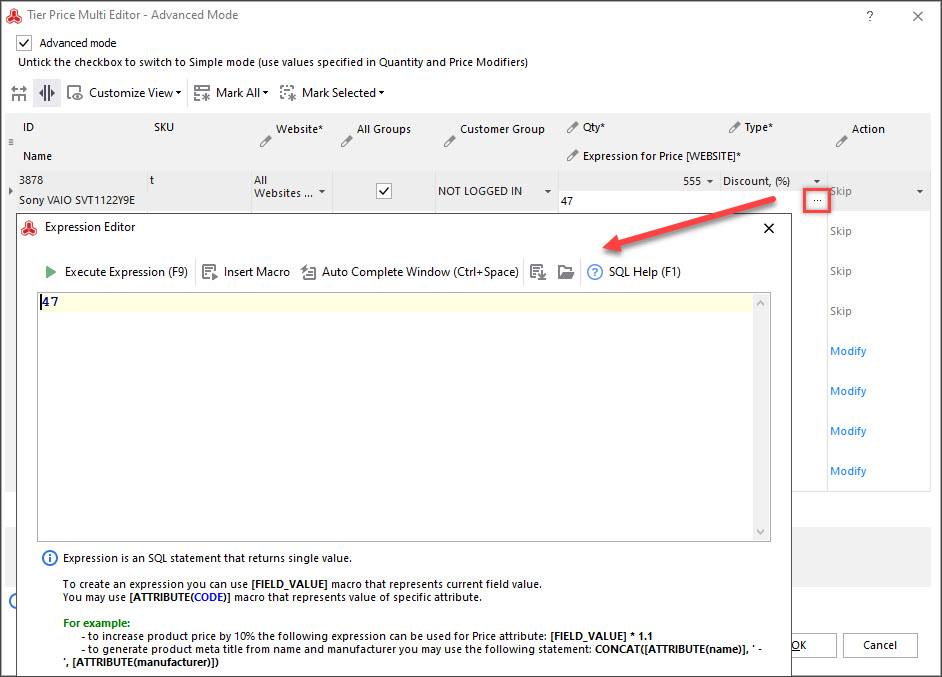
Here you can create your own expressions and run them pressing the 'Execute Expression' button or F9 hotkey. Select the necessary action to be performed in each of the product fields.
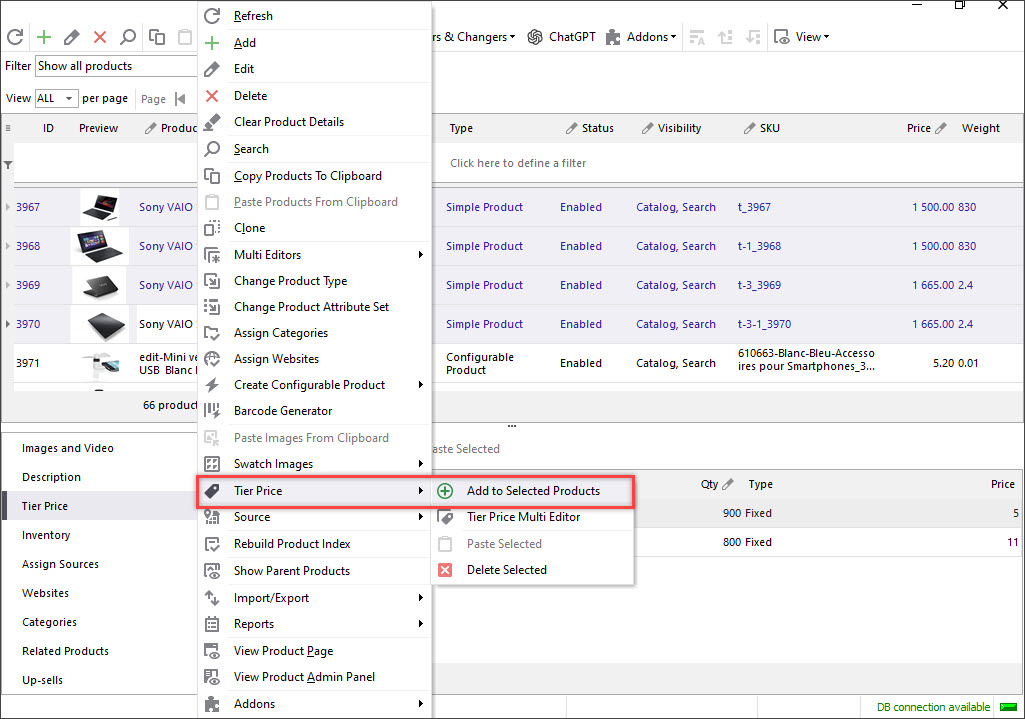
'Add to Selected Products' function
Selecting this option will transfer you to a separate window. Here you can set tier prices specifying data in the columns (the ones marked with asterisks are required to be filled) and apply them to the highlighted products.
Copy/Paste or Massively Delete Magento Tier Prices (EE only)
You can clone or massively delete Magento Tier Prices only in Adobe Commerce (Magento Enterprise) Edition of Store Manager.
In order to append existing tier price rules to other merchandise, follow these steps:
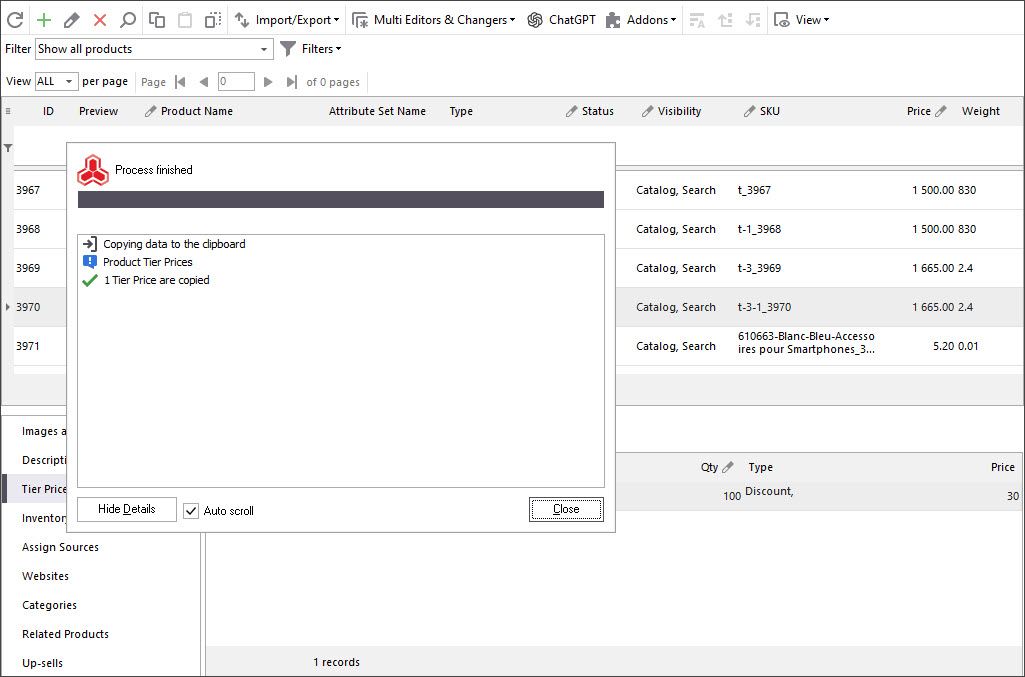
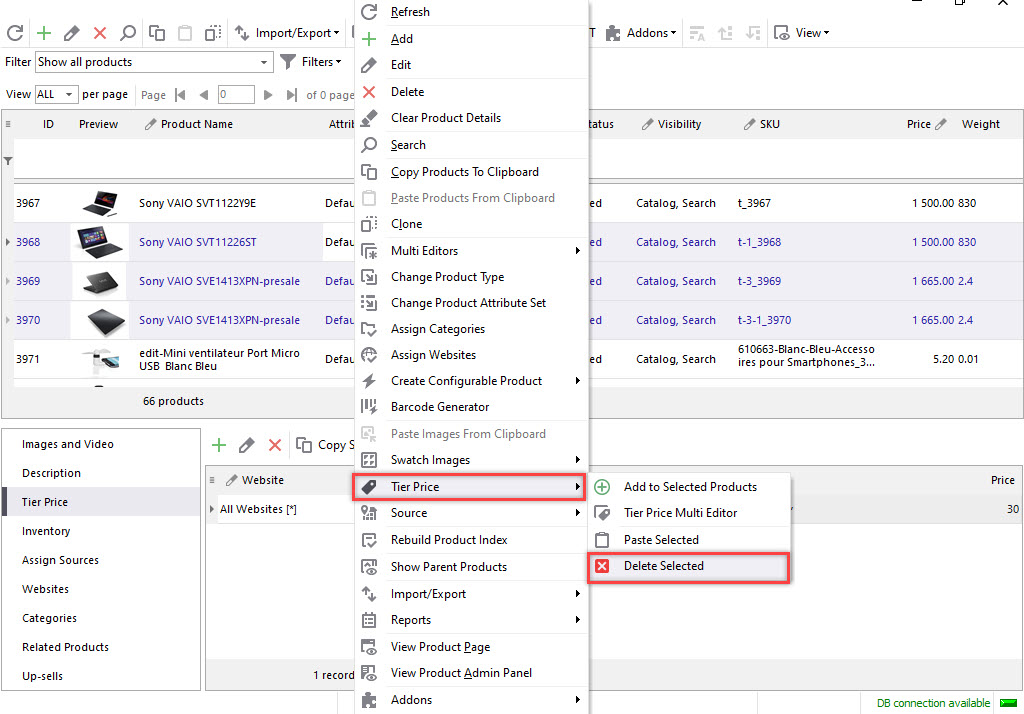
In order to delete tier prices for a bulk of products, use the following context menu options: Tier Price>>Delete Selected.
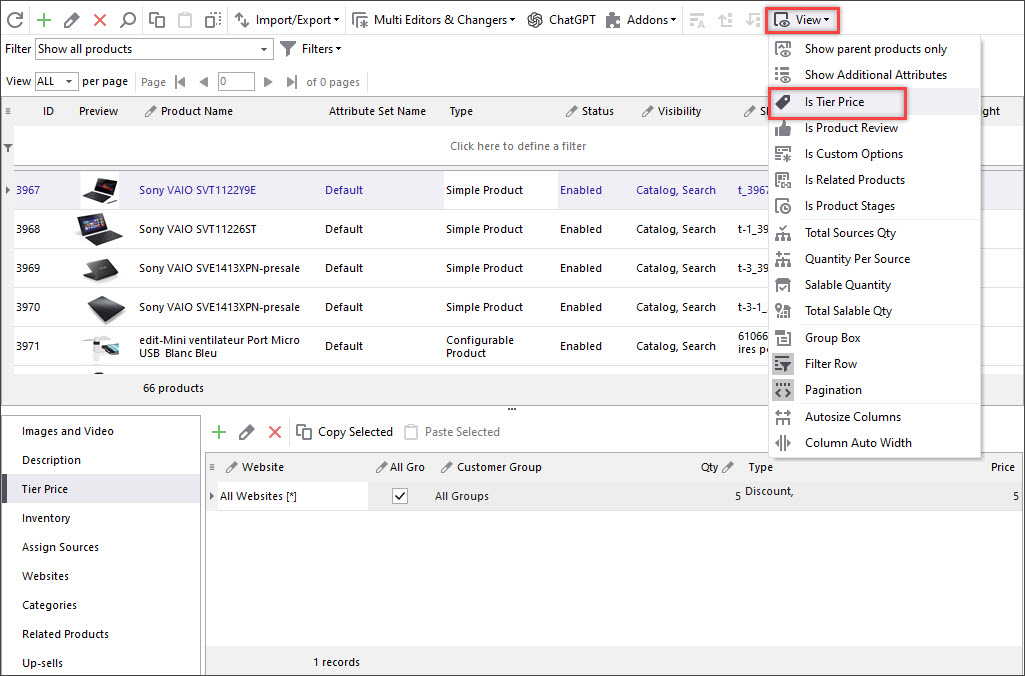
Tier Price filter
In addition, another new option is available now: you can check what products have tier prices by filtering them using Custom Columns drop-down. The ones with tier prices will be marked by a specific sign.
Using Magento Tier Price Multi Editor you can easily handle tier price rules for either 100 or 10 000 products and change those rules in few clicks! Take advantage of this multifunctional and handy tool and set up Magento Tier Prices massively.
Edit Magento Tier Prices Massively with Store Manager for Magento
Buy Now
Related Articles:
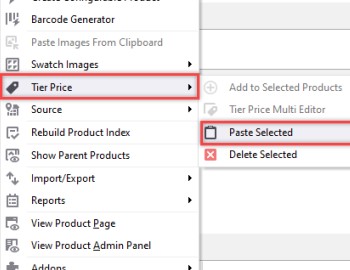
Copy/Paste Magento Tier Prices in Bulk
Learn how to copy Magento tier price from one product and paste it to another product in a few clicks. Read More...
7 Examples of Most Widely-Used Magento Promotions
Explanation of most often used Magento promotions (Buy 1 Get 1, Free shipping etc) and guidance on their configuration. Read More...
Automatically Generate Magento 2 Cross-Sells
Generate cross-sell products by multiple conditions (order status/date, category, product type, stock availability etc). Read More...
Add/Change Magento Special Prices in Mass
Find out how to use multi-editor to modify special prices in bulk and how to import special prices for multiple goods. Read More...
COMMENTS
Why Tier Price Multi editor doesn't showing? I have version 3.3.1
Hello, Francesco! Thank you for your question. Tier Price Multi Editor is available starting from version 3.14.0.2159. Here you may check the details - https://www.mag-manager.com/discover-the-latest-updates-of-store-manager-for-magento/release-notes-v-3-archive/