Is manually completing missing product information taking too much time? With Claude integration in Store Manager for Adobe / Magento, you can bulk-generate short descriptions automatically using product names, brands, and features. If you haven’t explored the software yet, now is an excellent time to start with a free trial. Let’s get started.
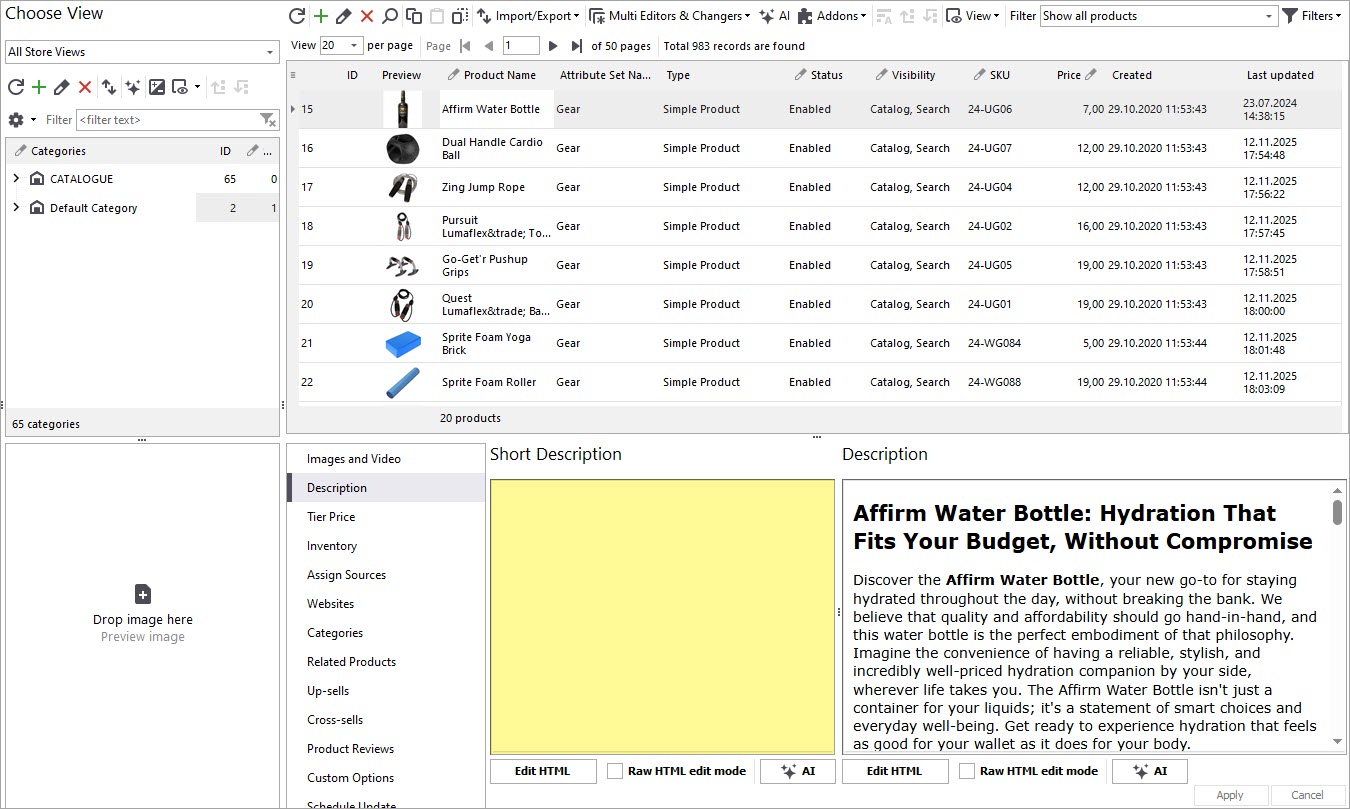
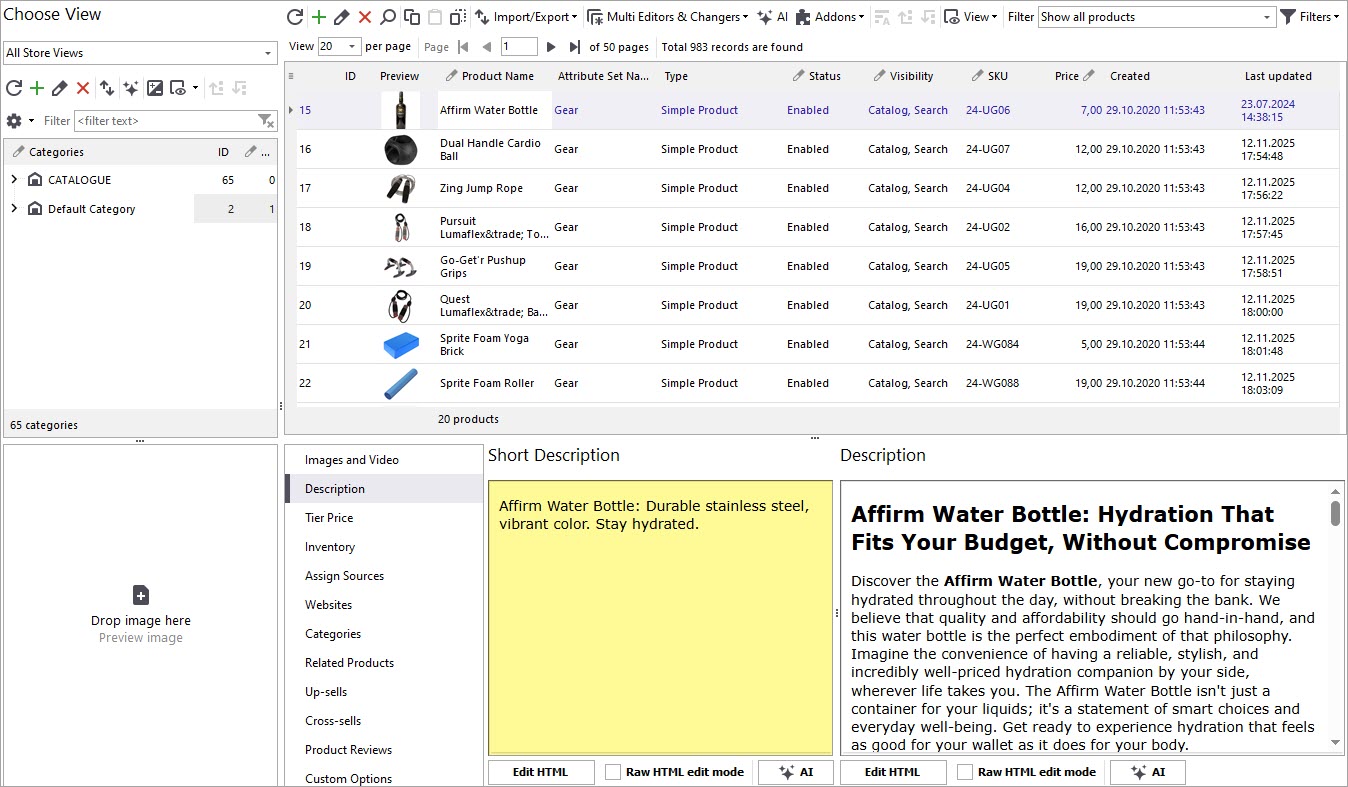
Before generating content, check your existing catalog data. In this example, the products currently have no short descriptions assigned. The product features that will be used to create them can be reviewed in the lower grid of Store Manager.
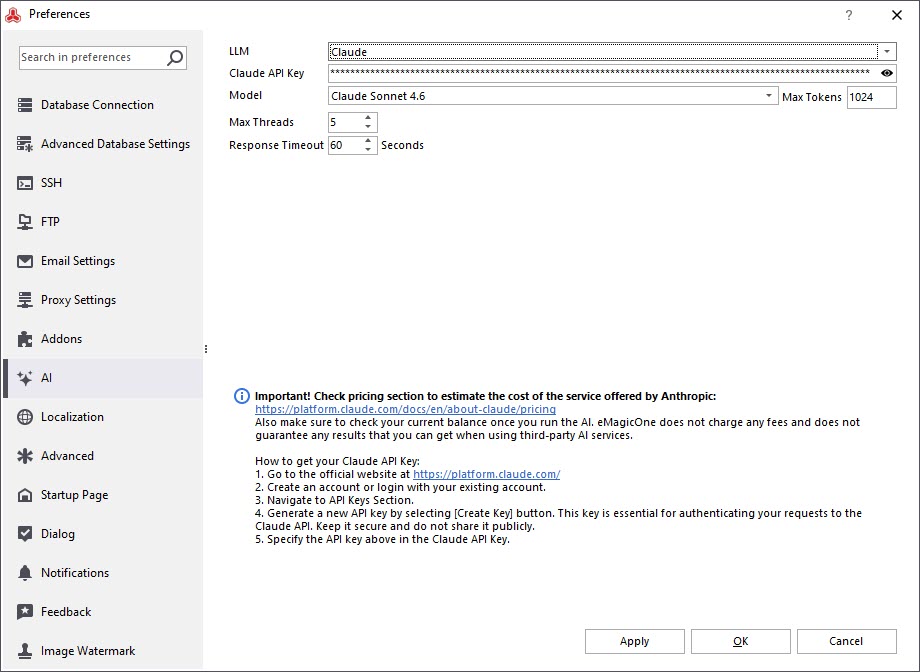
Open Preferences (F12) in Adobe / Magento Store Manager and navigate to the AI section. Choose Claude from the LLM dropdown menu, then enter your API key and preferred model.
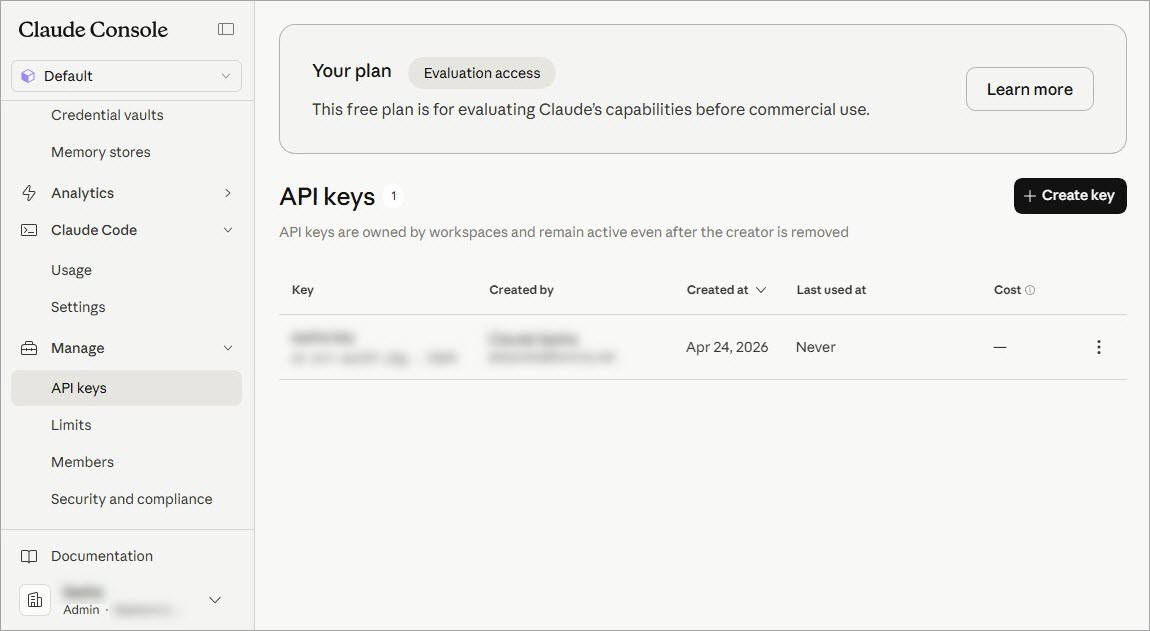
You can generate an API key through the Claude Console under Manage → API Keys.
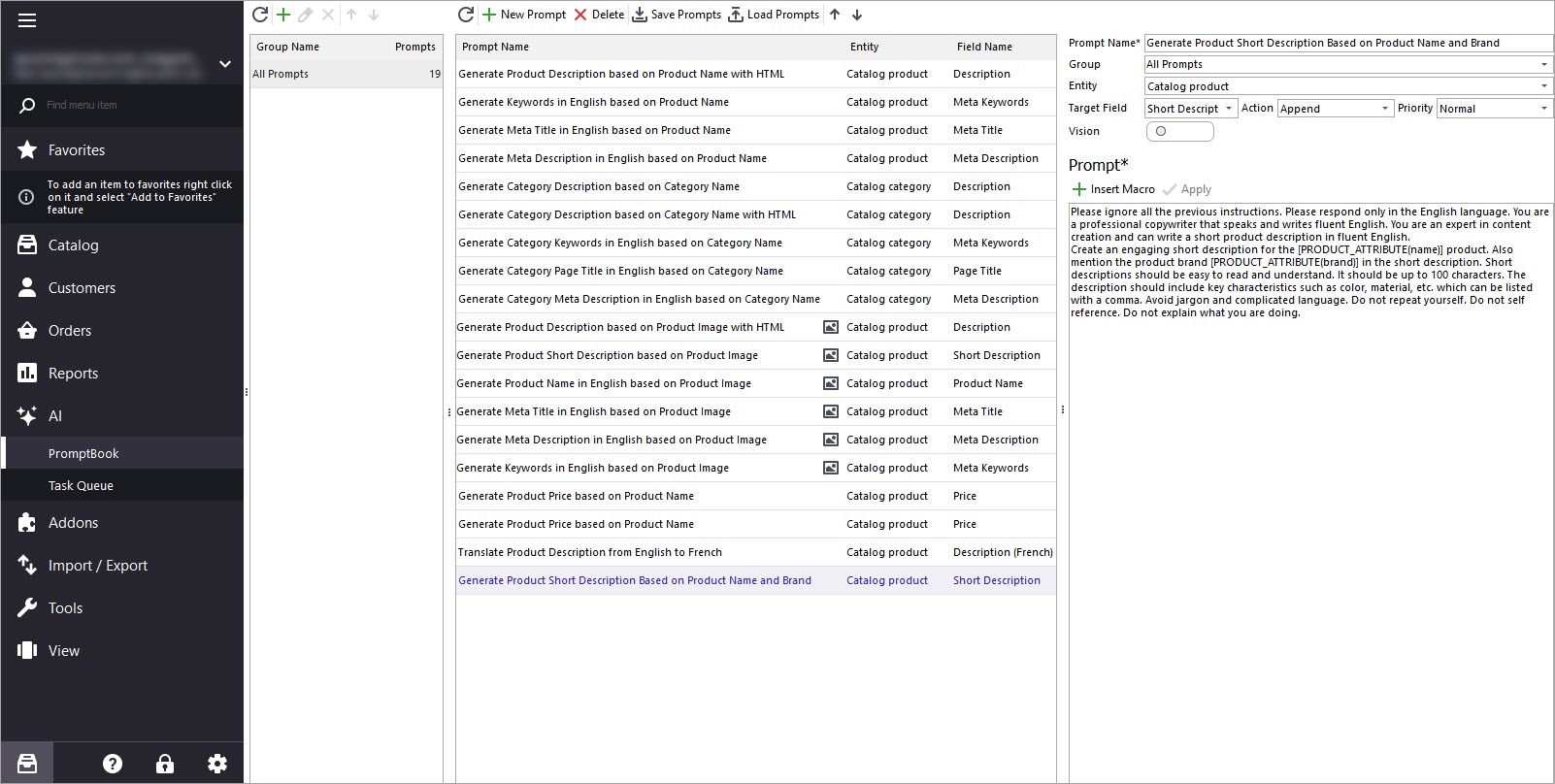
To start generating short descriptions, open the AI menu and go to PromptBook. There, you’ll find a library of prompts that can be used for bulk product content generation. A list of macros for product fields will be available, allowing you to customize the generated output.
Test and refine your prompt until it produces the desired results. In our example, we’ll generate short descriptions based on product name, brand, and features. You can create new descriptions, replace current ones, or append/prepend generated text.
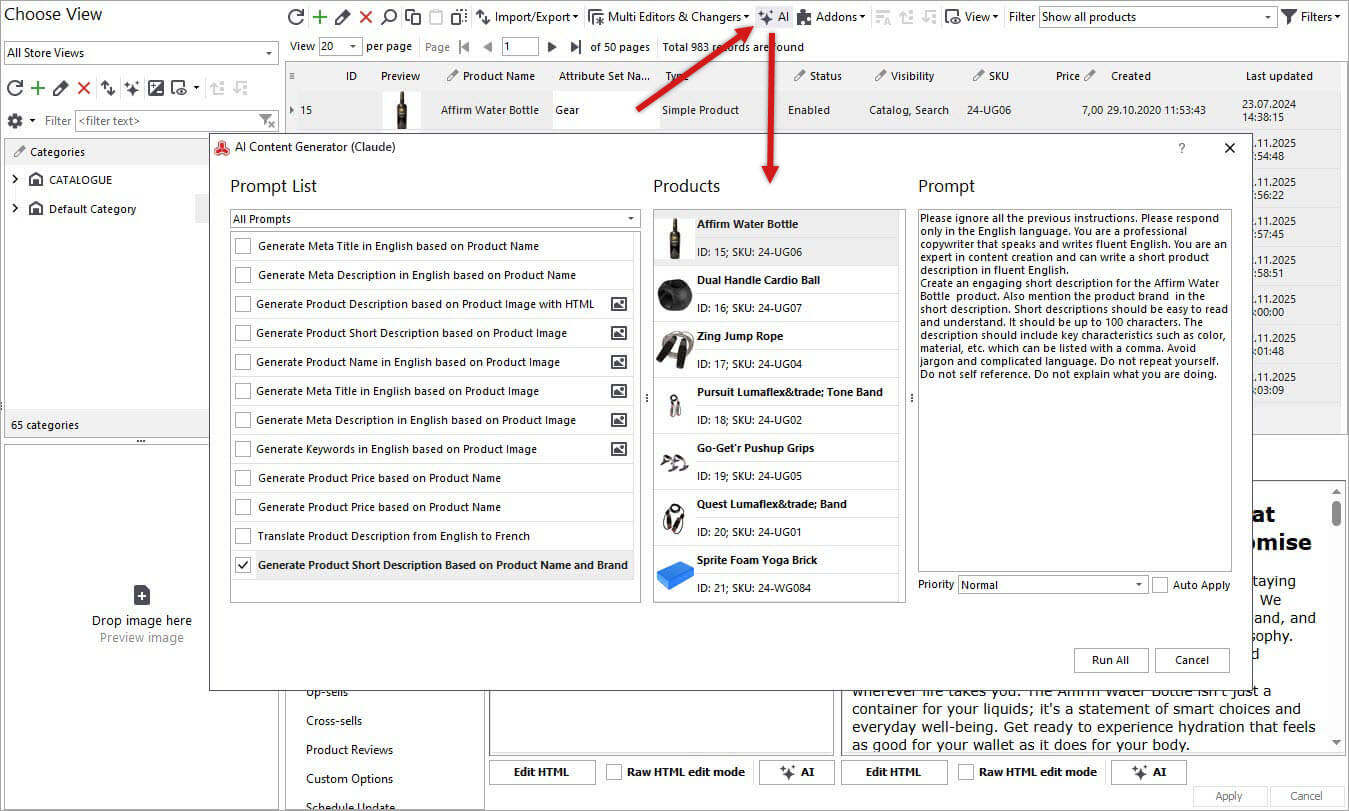
Once your prompt is ready, return to the product grid and select the products you’d like to update. It’s recommended to begin with a smaller batch to evaluate the output before processing your full inventory. Then click the "AI" button to open Claude generation settings.
Select your saved prompt and define how the generated content should be applied. PromptBook remains available anytime for prompt editing and optimization.
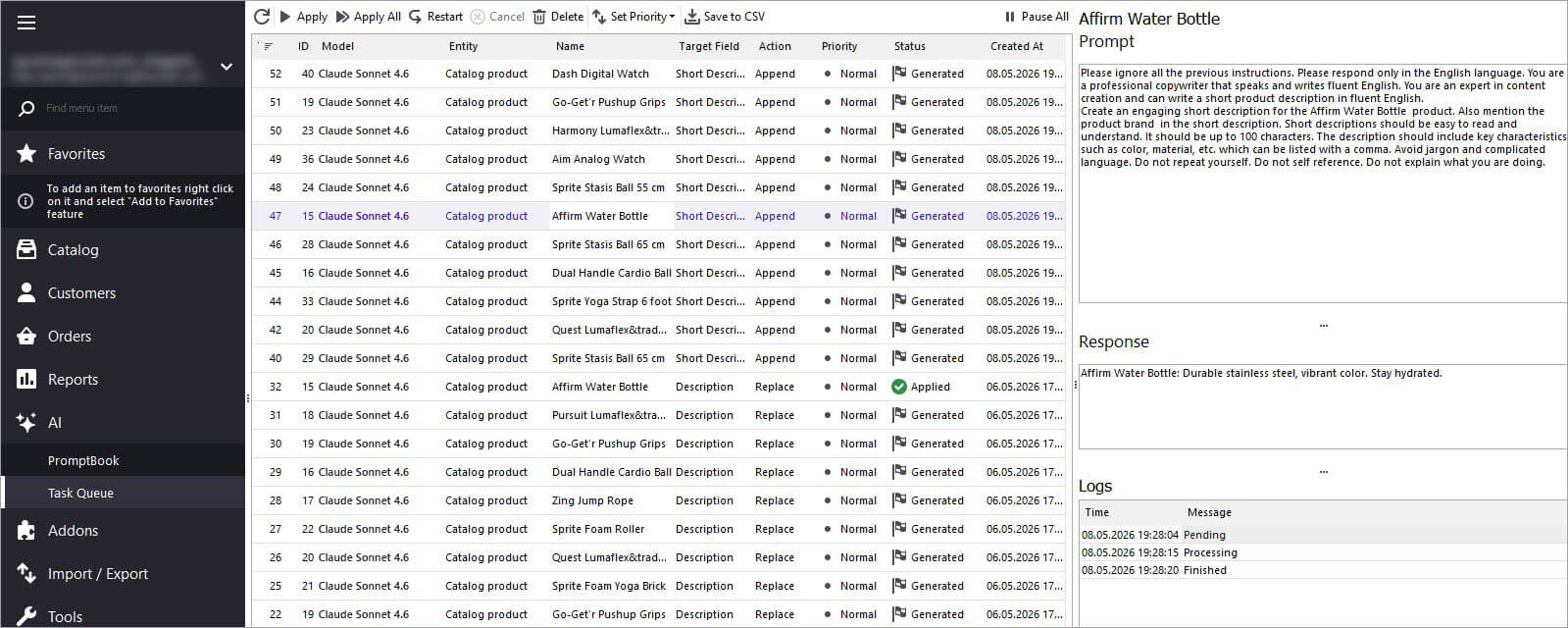
Run the generation process and monitor progress in Tasks Queue.
Statuses will move from “Pending” to “Generated.” Before applying updates, you can preview Claude’s generated results for each product. If the generated content looks correct, click “Apply” to update products individually or in bulk.
After applying the changes, visit your catalog to confirm the new short descriptions are displayed correctly.
This workflow can be repeated for your full product catalog. You can also enhance generated content by including additional product attributes such as color, size, material, and more.
Scaling your business internationally doesn’t need to be slow or costly. With Claude-powered automation in Adobe / Magento Store Manager, you can efficiently generate product descriptions, improving your catalog quality, search visibility, and customer reach worldwide.If you have a specific Adobe / Magento challenge that Claude may help solve, feel free to reach out through the contact form or Live Chat — we’ll gladly review your case and suggest practical solutions.
How to import products per store view in Adobe / Magento 2? Read More...
How to import reviews with ratings to Adobe / Magento 2 Read More...
Learn how to let customers know if a product is out-of-stock on the product page. Read More...
Adobe Magento 2 website / store / store view explainedRead More...
This website uses cookies.