
QuickBooks Online integration for Adobe Commerce / Magento 2
QuickBooks Online Integration – simplify your accounting, export your Adobe / Magento products, customers, and orders from your store to QuickBooks Online
Important: Store Manager for Adobe / Magento license is required.
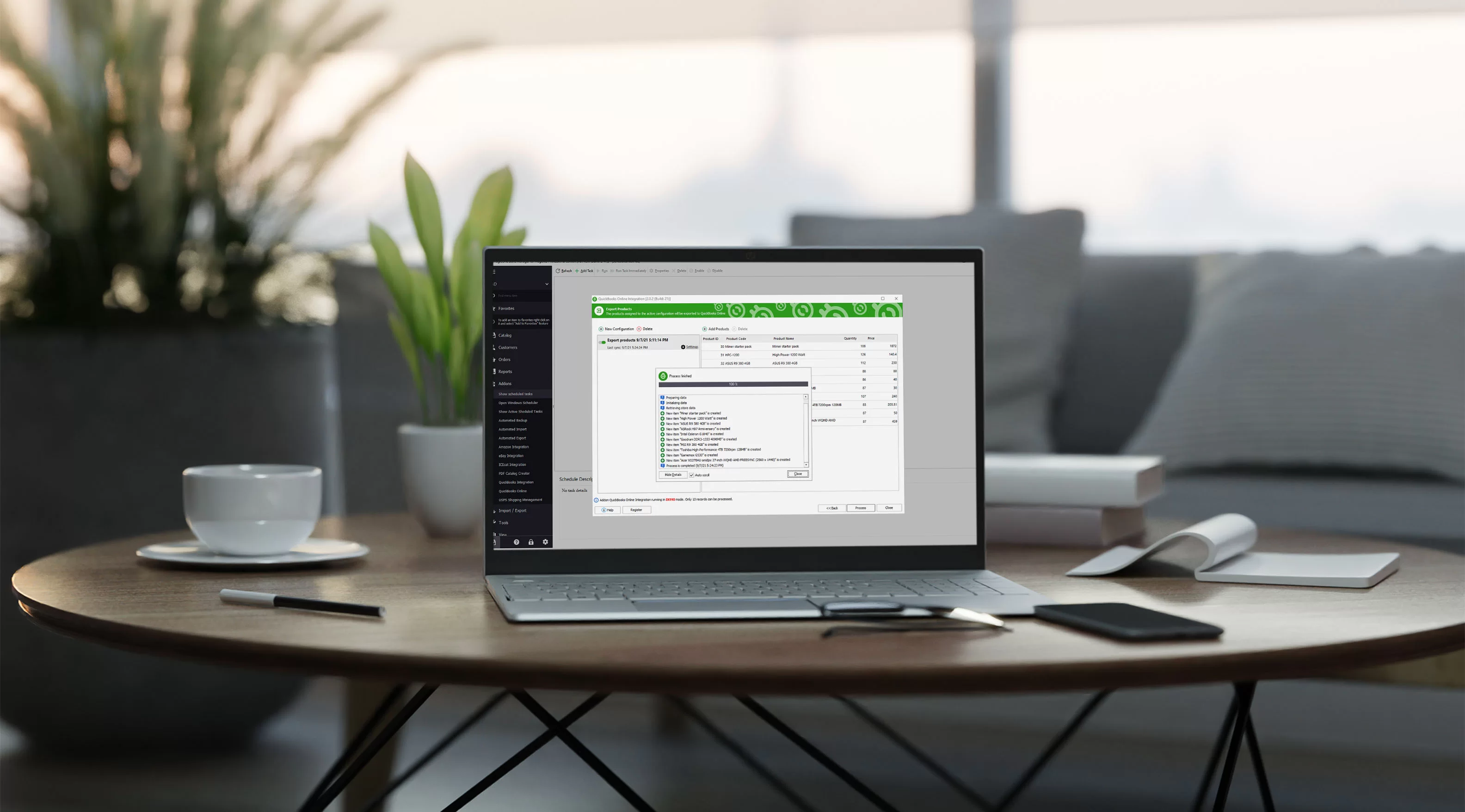
Adobe / Magento to QuickBooks Online
Adobe / Magento QuickBooks Online Integration (Import/Export) is a Store Manager for Magento extension. It allows you to export your Magento products, customers and orders from your store to your QuickBooks Online account.
QuickBooks is Intuit Inc’s set of solutions designed to manage payroll, inventory, sales and other needs of a small business. The software’s features include marketing tools, merchant services, product and supplies, training solutions. Each solution is tailored for specific industries and their needs.
QuickBooks Online Integration Addon for Adobe / Magento can help you synchronize product and customer information between your online store and your accounting package. This ensures that order data is correctly assigned to the proper accounts.
The addon ensures complete and accurate Magento 2 to QuickBooks Online export of customers, products and orders, greatly reducing the time spent on data synchronization.
Avoid duplicate data entry and other problems arising from manual data entry.
We offer our product with No recurring fees. You pay once and get a tool for lifetime integration.
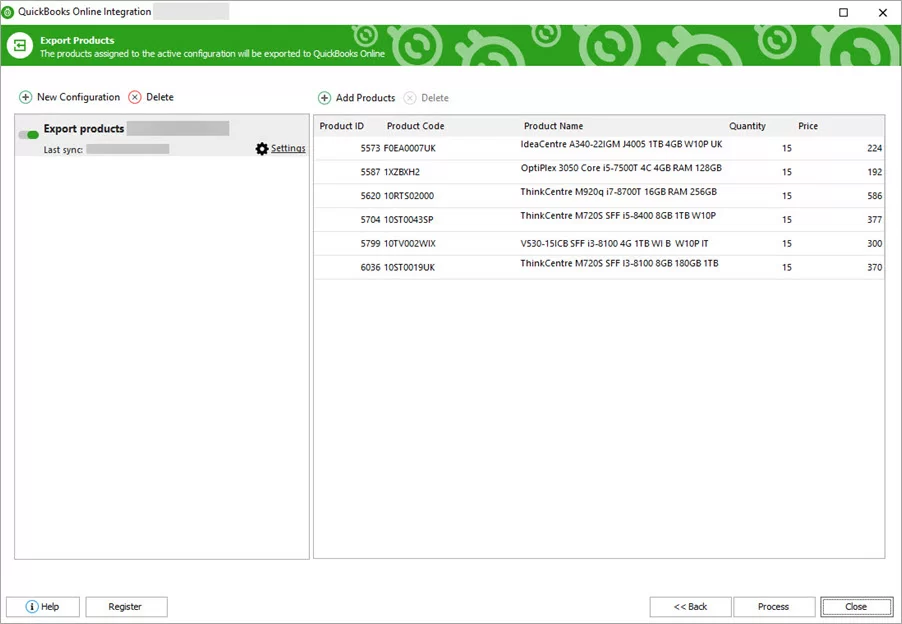
Export Products from Magento 2 to QuickBooks Online
Select the type of entry you want to create: Inventory, Non Inventory, Service, or Other Charge entries
Modify existing products, create new ones only, or do both
Map QuickBooks and store products to avoid duplicates
Export Magento configurable products to QuickBooks Online (variations with their SKUs and qty)
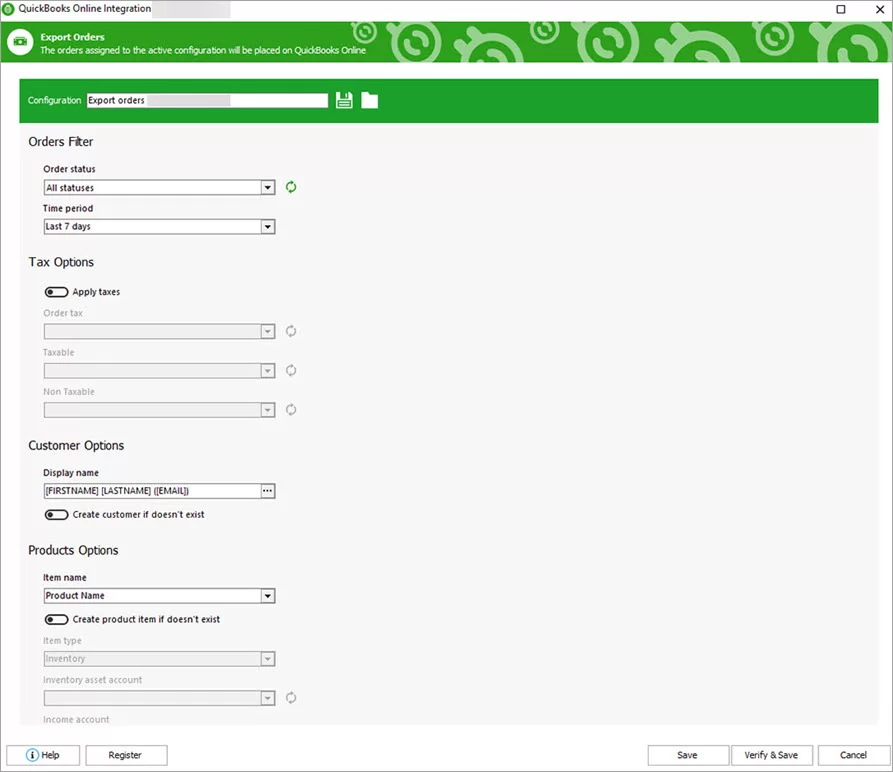
Export Customers and Orders from Magento to QuickBooks Online
Create sales orders, sales receipts or invoices in QuickBooks Online
Filter orders to be exported (filter orders by data, order id, status, etc.)
Export received payment transactions
Create refunds - export taxes
Add a customer if it does not exist at the step of sales export
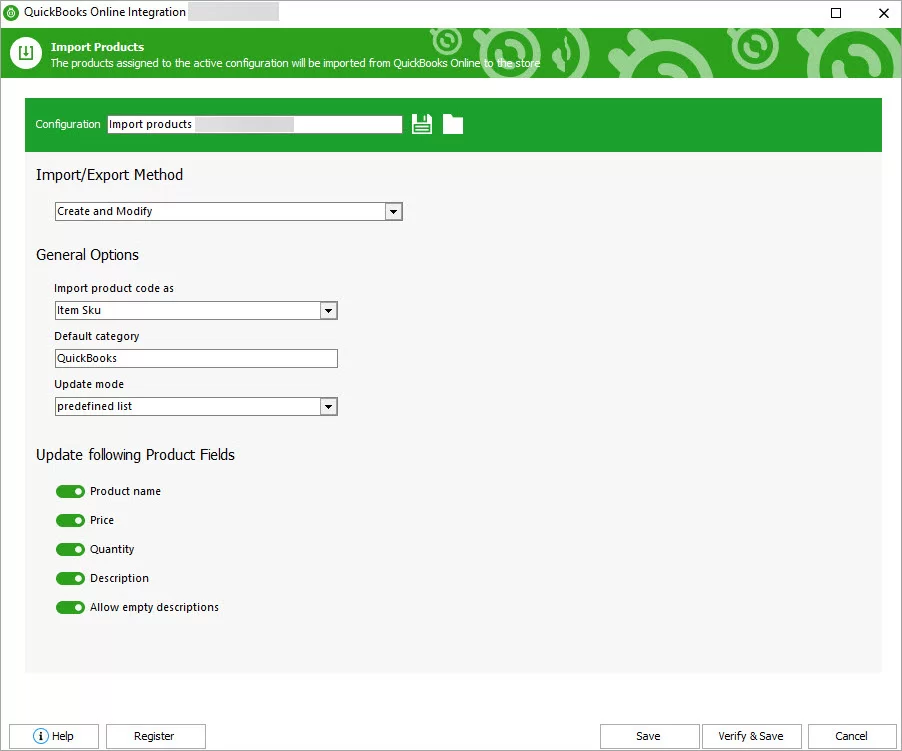
Import Products from QuickBooks Online to Magento
Create new products
Update stock/price
Optionally update name, price, quantity and description
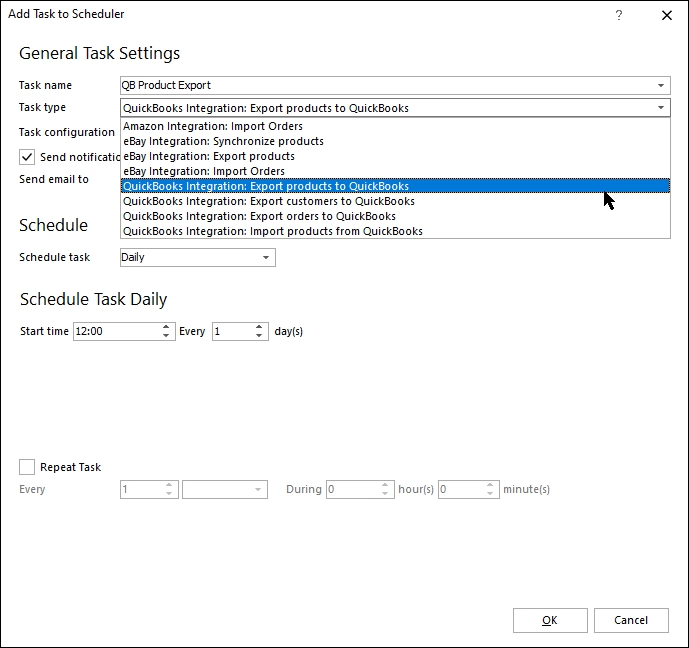
Synchronize products, customers, and orders on a schedule
Run synchronization on a regular basis to have all data updated
Technical Requirements
- Store Manager for Magento (latest version)
- Adobe Commerce (Magento Enterprise Edition) 2.x
- Adobe / Magento Open Source (Community Edition) 2.x
- QuickBooks Online account
- Windows
** - We strongly recommend to backup the database before making changes from Store Manager.
Hear what our customers have to say
See last feedbacks about eMagicOne products and services. Your feedback help us make our products and services better each day!
- Erkan Sevinç said about Ira KobylianskaI would like to sincerely thank you for your help and support.
- Juan Carmona said about Ira Kobylianskasolved
- Berenger said about Ira Kobylianskagreat support
- Damian said about Ira KobylianskaExcellent support
- Anonymous said about Dmytro Grycelyakstiil in work progress