
Magento 2 massive product changes
To ensure Magento 2 management efficiency, Store Manager provides multiple tools for quick and accurate Magento 2 massive product changes. The application comprises four Multi Editors aimed to massively update specific product data. In addition, there is the possibility to assign or unassign multiple products to multiple categories.
- Product Multi Editor
- Inventory Multi Editor
- Sources Multi Editor
- Tier Price Multi Editor
- Massive Category Assignment
- Bulk product update via import + Automation
All together, these tools can help you update enormous amounts of product information with no special skills required. Watch the video below and check how Multi Editors can be applied.
So, let's have a quick glimpse at functional capabilities of each multi editor and consider how they contribute to optimizing catalog updates accomplishment.
Product Multi Editor: Update Product Details In Bulk
With this tool you can update a variety of product details. We listed the most important ones below:
- Product availability - enalbe or disable products
- Product name & product description - add the same name and description to multiple products
- Price & Special price - modify price and special price details
- Tax class - assign the same tax class for bulk of products at once
- Quantity - set the same product quantity to a bulk of products
- Visibility - make products visible or invisible in the catalog
- Images - add images to multiple items at once
- Metadata - massively add meta title and meta description
All you have to do is to select necessary value from dropdowns and check the box beside in the same field.
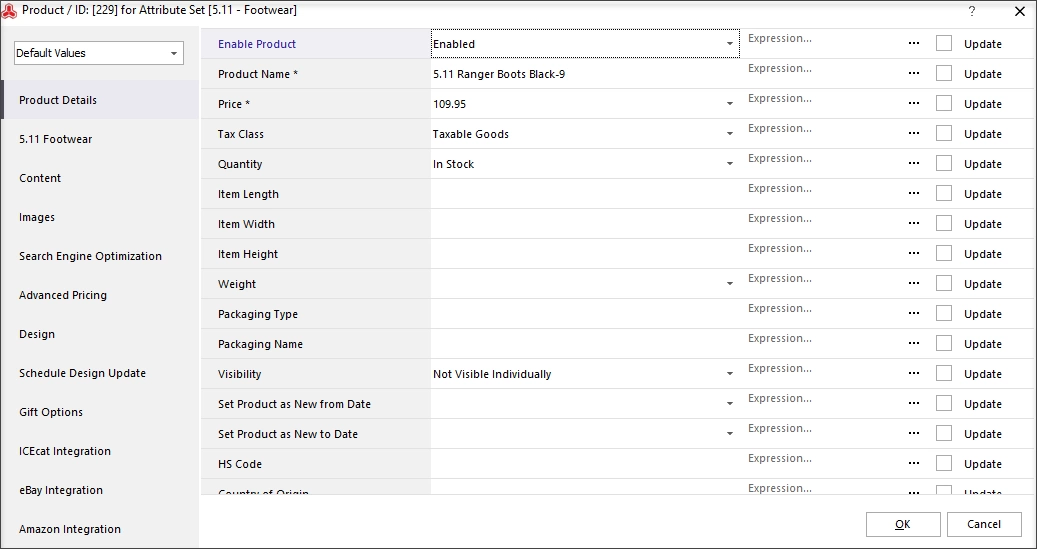
In addition, each product detail can be modified with the help of expression editor right away.
[quote color="red"]When you process products with Product Multi Editor, make sure they belong to the same attribute set. Contrariwise, you won't succeed with updates, in other words main product (the one you right-click on) will be renewed only.[/quote]
Inventory Multi Editor: Keep Product Inventory Under Control
Magento 2 update inventory is what helps you avoid product shortages, stockouts and unsatisfied customers respectively. Inventory Multi Editor works similarly to product data Multi Editor. Numerous selected products will acquire values you provide in corresponding fields of Multi Editor. The following inventory data can be set massively:
- Stock availability
- Minimum or maximum quantity allowed in shopping cart
- Backorders details
- Allow/ disallow quantity increments
Sources Multi Editor
Magento 2 MSI feature is usually used by large stores requiring regular source data updates. To eliminate cumbersome work, Store Manager enables bulk assignment and update of the following source detailes:
- Source code
- Source status
- Notify Quantity value
- Source quantity
[quote]Source update via Store Manager can be accomplished only after Magento 2 sources and stocks were added on the backend side. [/quote]
Tier Price Multi Editor
Apply tier prices to multiple products by checking a couple of boxes within one window. What tier price conditions can be configured?
- Set relations between product quantity and price using special calculators
- Activate tier prices for specific customer groups
- Make tier price disount fixed or set a percentage value
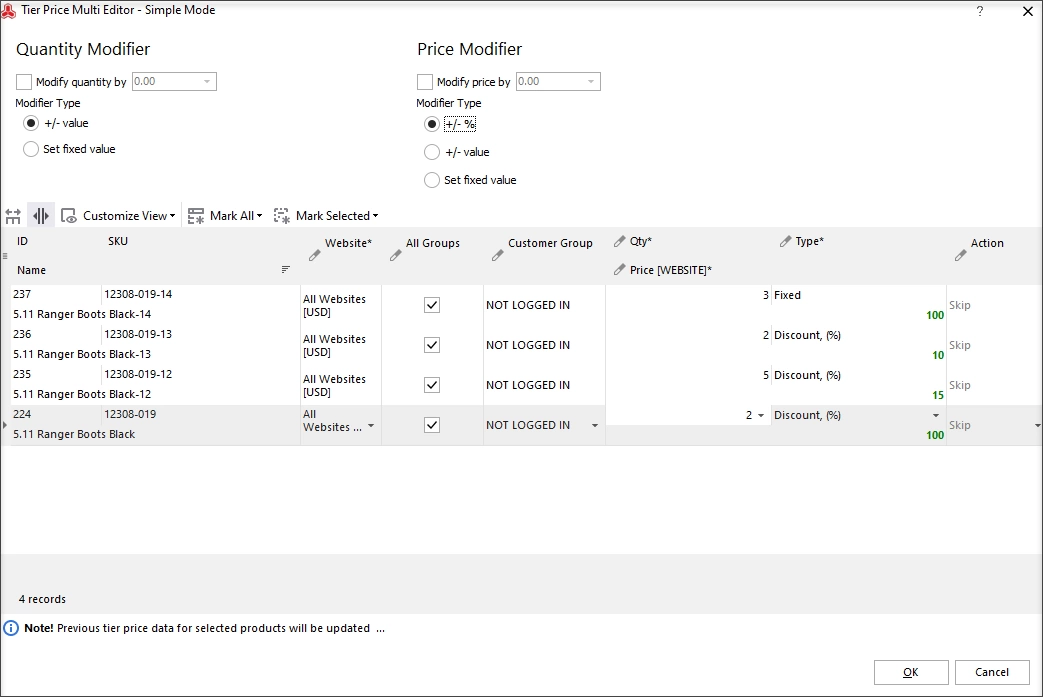
The possibility to customize tier price configuration for each of selected products separately makes Tier Price Multi Editor especially handy. If some of selected products do not need to be updated, you can simply remove them from the editor by applying the Delete action.
Update Category Assignments
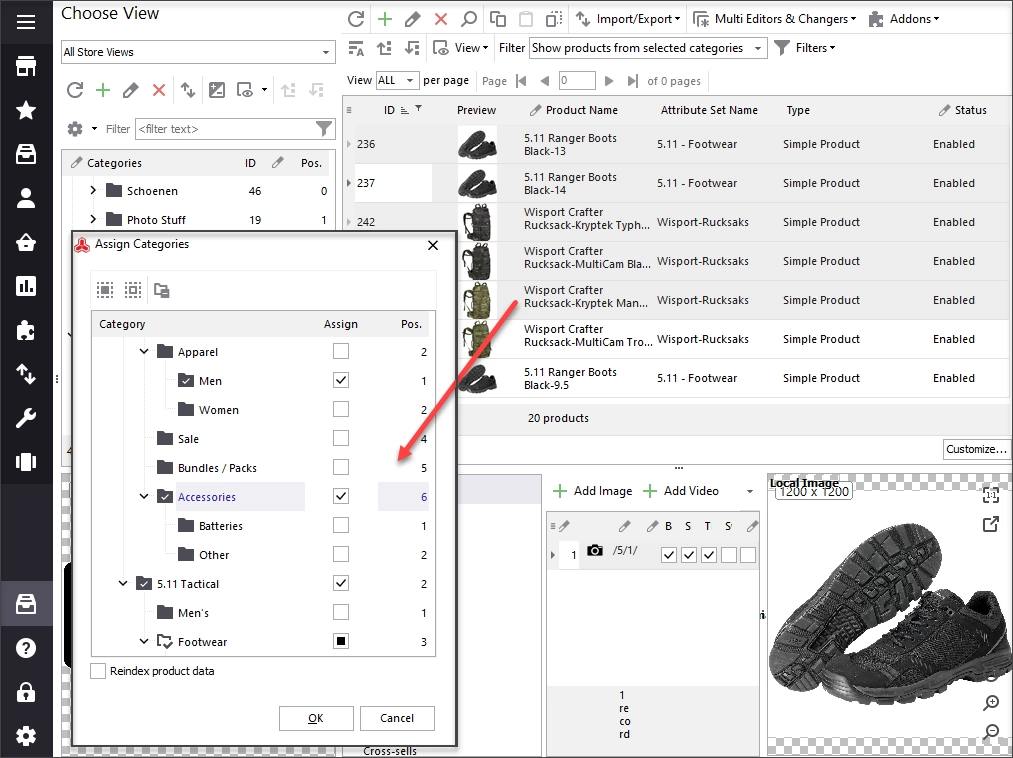
One more point to consider is category association. Oftentimes there comes the necessity to rearrange category associations, place one and the same product to more than one category or displace necessary merchandise from one category to another. Whatever manipulation is required, Store Manager can accomplish it. Special functionality caters for quick updating of category associations and, as a result, definite products will get to desired categories.
Data Appending From The File + Automation
Data appending from the file or import is considered to be the fastest method of Magento product update accomplishment. Having necessary products and related details in the file you, you can upload it via corresponding import wizard and instantaneously renew specified products. How to import products is covered in the article mag-manager.com/useful-articles/magento-product-management/how-to-import-products-in-magento-2/
If you need to run independent data uploads and get your products renewed at predefined time, learn how to make data import automated
- www.mag-manager.com/useful-articles/magento-product-management/how-to-import-products-in-magento-2/
Maintain accurate content and maximize product management productivity with Store Manager for Magento.
Change your product details in bulk with FREE Store Manager for Magento! Get it Now!
Related Articles:

Magento Mass Updates with Multi Editors
Video and text tutorial on performing massive updates of Magento inventory and prices. Read More...

How to Bulk Update Magento Product SKUs
Find out how to update Magento SKUs massively using Multi Editor tool or via import. Read More...

Bulk Update Attribute Values in Magento 2
Get detailed guides on massive assigning/updating attributes via import or Multi Editor tool. Read More...
How to add Magento 2 special price in bulk
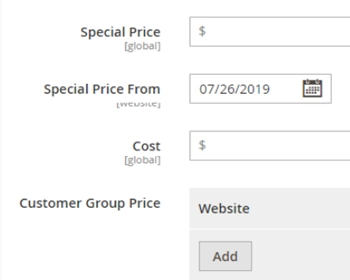
Everything you need to know about Magento 2 special prices: creation guide, applying to configurable products etc. Read More...