Order creation and processing is a significant thing for customers for it shows how reliable and secure is the store. That's why you need to accurately organize your Magento 2 order status flow for the orders to be processed flawlessly and the clients to be satisfied.
Magento Order State vs. Magento Order Status
In Magento Open Source or Adobe Commerce, there are two notions describing the level of order processing: state and status. So, what is the difference between them?
Magento 2 order state shows the position of an order in the workflow. Magento 2 order status describes the condition of the order within its state. Consequently, being assigned to one state an order can be moved along a few statuses.
Magento 2 Order Status Flow
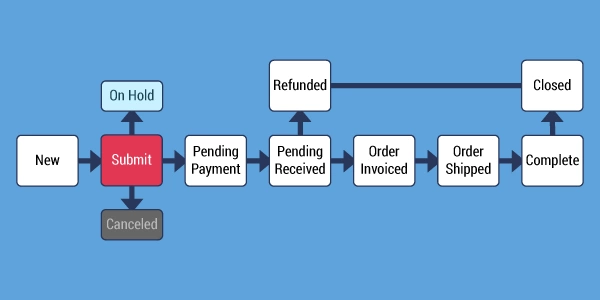
Generally, Magento 2 order status workflow comprises 5 stages: placing order => pending order => receiving payment => invoicing order => shipping order. An order state corresponds to the analogical stage of order processing.
Magento 2 Order Status Flow Detailed Scheme
Magento 2 Order Status Flow
Let's have an insight into each of the stages.
Stage 1 (New)
So, the whole process begins after a shopper taps the Checkout button and places an order.
Stage 2 (Pending Payment)
When the order is created, it gains Pending status right away. This status gives the shopper the possibility to cancel or modify the order before the payment is processed.
Stage 3 (Payment Received)
The payment is received or authorized.
Stage 4 (Order Invoiced)
After the payment is received, an order is invoiced. Some payment methods provide automatic invoice generation after the transaction is complete. When the invoice is submitted, its copy is sent to the client.
Stage 5 (Order Shipped)
The product ordered is shipped, so the order is considered as complete.
Magento 2 Order Status Flow Management
Sometimes orders status flow may be interrupted by unexpected circumstances requiring you to change order status manually. For example, there was a problem with the order delivery, and you need to change order status from Complete to Processing again. Or a customer decided to cancel the order after it was submitted but not still paid, so you would have to change the status from Pending to Cancelled.
How to Add Magento 2 Custom Order Status?
Magento allows to create custom order statuses and assign them to order states. However, this is possible only if the status value is configured as default, in another case it can be indicated only in comments.
Here are the guidelines on how to add your own Magento 2 order status:
Create Order Status
From Magento admin sidebar, go to 'Stores' and under 'Settings' select' Order Status'.
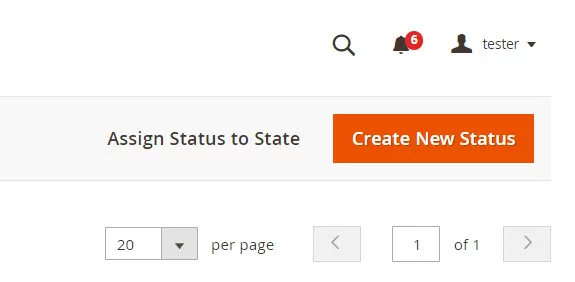
Press 'Create New Status' in the right upper corner.
Magento 2 Order Status Flow
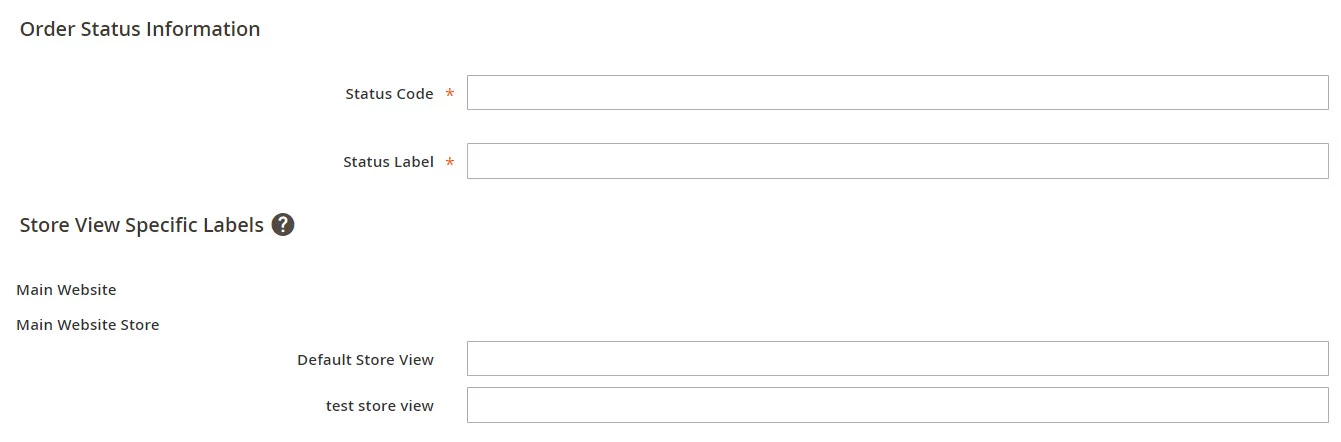
Specify Status code (used only internally) and Status label (status name displayed in Order section).
Magento 2 Order Status Flow
Press 'Save status'.
Assign Order Status to Order State
Now you need to assign the created status to one of the default order states:
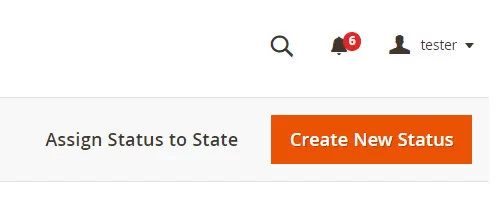
Press 'Assign Status to State' button.
Magento 2 Order Status Flow
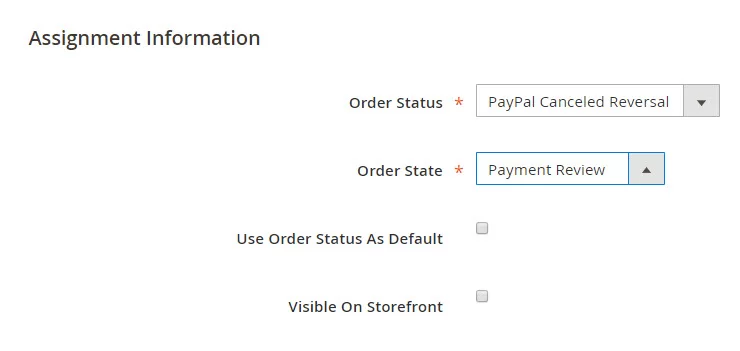
From the dropdowns select the necessary status and state. Check the boxes, if you want the status to be set as default and if you want it to be displayed on the frontend.
Magento 2 Order Status Flow
The importance of flawless order status workflow requires sales managers to be prepared for most unexpected cases. Store Manager allows to stay unalarmed about order status management and change order status in one click without any programming skills.
Managing Order Status with Store Manager
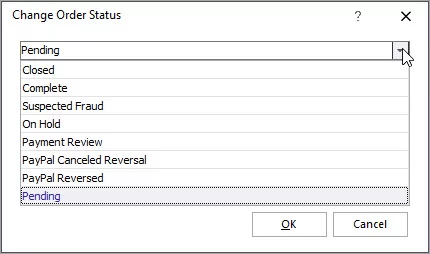
With Store Manager you can get the advantageous possibility to change order status selecting one from a dropdown. You can create as much custom statuses as you need and assign them to orders. Check more about this in the sections below.
How to Create Order Status with Store Manager?
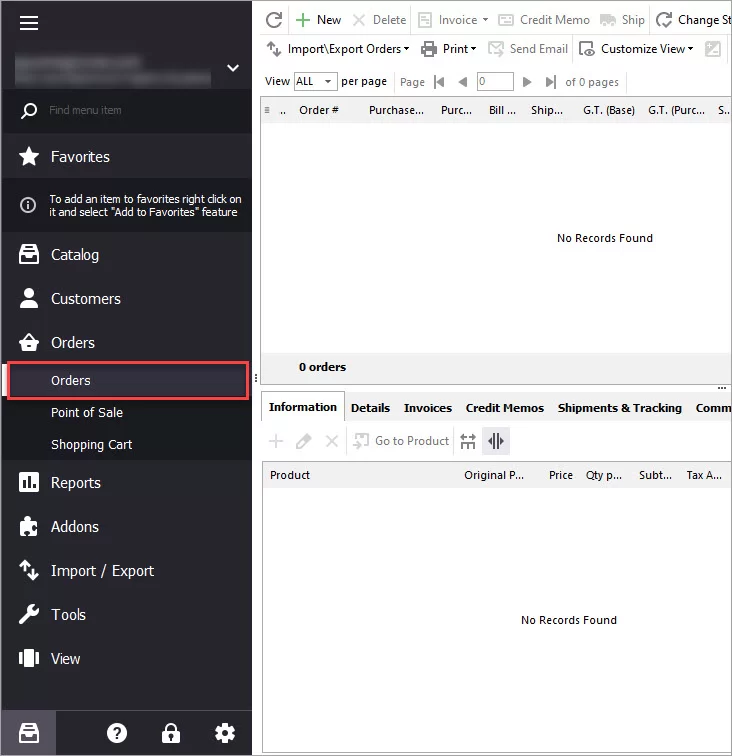
From Store Manager's dashboard select 'Store' tab and go to 'Orders' section.
Order Section in Store Manager
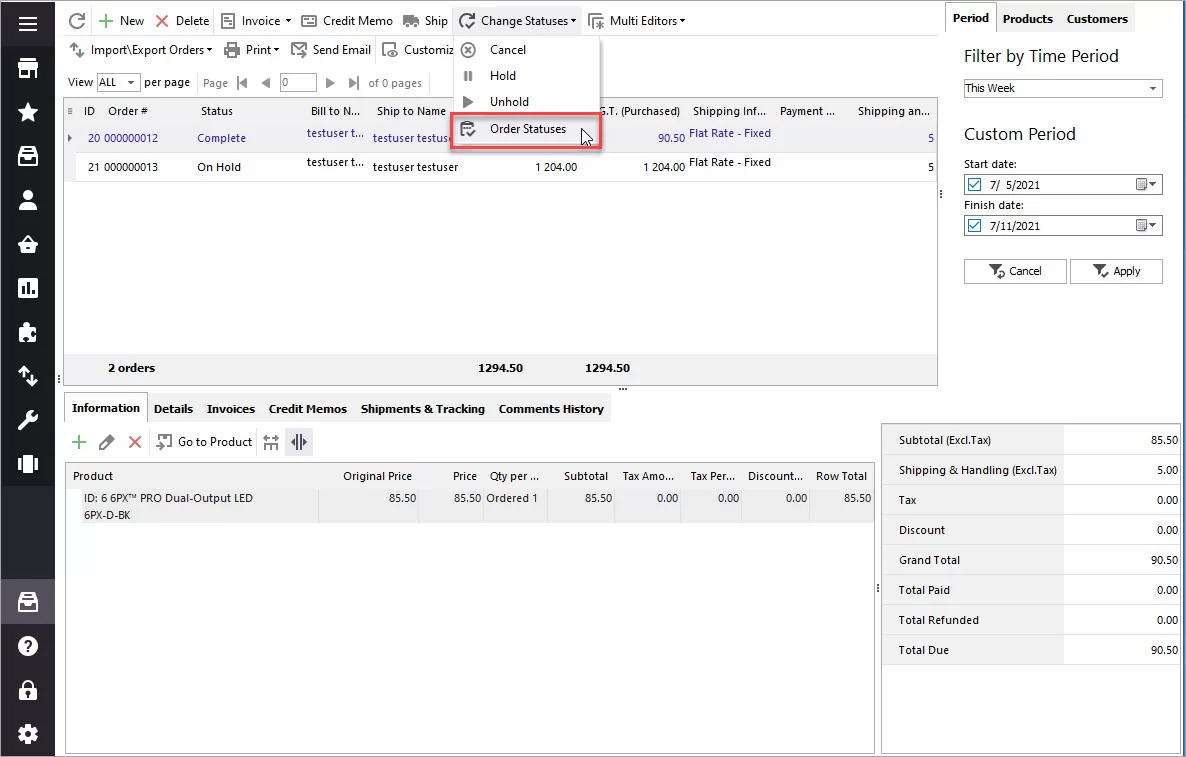
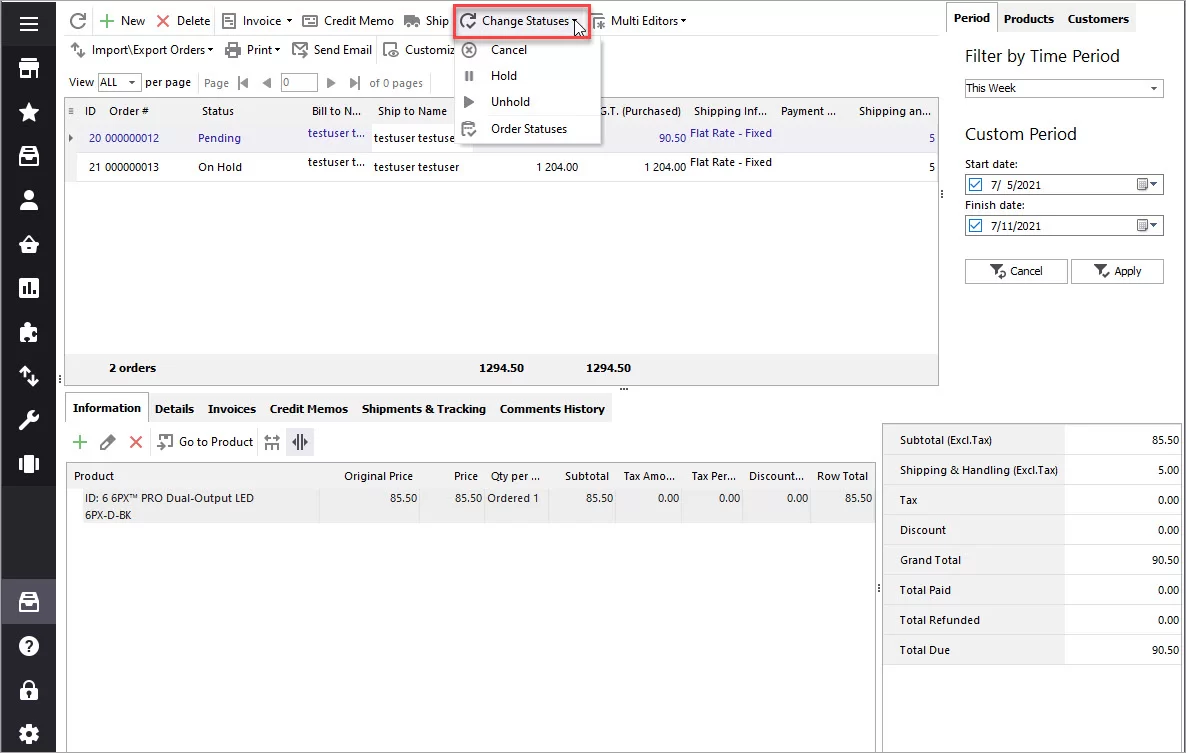
Press on 'Order statuses' button to open the order statuses editor.
Manage Magento Order Statuses
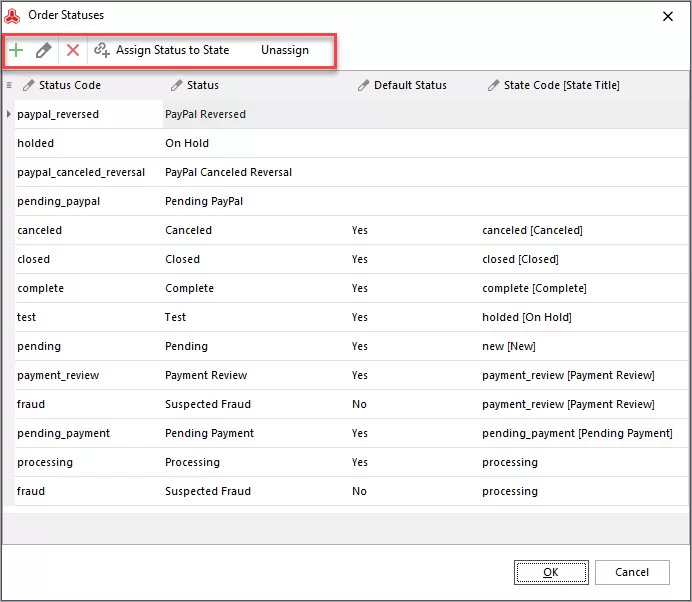
Using the editor's toolbar you can:
add new statuses
edit or delete the existing ones.
assign / unassign statuses to states
Magento Order Statuses Editor
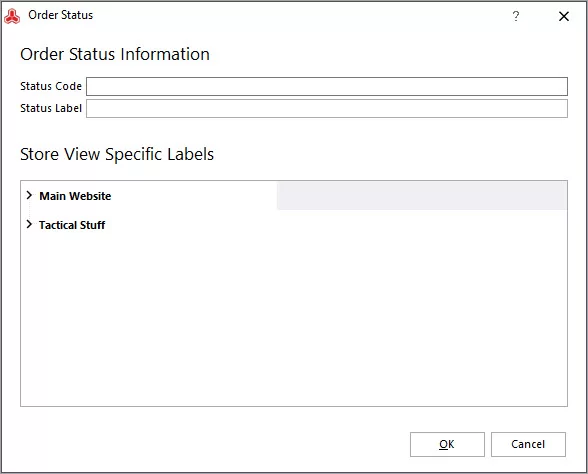
To add a new order status, press the plusbutton and specify the following information:
Status code
Status label
Specific status label for each store view
Press OK
Add New Magento Order Status
How to Change Magento 2 Order Status?
As a matter of fact, Magento does not provide the possibility to manually change order status. The statuses are assigned to orders automatically according to the stage of their processing.
Although, you shouldn't despair. If you got trapped in a situation forcing you to quickly change order status, Store Manager for Magento can help you. The application allows changing order status from any to any in one click. It is possible to change the status of one order or perform the action in bulk.
In order to change order status via Store Manager, follow these steps:
Enter 'Orders' section in the 'Store' tab and right-click on the order whose status you want to change.
Change Order Statuses
Select Change order status option and select the necessary status from the drop-down.
Select Order Status
In addition, Store Manager brings the possibility to notify a customer about the change by email using a particular template. Just check the corresponding box and select a suitable template.
Press OK.
Bearing in mind that Store Manager puts no limitations on changing order status, you can change Magento order status to complete without invoicing or change order status after invoice.
Manage Magento 2 Order Status Flow for free Try now
Guides on how to get the list of customers with abandoned carts and send them a followup email. Read More...
This website uses cookies
We use cookies to ensure that we give you the best experience on our website. If you continue to use this site we will assume that you are happy with it. Privacy Policy